I have a folder with only 700 MB, but with some 25 000 files. This is not a problem in normal use when only a few files change then an now, but sometimes I update it to a new version and create a backup folder, and it takes literally days to sync them.
What are my options here to make it faster?
Turning off the client and manually uploading the files to the server via web browser does not help, because the client still checks them all for ages.
Server is owned by me, running on Yunohost install. Clients are a W10 and W11 PC.
Hello @Catrik, You started a topic in support category. Unfortunately you ignored the template and a lot of information to help you is missing. Please edit your original post and add all required details like Nextcloud version, webserver type and version, os version, related log file content. Use the support template.
Without additional information the community members cannot help you.
In my instance I see a sync speed of 10+ files per second so 25k should sync in less than an hour.. shortly I setup new client and t synced 500k-700 files in less than a day..
I should have clarified my question better. I intentionally ignored the template, because I’m not looking for system support, but rather another method to accomplish this specific syncing. Like how to ignore file checks for one specific time, as long as the file names match, or something like that.
The files on the server are on a 2,5” HDD which probably explains the slow speed and it has already been looked at by a few people and no issues are found. So I’m really just looking for bandaid workaround and I did not see it relevant to include all the details and logs for that goal.
I see your goal more or less like “I look for support to overcome this system” but obviously this is out of scope here.
in fact Nextcloud is not the fastest sync tool in the world for .. reasons.. - if your personal need differs from what it provides - feel free to choose another one.
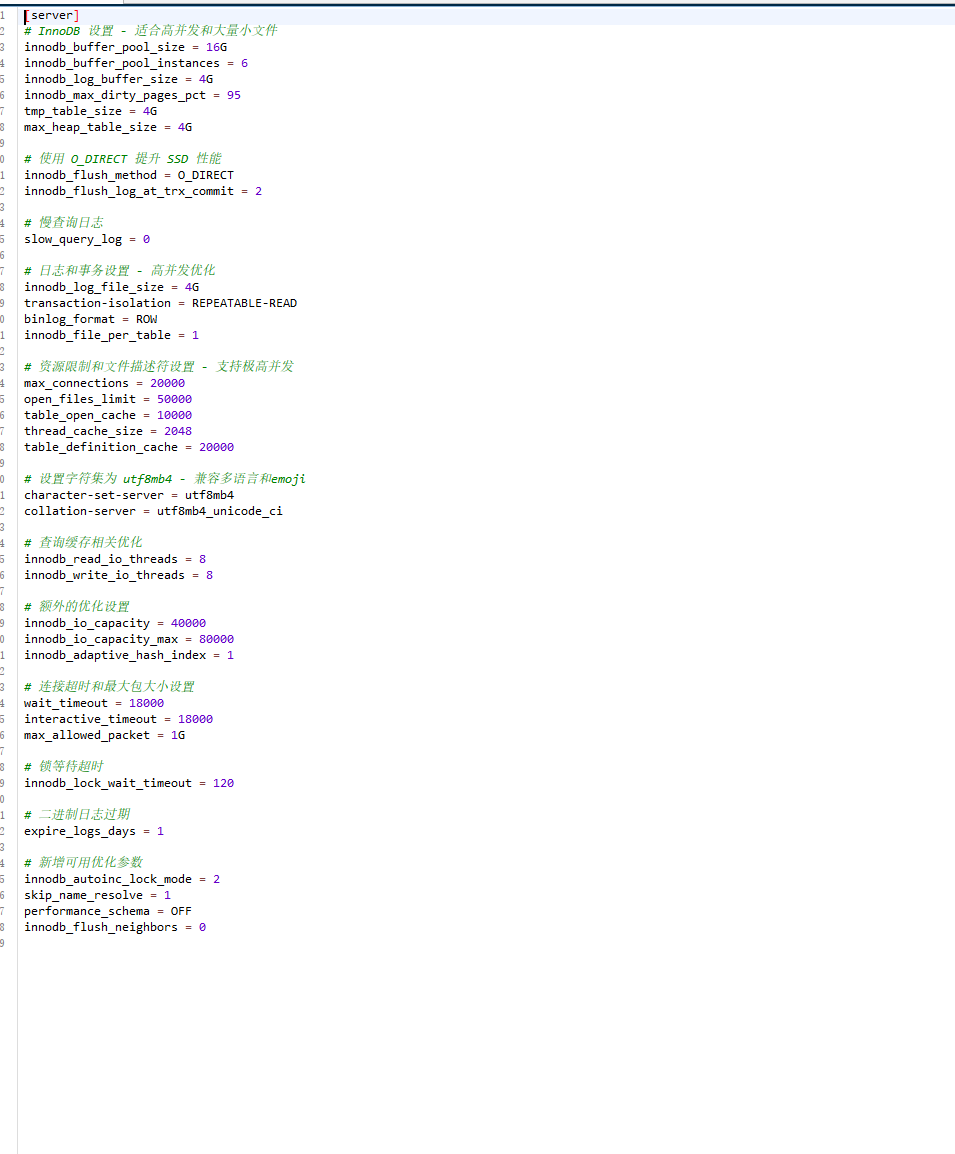
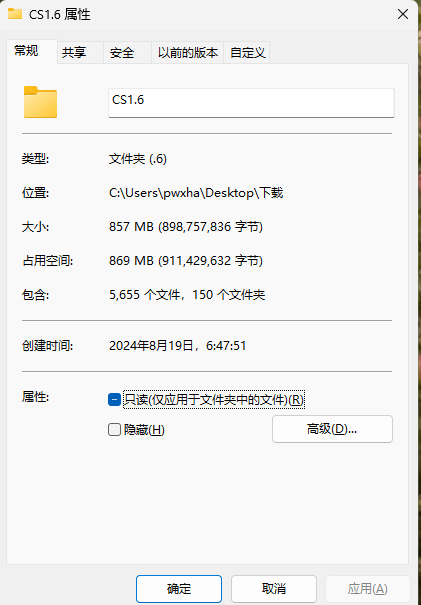
Hello, maybe you can try to modify the database’s my.cnf to increase these parameters. This is my configuration. I have only tried to upload a CS1.6 folder with 5600 files in it. After I modified the database parameters, the response was quite fast.
Uploading this folder (800mb/5600 files) in nextcloud webui takes about 5-7 minutes. It will wait for a while and then start uploading. It will be faster if you use the client synchronization method
What he probably meant is that Nextcloud itself has certain limitations that can’t be overcome, except by using an alternative, and this discussion would go beyond the scope of this forum.
Also, you haven’t quantified ‘slow’, which makes this discussion somewhat pointless in the first place. I mean, what does ‘slow’ mean? Five minutes, five hours, five days or five weeks?
Without any details, we can only make general statements, such as it being normal (at least to a certain extent) for uploading 25,000 files to take some time, particularly with rotating hard drives.
Some general things you could do, if you already optimzed the software as good as possible, and it’s still to slow:
Buy SSDs or generally faster hardware. However, it will always be considerably slower to upload many small files than fewer large ones. It will probably be faster with SSDs than with a spinning 2.5-inch drive though.
Try upload the files directly to the data folder (via rsync or another tool) and then use occ files:scan to make Nextcloud aware of them: Using the occ command — Nextcloud latest Administration Manual latest documentation.
However, that will likely take some time as well, and I’m not sure if the total time taken for the upload and scanning of the files would end up being quicker.
Use an SMB or NFS share or an external disk and add it as external storage to Nextcloud.
If you haven’t done anything with the database config, @Ok_Know gives you a few good pointers. Also file locking should be done with a redis cache. Some time back, I managed to get a few thousand files per minute, and even a good 100 per minute on a RPi2.
If you want to know more, you need to share more details. And if you managed to improve it, let us know what made the difference.
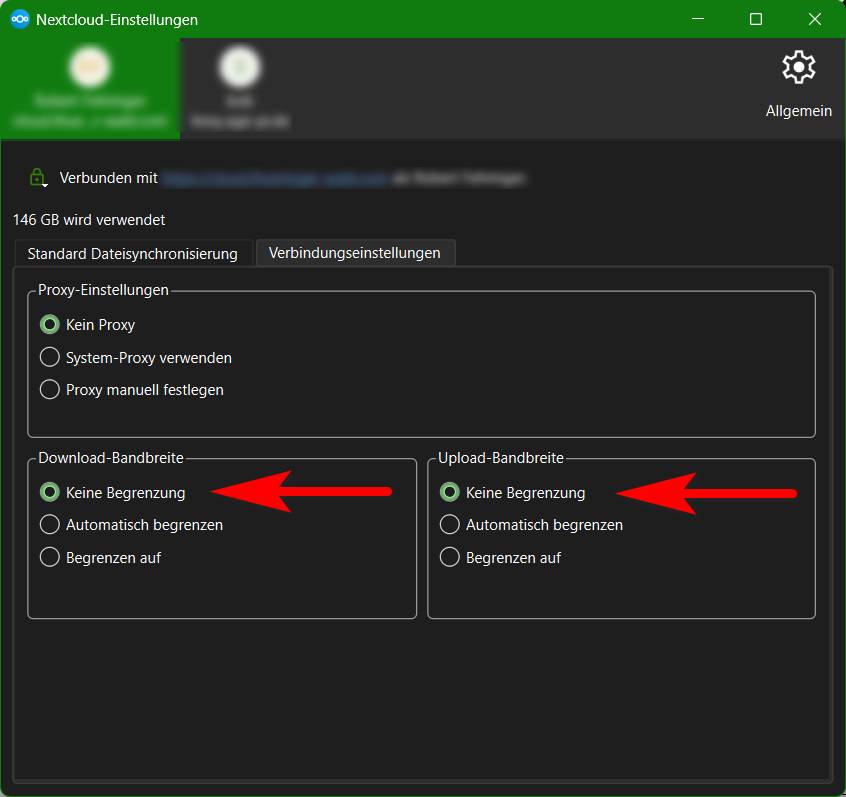
Be sure to check whether your current Nextcloud Desktop Client is limited in speed by one of the latest updates. In the connection settings, the values for upload and download bandwidth were automatically set to “Limit automatically” due to a bug. For me, this led to exactly the performance problem you described with many small files.
If I remember right one was, the flush trx commit you potentially can loose a few queries if the system crashes. With the caches, connections, pool_sizes, you need to adjust to your system, if they are too small, you have a bad performance, if they are too large, you consume too much RAM for the DB. There are tools to check the db cache settings for your use case (tuning-primer.sh, mysqltuner, …).
Well damn!!! That was it! Swithing the settings during syncing, it will immediately go from 1 file per second to tens per second. Thank you for pointing that out. Time estimation went from 3 days to 15 minutes.
I just happened to be reading this thread since it came up in my email summary, but my last sync from my photos offload from my camera had seemed pretty slow. i checked the bandwidth limit settings mentioned about thinking nah, im the only user on mine, that cant be it and im sure i had mine set to no limit… mine were set to limit automatically. they must have made that the default somehow with a client update. so odd. thank you all

 for pointing that out. Time estimation went from 3 days to 15 minutes.