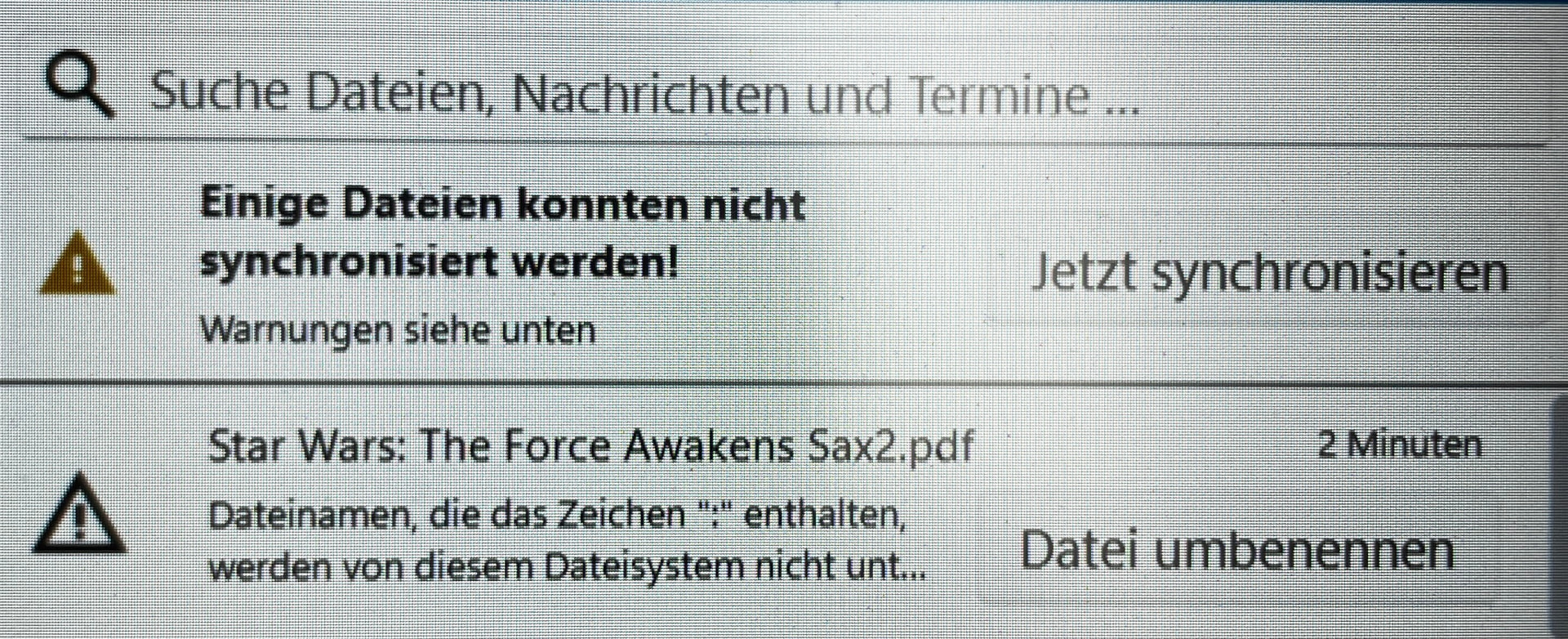
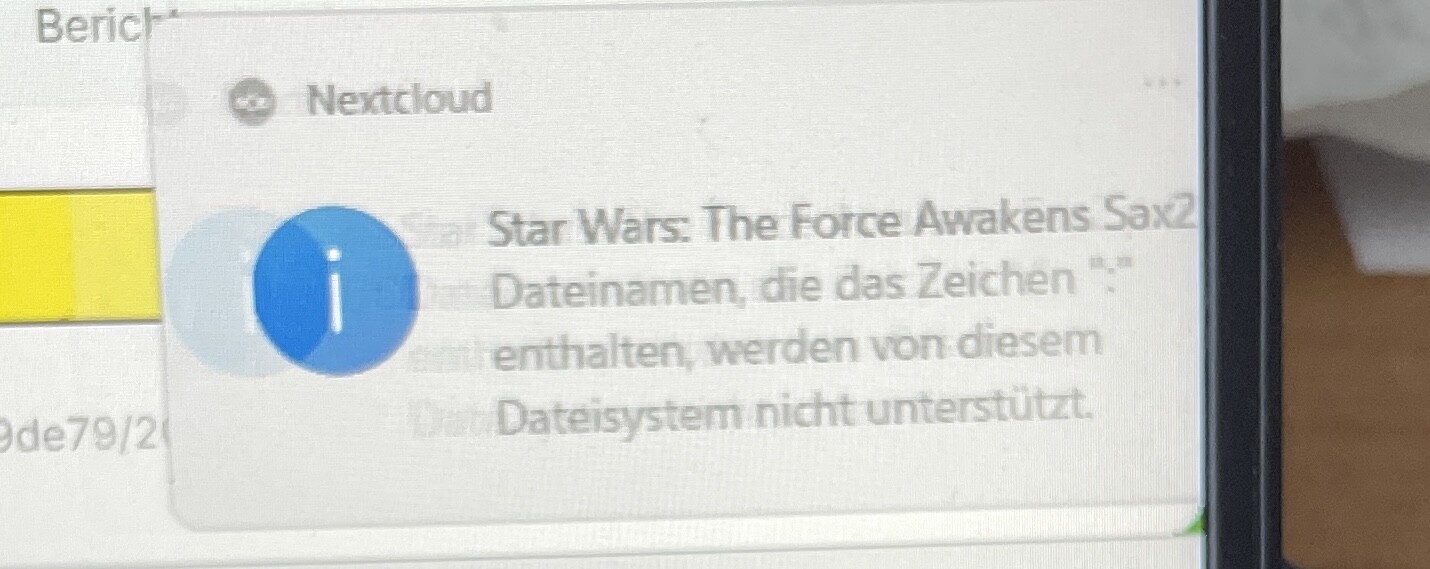
Hello, For some time now, I’ve been getting an error message (see attached images) stating that some images – in this case, one image – cannot be synchronised. Originally, a colon had found its way into the file name. I was able to successfully rename other files containing the colon. However, I deleted the file in question before renaming it, but for some reason Nextcloud hasn’t forgotten about it. Uploading a file with the incorrect filename and attempting to rename it was also unsuccessful. How can I get rid of this error message? The rest of the synchronisation is working fine. Regards, Jochen
pls english only in this category. and pls don’t feel obliged to post the german version again under the subforun “deutsch-german”…
you filed your problem with the maximum reach in English, already.
aww and you kinda missed to fill in the support template, which might be really helpful.
Hello,
I deleted the German.
I don’t use an optional keyword because I don’t know what they mean!
Dockers? NCP? Aio? Feature?
@jo55 lets try to put it simply,
the file name you are trying to synchronise has characters in the filename which you are not allowed to use → “Star Wars: The Force Awakens Sax2”! The colon : is not allowed to be in the file name as it is not supported!
rename the file to something like “Star Wars – The Force Awakens Sax2” and you will be fine 
to be clear;
der Dateiname enthält ein ungültiges Zeichen “
:” → benenne die Datei um, damit der Dateinamen kein Sonderzeichen “:” enthält! Bsp. “Star Wars – The Force Awakens Sax2”
Hello, I’ve already tried all that, with an new file, because i have deleted this file before renaming. The file doesn’t even exist physically anymore!
Is the file on the server you log into the Web UI?
Hello,
I asked the community for a solution here a while ago. Unfortunately, I didn’t get one! Now I’m going to try again, perhaps with a clearer description of the problem:
Whenever the Nextcloud app on my laptop synchronises with the server, I get the message: ‘File names containing the character “:” are not supported by this system.’. The error lies in the ‘colon’ “:” in the file name; I’m aware of that. However, at the time, I didn’t correct the incorrectly named file, but deleted it without fixing it! Since then, I’ve been getting this message repeatedly, as shown in the image. I’ve tried several times to upload a file with the incorrect filename again and then rename it when prompted to clear the message, but this has failed every time.
So here’s my question: How do I get rid of the message – see image?
The rest of the synchronisations are working perfectly. Thanks Best regards Jochen
you got plenty replies even though you never completed the support template, which is still missing! as per the first reply in that post: Nextcloud error message - #2 by JimmyKater
why didn’t you reply in your first post?
sounds like you’re syncing that file from somewhere else → see that’s why we asked you to complete the support template… has Nextcloud not forgotten about it or a Desktop client, or maybe a mobile client hasn’t forgotten about it → no support template, no logs… we’re still guessing!
“Unfortunately” you didn’t hang around for long enough last time and didn’t tell the folks who were trying to help you, what they needed to know to be able to help you!
so lets try try again then shall we →
- complete the support template
- don’t worry about the tags, we’ll do that for you once you’ve completed the support template

… oh did I mention the support template 
added the “new” thread to the “old” thread…
@jo55 could could have “pushed” your “old” thread by giving an answer to it. so it automatically moves upwards again in the history, if you sort it by “show newest”
awwww. any in case nobody told you before: you should better use the support template. it helps the guys on here to help you.
Hello,
First of all: I’m a complete computer novice! I have absolutely no idea what to make of the following terms and concepts, such as:
Apache, web server, reverse proxy, AIO, NCP, bare metal/archive, Cloudflare, mod_security, Apache/nginx/system logs in /var/log/____:, occ config:list system, /path/to/nextcloud, occ app:list.
You’ll need to explain everything to me in a way that’s foolproof!
Ideally, tell me step by step, word for word, exactly how to do each thing.
And finally: I’m using DEEPL for writing this!
Thanks für your understanding 
If you need more detailed information, please describe exactly where you’re stuck.
And now the support template!
The Basics
- Nextcloud Server version : Nextcloud Hub 26 Winter 33.0.6
- Operating system and version : Windows 11 Home 25H2
- Web server and version : I’ve no idea! Where can I find this information?
- Reverse proxy and version _: I’ve no idea! Where can I find this information?
- PHP version : Where I can find this Info
- Is this the first time you’ve seen this error? (No): see my first question
- When did this problem seem to first start? see my first question
- Installation method (e.g. AIO, NCP, Bare Metal/Archive, etc.) I downloaded the Nextcloud app for Hetzner’s ‘Storage share’ Typ NX11 and installed it on my Windows 11 laptop.
- Are you using Cloudflare, mod_security, or similar? (Yes / No) No idea, what this means!
Summary of the issue you are facing:
Whenever the Nextcloud app on my laptop synchronises with the server, I get the message: ‘File names containing the character “:” are not supported by this system.’. The error lies in the ‘colon’ “:” in the file name; I’m aware of that. However, at the time, I didn’t correct the incorrectly named file, but deleted it without fixing it! Since then, I’ve been getting this message repeatedly, as shown in the image.
Steps to replicate it (hint: details matter!):
- I’ve tried several times to upload a file with the incorrect filename again and then rename it when prompted to clear the message, but this has failed every time.
Log entries
Nextcloud
Please provide the log entries from your Nextcloud log that are generated during the time of problem (via the Copy raw option from Administration settings->Logging screen or from your nextcloud.log located in your data directory). Feel free to use a pastebin/gist service if necessary.
I can’t find this log file
PASTE HERE
Web Browser
If the problem is related to the Web interface, open your browser inspector Console and Network tabs while refreshing (reloading) and reproducing the problem. Provide any relevant output/errors here that appear.
PASTE
Web server / Reverse Proxy
The output of your Apache/nginx/system log in /var/log/____:
I’ve no idea where to find that! I’m a complete novice!
PASTE HERE
Configuration
Nextcloud
The output of occ config:list system or similar is best, but, if not possible, the contents of your config.php file from /path/to/nextcloud is fine (make sure to remove any identifiable information!):
I’ve no idea where to find that! I’m a complete novice!
PASTE HERE
Apps
The output of occ app:list (if possible).
I’ve no idea where to find that! I’m a complete novice!
Tips for increasing the likelihood of a response
- Use the
preformatted textformatting option in the editor for all log entries and configuration output. - If screenshots are useful, feel free to include them.
- If possible, also include key error output in text form so it can be searched for.
- Try to edit log output only minimally (if at all) so that it can be ran through analyzers / formatters by those trying to help you.
@jo55 so lets start simple →
- where is your Nextcloud instance hosted?
- who is your service provider?
- did you delete that file in the browser UI or on your local PC?
- check if that file is still visible in the browser UI (your Nextcloud instance in the internet)
Hallo,
Nextcloud instance is hosted in Nürnberg, “shareweb833”
Service Provider “Telekom”
have you contacted their support to tell them about your issue?
your Nextcloud hoster support folks can tell you all you need to know, but most importantly, they can check your logs and tell you how to get rid of that issue once and for all.
we simply cannot support you if you can’t give us the information we need in order to help.
I deleted the File on local PC or in WEB Storage, sorry, i can’t remember.
The file isn’t visible at local Laptop or in browser UI.
One more thing – this might be important!
Surprisingly, this message doesn’t appear in the iPhone/iPad app or the macOS app
so the issue happens only on your PC where you are using a sync client → well done, that’s good info
- is it a windows PC?
- which windows are you running 10 or 11?
- which sync client version is installed?
- is that file anywhere on the windows PC?
bar using windows or desktop sync clients, this is where my journey ends → be patient there are folks who know how to remove the sync cache from your desktop sync client, but they will need you to answer the questions above.
- Where I can find the support? Please give me the Email or URL. I’m afraid I can’t quite get to grips with the combination of Hetzner and Nextcloud. Sorry.
- I will give you all information you need, but you must exactly describe what you want to know. In a format that I can translate using DEEPL.
- yes
- Win 11 25H2
- The newest one, I can’t find the version number. As soon as a new version is announced, I install it.
- No, nor in the hidden files