MacOS client broken - unexpected error

I am hosting nextcloud latest version behind an nginx reverse proxy in docker compose and for the macOS client v4.0.6 i have “An unexpected error occurred“ when I try to login.

I can access without any issues from browsers, windows client, iOS client, android client.
I have also followed all articles I could find for this “behind proxy“ configuration and I have no errors or issues in the nginx or nextcloud logs.

Any ideas how to fix this MacOS client specific error ?

I don’t have any specific ideas, so here are just a few guesses/approaches.

What TLS/HTTPS rating do you receive according to https://www.ssllabs.com/ssltest?

Are you sure you’ve checked all the logs? There are quite a few:

  • The web server logs of your reverse proxy
  • The web server logs of your Nextcloud
  • Nextcloud’s own logs (nextcloud.log)

Do you have an external reverse proxy such as Cloudflare in front of it?

These are the only logs from the nextcloud container when I press the Login button:

10.10.10.2 - USER [09/Feb/2026:08:48:13 +0000] “PROPFIND /remote.php/dav/files/USER/ HTTP/1.1” 207 962 “-” “Mozilla/5.0 (Windows) mirall/4.0.6 (build 20260122) (Nextcloud, windows-10.0.26200 ClientArchitecture: x86_64 OsArchitecture: x86_64)”

10.10.10.2 - USER [09/Feb/2026:08:48:24 +0000] “GET /ocs/v2.php/apps/user_status/api/v1/user_status?format=json HTTP/1.1” 200 870 “-” “Mozilla/5.0 (Windows) mirall/4.0.6 (build 20260122) (Nextcloud, windows-10.0.26200 ClientArchitecture: x86_64 OsArchitecture: x86_64)”

10.10.10.2 - USER [09/Feb/2026:08:48:24 +0000] “GET /ocs/v2.php/apps/notifications/api/v2/notifications?format=json HTTP/1.1” 304 713 “-” “Mozilla/5.0 (Windows) mirall/4.0.6 (build 20260122) (Nextcloud, windows-10.0.26200 ClientArchitecture: x86_64 OsArchitecture: x86_64)”

10.10.10.2 - USER [09/Feb/2026:08:48:37 +0000] “PROPFIND /remote.php/dav/files/USER/ HTTP/1.1” 207 951 “-” “Mozilla/5.0 (Windows) mirall/4.0.6 (build 20260122) (Nextcloud, windows-10.0.26200 ClientArchitecture: x86_64 OsArchitecture: x86_64)”

10.10.10.5 - - [09/Feb/2026:08:48:40 +0000] “GET /ocs/v2.php/apps/notifications/api/v2/notifications HTTP/1.1” 304 713 “-” “Mozilla/5.0 (Macintosh; Intel Mac OS X 10_15_7) AppleWebKit/605.1.15 (KHTML, like Gecko) Version/26.2 Safari/605.1.15”

10.10.10.2 - USER [09/Feb/2026:08:49:07 +0000] “PROPFIND /remote.php/dav/files/USER/ HTTP/1.1” 207 951 “-” “Mozilla/5.0 (Windows) mirall/4.0.6 (build 20260122) (Nextcloud, windows-10.0.26200 ClientArchitecture: x86_64 OsArchitecture: x86_64)”

10.10.10.5 - - [09/Feb/2026:08:49:10 +0000] “GET /ocs/v2.php/apps/notifications/api/v2/notifications HTTP/1.1” 304 713 “-” “Mozilla/5.0 (Macintosh; Intel Mac OS X 10_15_7) AppleWebKit/605.1.15 (KHTML, like Gecko) Version/26.2 Safari/605.1.15”

10.10.10.2 - USER [09/Feb/2026:08:49:15 +0000] “PROPFIND /remote.php/dav/files/USER/ HTTP/1.1” 207 962 “-” “Mozilla/5.0 (Windows) mirall/4.0.6 (build 20260122) (Nextcloud, windows-10.0.26200 ClientArchitecture: x86_64 OsArchitecture: x86_64)”

10.10.10.2 - USER [09/Feb/2026:08:49:24 +0000] “GET /ocs/v2.php/apps/user_status/api/v1/user_status?format=json HTTP/1.1” 200 870 “-” “Mozilla/5.0 (Windows) mirall/4.0.6 (build 20260122) (Nextcloud, windows-10.0.26200 ClientArchitecture: x86_64 OsArchitecture: x86_64)”

10.10.10.2 - USER [09/Feb/2026:08:49:24 +0000] “GET /ocs/v2.php/apps/notifications/api/v2/notifications?format=json HTTP/1.1” 304 713 “-” “Mozilla/5.0 (Windows) mirall/4.0.6 (build 20260122) (Nextcloud, windows-10.0.26200 ClientArchitecture: x86_64 OsArchitecture: x86_64)”

10.10.10.2 - USER [09/Feb/2026:08:49:37 +0000] “PROPFIND /remote.php/dav/files/USER/ HTTP/1.1” 207 951 “-” “Mozilla/5.0 (Windows) mirall/4.0.6 (build 20260122) (Nextcloud, windows-10.0.26200 ClientArchitecture: x86_64 OsArchitecture: x86_64)”

10.10.10.5 - - [09/Feb/2026:08:49:40 +0000] “GET /ocs/v2.php/apps/notifications/api/v2/notifications HTTP/1.1” 304 713 “-” “Mozilla/5.0 (Macintosh; Intel Mac OS X 10_15_7) AppleWebKit/605.1.15 (KHTML, like Gecko) Version/26.2 Safari/605.1.15”

No nginx logs, as nginx processes everything without any issue.
I am accessing nextcloud ONLY on my internal LAN. It is not exposed to the internet.
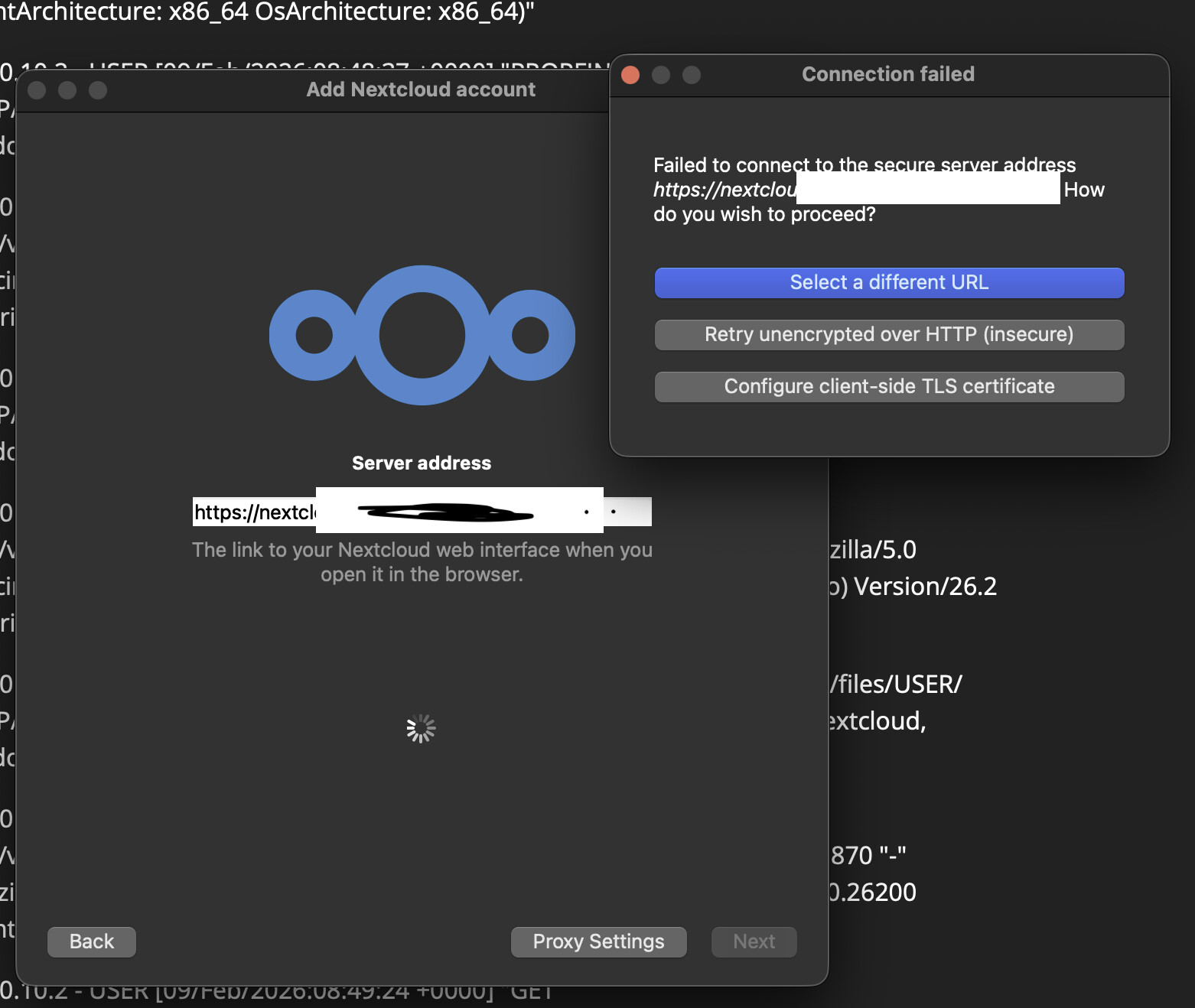
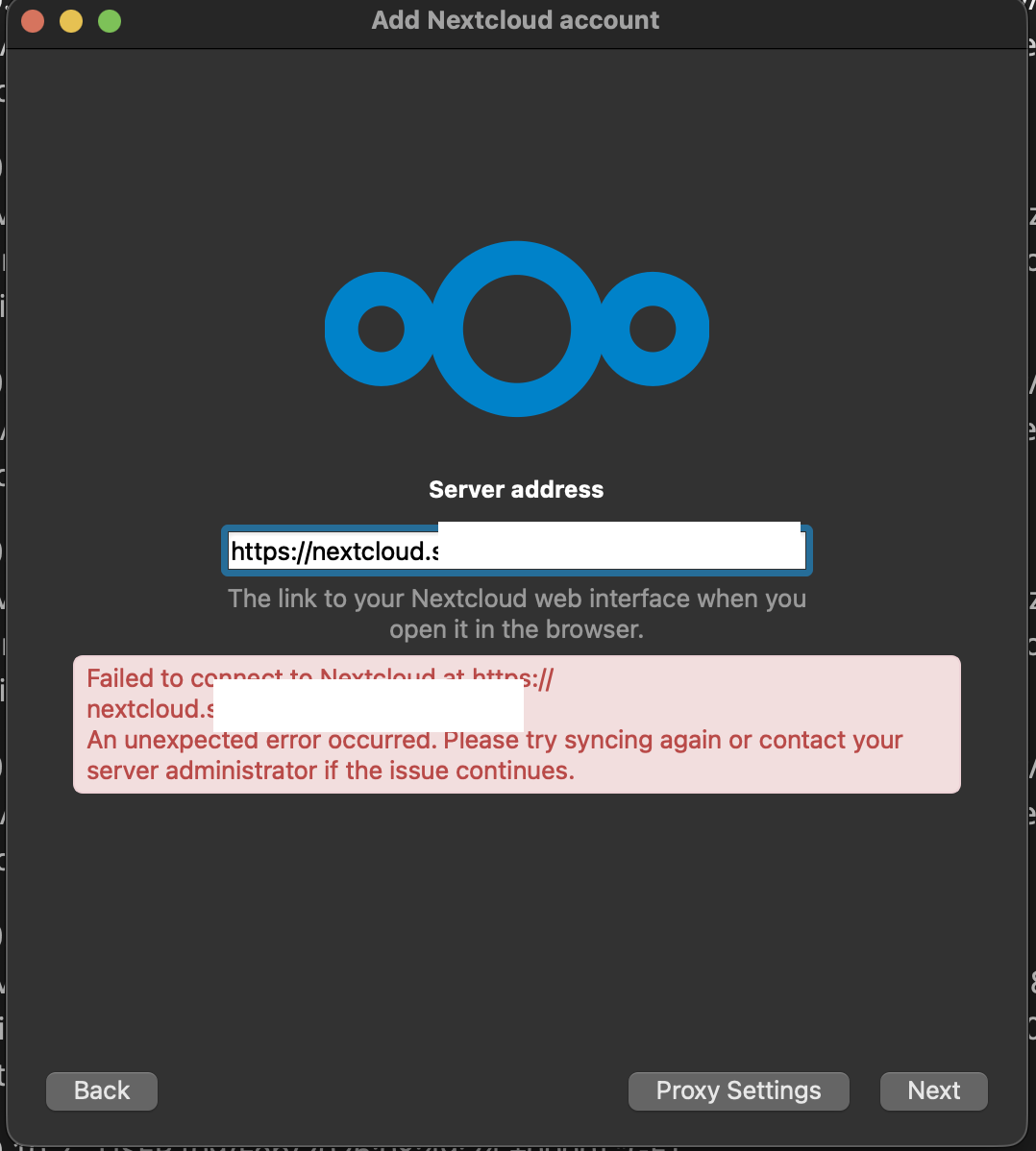
I have also tried articles like this one: Massive problems with Nextcloud Client vfs for macOS
I reinstalled, restarted my Mac, etc etc.
From my side it is something related to the MacOS client ONLY because all other clients work fine. Does anyone know where I can submit a bug or issue ?

Hmm. Are you by any chance using a self-signed certificate and sending an HSTS header? That would be a combination that is not supported by the Nextcloud client.

https://github.com/nextcloud/desktop/issues

I am not using self signed certificates. I use a Let’s encrypt certificate but it has one HSTS header (max-age) as you can see bellow:

HTTP/2 302
server: nginx/1.29.5
date: Mon, 09 Feb 2026 13:35:10 GMT
content-type: text/html; charset=UTF-8
x-content-type-options: nosniff
x-frame-options: SAMEORIGIN
x-permitted-cross-domain-policies: none
x-robots-tag: noindex, nofollow
referrer-policy: no-referrer
x-powered-by: PHP/8.3.30
content-security-policy: default-src ‘self’; script-src ‘self’
style-src ‘self’ ‘unsafe-inline’; frame-src *; img-src * data: blob:; font-src ‘self’ data:; media-src *; connect-src *; object-src ‘none’; base-uri ‘self’;
set-cookie: __Host-nc_sameSiteCookielax=true; path=/; httponly;secure; expires=Fri, 31-Dec-2100 23:59:59 GMT; SameSite=lax
set-cookie: __Host-nc_sameSiteCookiestrict=true; path=/; httponly;secure; expires=Fri, 31-Dec-2100 23:59:59 GMT; SameSite=strict
set-cookie: ocsl20; path=/; secure; HttpOnly; SameSite=Lax
location: https://nextcloud.mydomain.io/login
strict-transport-security: max-age=63072000

I’m not sure how easy it is to open the desktop client log when you’re still in the setup screen, but maybe you can see something in the Desktop Client log?

Update: If I start the app with this command it works:

/Applications/nextcloud.app/Contents/MacOS/nextcloud --logdebug --logfile ~/nxc.log

f I start it from the Spotlight search, I can see that the client is offline and if I click on the Login button, nothing happens.

In the logs for the first command I have this:
nextcloud.gui.application: Migrating old config from “/Users/MYUSER/Library/Application Support/Nextcloud” to “/Users/MYUSER/Library/Preferences/Nextcloud”

nextcloud.gui.application: Failed to move the old config directory to its new location ( “/Users/MYUSER/Library/Application Support/Nextcloud” to “/Users/MYUSER/Library/Preferences/Nextcloud” )

nextcloud.gui.application: Will move the individual files QList()

In my case /Applications/Nextcloud.app/Contents/MacOS/nextcloud --logdebug --logfile ~/nxc.log works as expected. My client is online and I can see logs in ~/nxc.log.

This is expected (bug) and I think (but not 100% sure) this sould not have any impact.

Sorry, I don’t have any other ideas. Maybe someone else in the forum or on GitHub (if you create an issue) will have an idea. Good luck!

Update:
starting the app with “/Applications/Nextcloud.app/Contents/MacOS/Nextcloud“ - everything works fine
starting the app with with “open -a Nextcloud” - network connectivity fails

If I start my Tailscale VPN client which also has a route to my LAN, it works either way.
So I guess, in my case, the issue is related to how the macOS app selects the network interfaces or the routes, or something related to that.