Delete spreed signaling server account on Nextcloud Snap

Support intro

Sorry to hear you’re facing problems :slightly_frowning_face:

help.nextcloud.com is for home/non-enterprise users. If you’re running a business, paid support can be accessed via portal.nextcloud.com where we can ensure your business keeps running smoothly.

In order to help you as quickly as possible, before clicking Create Topic please provide as much of the below as you can. Feel free to use a pastebin service for logs, otherwise either indent short log examples with four spaces:

example

Or for longer, use three backticks above and below the code snippet:

longer
example
here

Some or all of the below information will be requested if it isn’t supplied; for fastest response please provide as much as you can :heart:

Some useful links to gather information about your Nextcloud Talk installation:
Information about Signaling server: /index.php/index.php/settings/admin/talk#signaling_server
Information about TURN server: /index.php/settings/admin/talk#turn_server
Information about STUN server: /index.php/settings/admin/talk#stun_server

Nextcloud version (eg, 24.0.1): 32.0.5
Talk Server version (eg, 14.0.2): 22.0.6
Custom Signaling server configured: no
Custom TURN server configured: no
Custom STUN server configured: no

In case the web version of Nextcloud Talk is involved:
Operating system (eg, Windows/Ubuntu/…):
Browser name and version (eg, Chrome v101):

In case mobile Nextcloud Talk apps are involved:
Talk iOS version (eg, 14.0.2):
Talk Android version (eg, 14.0.2):

The issue you are facing:

Is this the first time you’ve seen this error? (Y/N): N

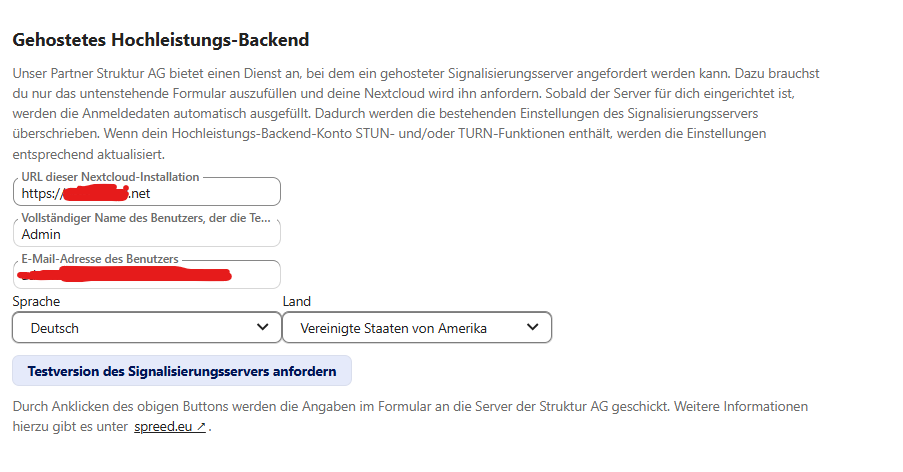
I tried out the hosted high-performance backend and no longer want to use it. According to Spreed.eu, it’s already been deleted. However, all the data is still displayed in my Nextcloud Snap instance. How can I delete it?
Hey @Moto, welcome to the Nextcloud community and thanks for supporting Nextcloud snap :handshake:

Sorry to hear you are having issues with your Nextcloud snap installation. If you’ve come this far, you’re on the right track!

Below are some links to how-to’s answering frequently asked questions and may help you help yourself;

pay special attention to:

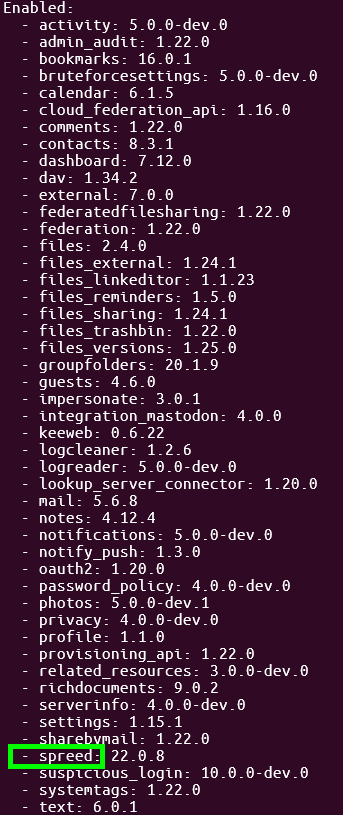
View apps in Nextcloud

sudo nextcloud.occ app:list

Disable apps

sudo nextcloud.occ app:disable <appname>

Remove apps

sudo nextcloud.occ app:remove <appname>

in your case

sudo nextcloud.occ app:remove spreed

alternatively see:

Hi again,

it’s not about Spreed, I probably should have worded that differently. I’m trying to delete the entries under “hosted high-performance backend”. Is that possible?

so I’m doing what’s expected… reading the docs :thinking:

WARNING: never copy & paste, always double check!

double check: sudo nextcloud.occ config:app:get spreed

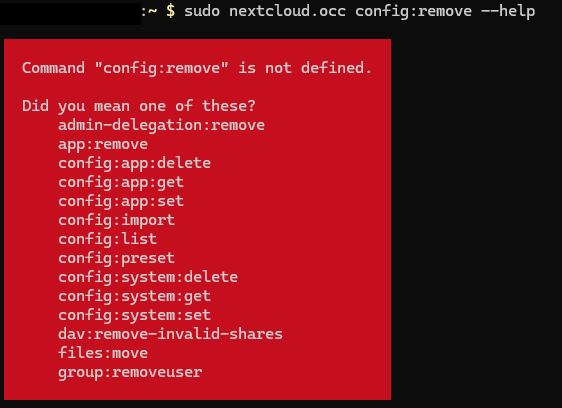
OCC Help suggests: sudo nextcloud.occ config:app:delete spreed

Uh-oh, probably jumped the gun again sorry🤔. Looks like you need to remove those entries from the database: Hosted high-performance backend - cannot delete

so you’ll need to access the database sudo nextcloud.mysql-client and execute the following queries:

WARNING: never copy & paste, always double check!

DELETE FROM `oc_appconfig` WHERE `appid` = 'spreed' AND `configkey` = 'hosted-signaling-server-account'; 
DELETE FROM `oc_appconfig` WHERE `appid` = 'spreed' AND `configkey` = 'hosted-signaling-server-account-id'; 
DELETE FROM `oc_appconfig` WHERE `appid` = 'spreed' AND `configkey` = 'hosted-signaling-server-nonce'; 
DELETE FROM `oc_appconfig` WHERE `appid` = 'spreed' AND `configkey` = 'signaling_servers'; 
UPDATE `oc_appconfig` SET `configvalue` = 'internal' WHERE `appid` = 'spreed' AND `configkey` = 'signaling_mode';

please be aware, i’ve not tested this i’m hacking here :wink:

@Moto i must admit though, if this is the only method to reset those settings, then that’s something upstream would have to make more user friendly! if this doesn’t work, then we’ll have to wait for some clued up folks to help out…

I updated the topic heading to: “Delete spreed signaling server account on Nextcloud Snap”

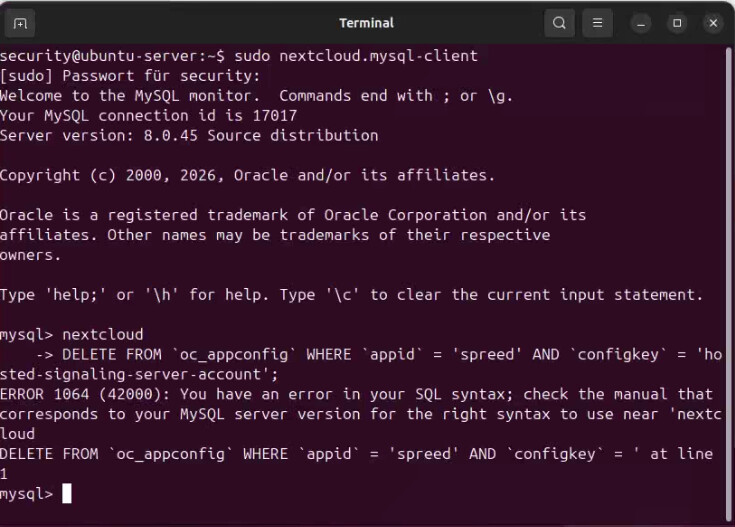
Hi, I can access the database, it seems, but I can’t delete anything… do I need to enter something else?

The command is wrong. There’s a “nextcloud” and a new line before the actual DELETE.

This is should not be set. Also, please use occ commands instead of fiddling with the database.

@SysKeeper

I’m at a loss for that occ command :hushed_face: see Delete spreed signaling server account on Nextcloud Snap - #4 by scubamuc any hints?

Sorry, didn’t see that :wink:

See here for details Error "Getting the account information failed: account not found" when HPB trial expired · Issue #9656 · nextcloud/spreed · GitHub

@SysKeeper thanks for that hint

@Moto here for the OCC commands for the snap:

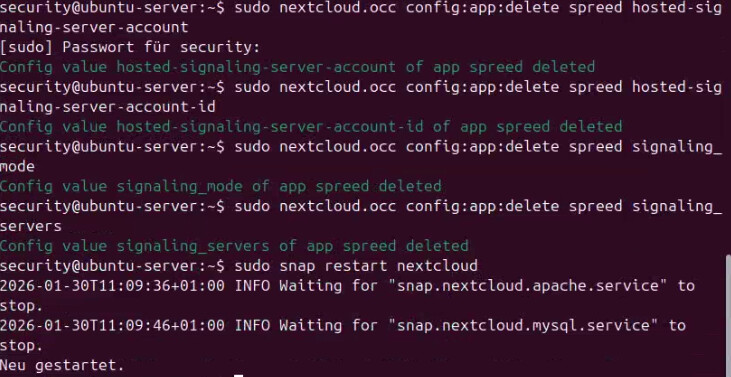
sudo nextcloud.occ config:app:delete spreed hosted-signaling-server-account

sudo nextcloud.occ config:app:delete spreed hosted-signaling-server-account-id

sudo nextcloud.occ config:app:delete spreed signaling_mode

sudo nextcloud.occ config:app:delete spreed signaling_servers

I executed the commands without any error messages. However, there’s still data there…

I guess I’ll have to leave it like that, even though it’s visually annoying…

I’m still having the problem that the Windows version of Talk says the connection to the signaling server was lost immediately after starting. Could this be related to the entries that won’t disappear?

Talk on Windows works fine otherwise; it just displays the error message.

Which, where?

see my screenshot from the first post

@Moto maybe that’s a caching issue, please restart and see if that helps?

I tried using a completely different browser for testing, one I don’t log into constantly, and the data is still there too…

@Moto try running these commands again and restarting the snap afterwards

sudo snap restart nextcloud

The data is still there. I’ve attached a screenshot from the terminal and a screenshot from the cloud log.

@Moto and @SysKeeper this doesn’t make sense at all.

please be clear, is the snap working, can you login to your cloud normally?

we’ll need your logs:

so run the debugging script and post the results here.

Nextcloud Snap is running without any problems, and I can log in at any time.

The log is quite long. Should I really post it here?