For Nextcloud 32, existing apps are not automatically compatible with the new version. They first must be tested (and perhaps fixed), and eventually released on the app store. Many apps are developed by community users working on the apps in their free time.
If you have time and want to help out, you can enable an app by clicking enable manually in the app overview (as an admin) in order to test it. Please leave a feedback on the bug tracker of an app if your test was successful (for follow-ups, leave a ) or leave a report with the errors you encountered.
Here is an auto-generated list of apps that were compatible with previous versions of Nextcloud but are not (yet) supported for this release. This list is contineously updated:
Since the update to 32 I can’t use simple apps like calendar or contacts any more. Trying to open these apps I am told “Page not found or you are nor allowed”. That is very strange, because other than updating to version 32 I did not change a thing.
Edit: it is just these two apps I can’t use. I can download and install other apps, like music player or bookmarks, and they open flawlessly.
I can, however, still use my calendar and contacts remotely!
There is absolutely nothing to be found in the log file. That’s even stranger…
Calendar and contacts fine work here - but it has some layout issues.
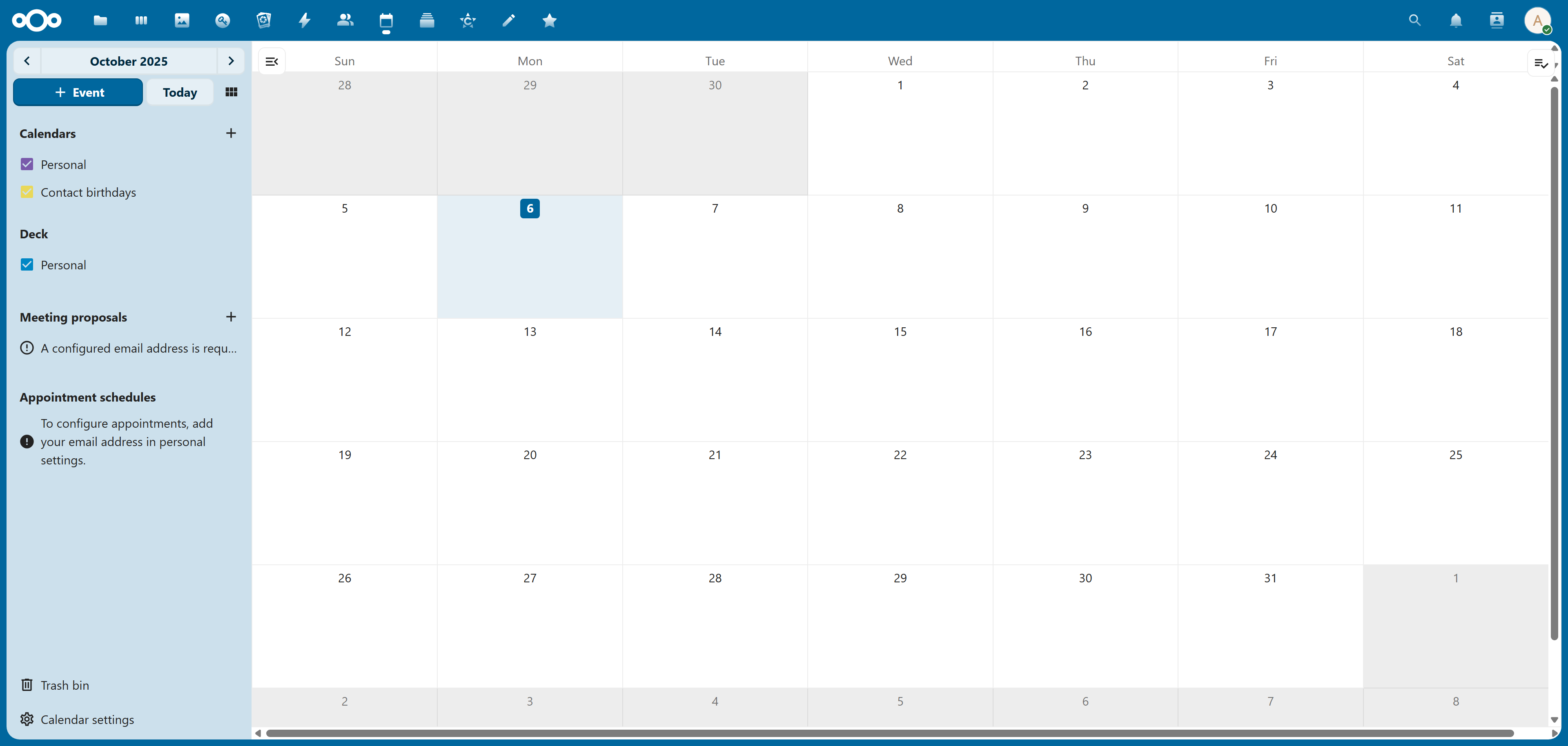
The calender view is horizontally bigger then the viewport, so it can be scrolled, eventhough there is nothing right to the calendar.
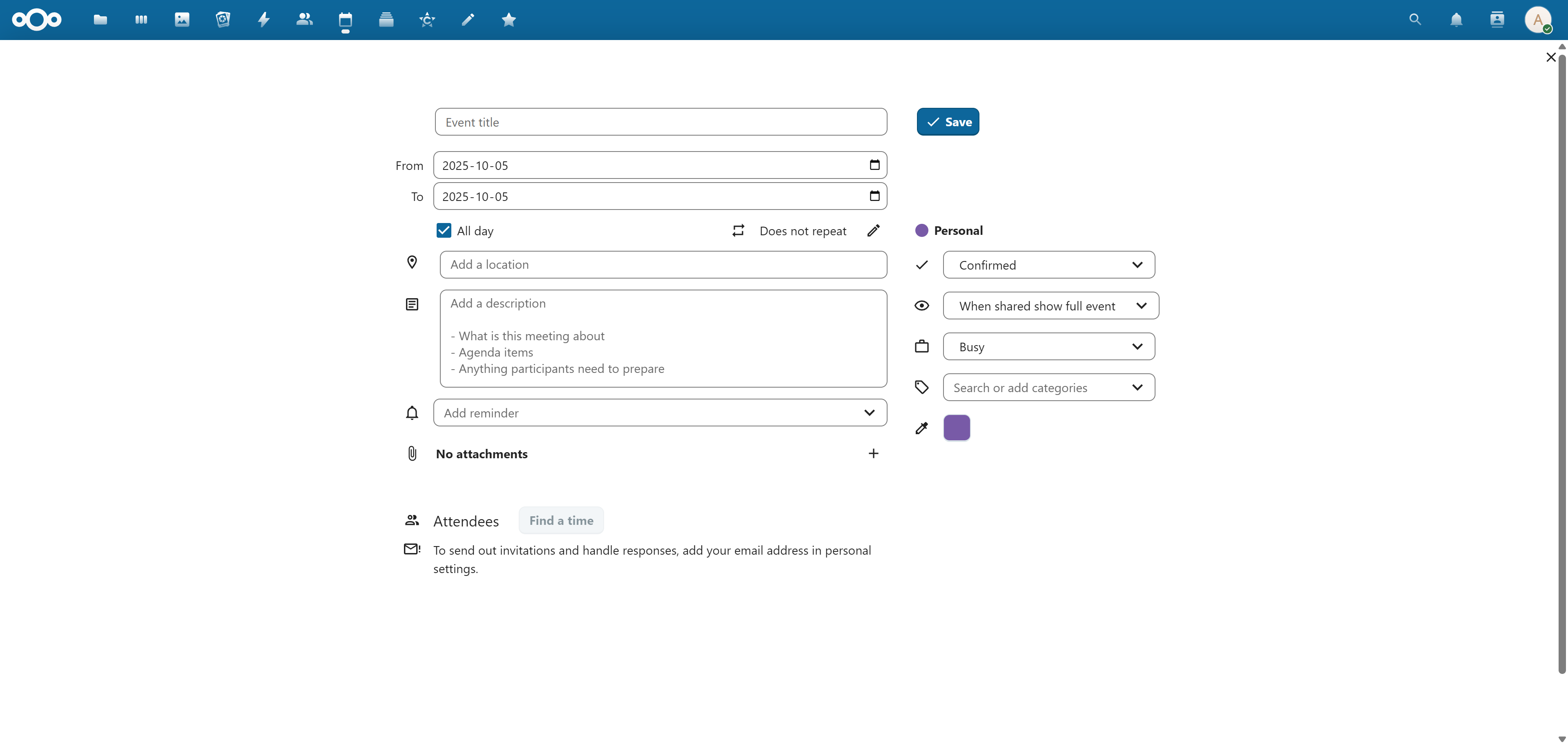
When creating or editing an appointment, the “full” editor now shows full screen only and no longer right to the calendar. However there is no need for the full screen view, since the view worked fine before - at least when you have a desktop view with the equivalent of 1920*1080px.
The new “full” editor is at least confusing, since you now only get a blank page with a dialog somewhat centered. A popup dialog would be much more consistent in this case:
Is there anywhere I can download the previous version (31)? The download button just links to the “latest” version. Is there an archive that can be reached?
Edit:
I know downgrading is not supported, but I’m afraid, NC does not leave me any other choice: I just wiped the installation directory, re-installed version 32 and just copied config.php from backup, so everything should be back to normal. But I still get the error
The page could not be found on the server or you may not be allowed to view it.
when opening my calendar. This applies also to newly created users!
However: you can not just install an older version on top of your existing setup! Also the database of your existing setup can not be used any longer for an older version since Nextcloud can not downgrade an existing database schema!
I have two Nextcloud 32 instances without any problem at all in the Calendar. Did you update the Calendar app to the latest version? This is 6.0.0 at the moment.
Screenshot of NC 32 with Calender 6.0.0 (including the bug with horizontal scrolling ;-)):
Well, it took me some time, but I finally made it work. I had to delete the folder nextcloud/ completely and reinstall the lastest version again three times, each time restoring the config.php from a backup. After the third time, the calendar and contact app where working again.
No idea, what went wrong there and why. ¯\_(ツ)_/¯
By the way: the above procedure is the same, that I use to upgrade. So, if a new version would complain about outdated app versions, the complaining would be about the contents of the “new” zip file.
Before upgrading it was saying occWEB without compatible version, while after updating it was only informing about a deactivated groupfolder or talk (spreed) APP because of incompatibilty (but group folder wasn’t deactivated )
This thread let me give it a try:
and it works. on two I had to install “client push”, because there was an advice about that in admin overview, but that has of course nothing to do with occWEB.
 ) or leave a report with the errors you encountered.


 )
)