"Unauthorized WOPI host" when opening documents in Nextcloud

The Basics

  • Nextcloud Server version (e.g., 29.x.x):
    • Nextcloud App Version: v31.0.8; Version v2.0.21
    • Collabora v25.04.4.3.1
  • Operating system and version (e.g., Ubuntu 24.04):
    • TrueNAS Scale 25.04.2.1
  • Web server and version (e.g, Apache 2.4.25):
    • don’t know
  • Reverse proxy and version _(e.g. nginx 1.27.2)
    • Nginx Proxy Manager v2.12.6
  • PHP version (e.g, 8.3):
    • don’t know
  • Is this the first time you’ve seen this error? (Yes / No):
    • Yes
  • Installation method (e.g. AlO, NCP, Bare Metal/Archive, etc.)
    • TrueNAS SCALE on bare metal. Collabora and Nextcloud installed as Apps.
  • Are you using CloudfIare, mod_security, or similar? (Yes / No)
    • Cloudflare, yes.

Summary of the issue you are facing:

I am not able to open documents on NextCloud, and instead am greeted by this message:
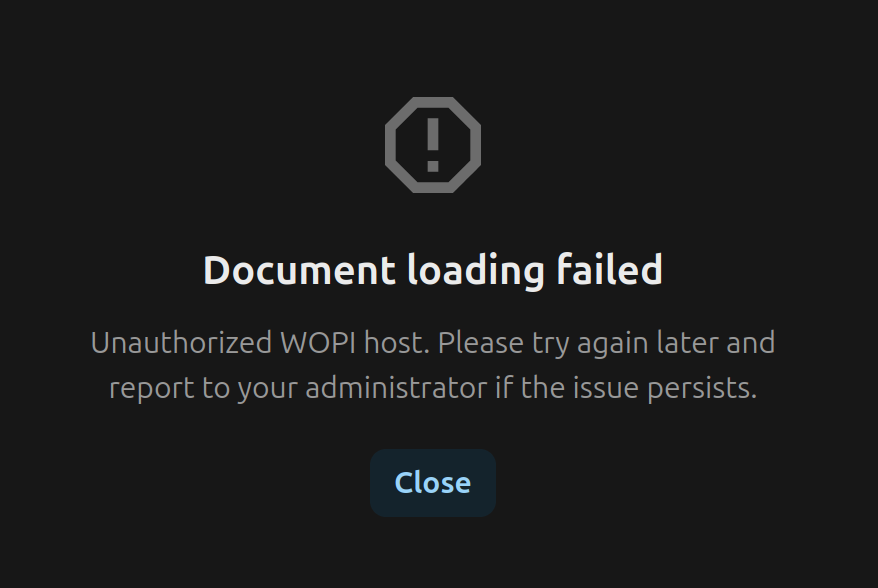
In the troubleshooting guide from Collabora integration guide, the step that fails is access to Nextcloud UI from Collabora. The log results are below.

Given that I installed Nextcloud and Collabora as regular apps on TrueNAS SCALE, many of the more advanced edits to configuration files are out of reach, and above my skill level.

Steps to replicate it (hint: details matter!):

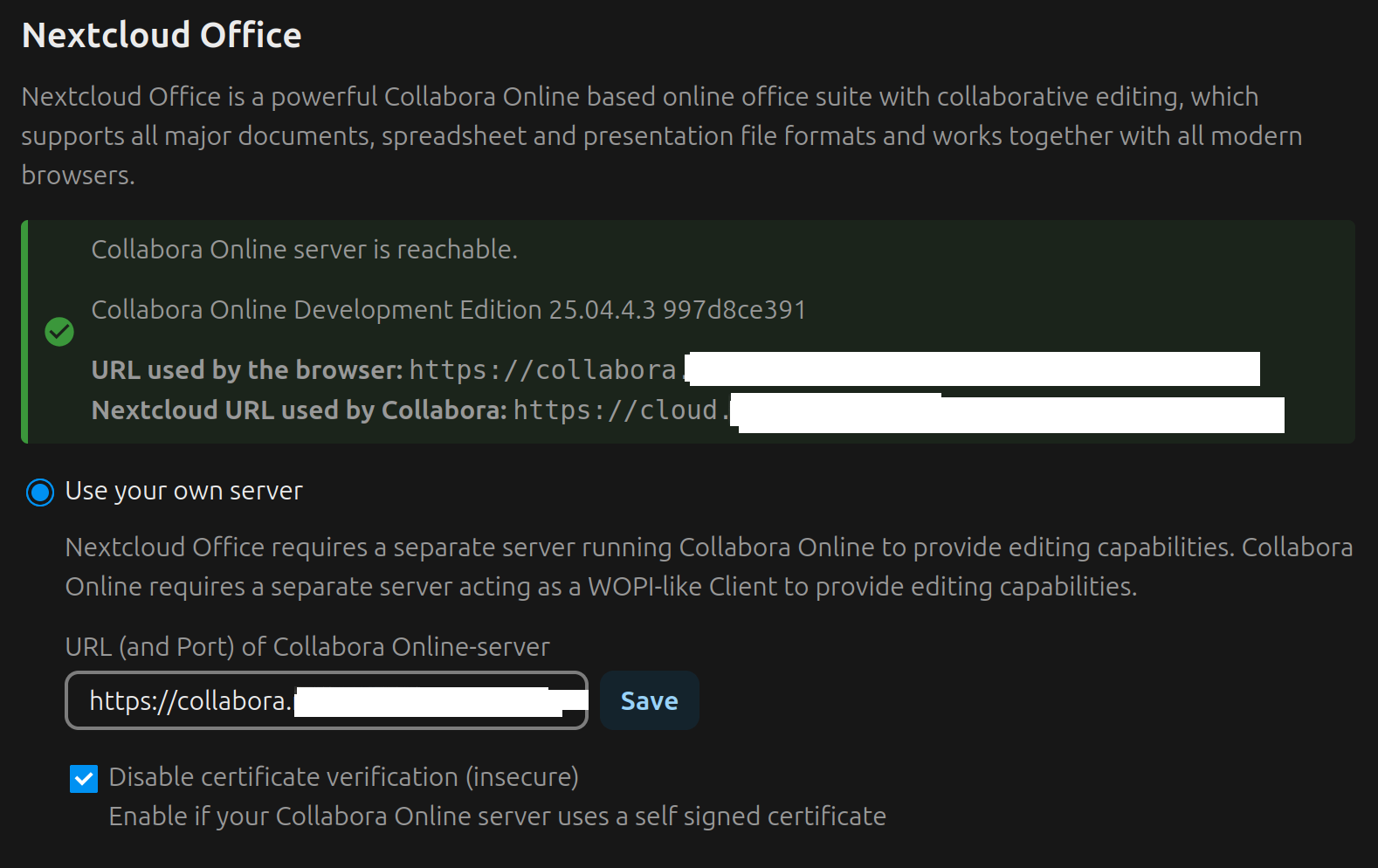
  1. I have Nextcloud and Collabora servers up and running on TrueNAS SCALE. I attempted configuration based on the following:


    The “disable certificate verification” is now unchecked, unlike this image.

  2. I created a new document called “test_collabora.odt” and another .docx. Opening either from Nextcloud produces the same error message re: Unauthorized WOPI Host, as shown above.

  3. https://collabora.mydomain.tld/hosting/discovery produces an XML file. https://collabora.mydomain.tld resolves to a blank page with “OK”. nextcloud.mydomain.tld resolves to my nextcloud instance.

  4. I removed “OVERWRITECLI” parameter in Nextcloud app “edit” settings, and also removed specified host name, as noted in another post, but this did not resolve my problem.

  5. I put “0.0.0.0/0” in authorized WOPI list to troubleshoot, but this did not resolve my problem.

  6. I troubleshot the issue using this guide
    A. from client: curl to nextcloud fine.
    B. from client: curl to collabora/hosting/discovery fine
    C. from nextcloud shell: curl to collabora/hosting/discovery is fine.
    D. from collabora shell: curl to nextcloud subdomian ERROR MESSAGE:
curl: (7) Failed to connect to cloud.mydomain.tld port 443 after 1 ms: cold not connect to server

I then reran the curl with the port number for Nextcloud, which was not 443 but a different port number managed by TrueNAS SCALE (an update to the guide perhaps could specify this additional troubleshooting step).

The output when I ran "curl https://cloud.mydomain.tld:port/ was as follows:

curl: (60) SSL certificate problem: self-signed certificate
More details here: https://curl.se/docs/sslcerts.html

curl failed to verify the legitimacy of the server and therefore could not
establish a secure connection to it. To learn more about this situation and
how to fix it, please visit the webpage mentioned above.

However, both subdomains were issued a wildcard SSL by Let’s Encrypt in NPM, and so I do not understand why this is an issue, or how to resolve it.
E. richdocuments already enabled in Nextcloud.

Log entries

$ curl -vvv https://cloud.mydomain.tld
19:20:13.224536 [0-x] == Info: [READ] client_reset, clear readers
19:20:13.225528 [0-0] == Info: Host cloud.mydomain.tld:443 was resolved.
19:20:13.225557 [0-0] == Info: IPv6: (none)
19:20:13.225572 [0-0] == Info: IPv4: 192.168.1.3
19:20:13.225595 [0-0] == Info: [HTTPS-CONNECT] adding wanted h2
19:20:13.225631 [0-0] == Info: [HTTPS-CONNECT] added
19:20:13.225671 [0-0] == Info: [HTTPS-CONNECT] connect, init
19:20:13.225716 [0-0] == Info:   Trying 192.168.1.3:443...
19:20:13.225770 [0-0] == Info: [HTTPS-CONNECT] connect -> 0, done=0
19:20:13.225794 [0-0] == Info: [HTTPS-CONNECT] Curl_conn_connect(block=0) -> 0, done=0
19:20:13.225825 [0-0] == Info: [HTTPS-CONNECT] adjust_pollset -> 1 socks
19:20:13.225898 [0-0] == Info: connect to 192.168.1.3 port 443 from [obscured] port 54186 failed: Connection refused
19:20:13.225987 [0-0] == Info: Failed to connect to cloud.mydomain.tld port 443 after 1 ms: Could not connect to server
19:20:13.226081 [0-0] == Info: [HTTPS-CONNECT] connect, all attempts failed
19:20:13.226141 [0-0] == Info: [HTTPS-CONNECT] connect -> 7, done=0
19:20:13.226203 [0-0] == Info: [HTTPS-CONNECT] Curl_conn_connect(block=0) -> 7, done=0
19:20:13.226277 [0-0] == Info: [HTTPS-CONNECT] Curl_conn_connect(), filter returned 7
19:20:13.226357 [0-0] == Info: [WRITE] [OUT] done
19:20:13.226402 [0-0] == Info: closing connection #0
curl: (7) Failed to connect to cloud.mydomain.tld port 443 after 1 ms: Could not connect to server

LOG AFTER CORRECTING THE COLLABORA SHELL CURL COMMAND TO INCLUDE THE NEXTCLOUD PORT NUMBER:

curl: (60) SSL certificate problem: self-signed certificate
More details here: https://curl.se/docs/sslcerts.html

curl failed to verify the legitimacy of the server and therefore could not
establish a secure connection to it. To learn more about this situation and
how to fix it, please visit the webpage mentioned above.
1 Like

missing/failed connection from Collabora to Nextcloud is definitely a problem - I would focus on this issue. from your curl output connection from Collabora to NC goes to 192.168.1.3:443 which might be the “internal” IP of Nextcloud container - there must be more details related to the cert e.g. subject and SANs included in the cert so you can conclude where it comes from…

as your real public certificate is hosted on NPM you want to connect there (and make it serve the request). I can’t tell you to configure this with TrueNAS but similar topic using plain Docker is discussed here Probably DNS help with NC Docker + Collabora + Wireguard tunnel - you must ensure public domain resolves to the NPM inside of your container so the connection uses proper TLS cert rather direct connection between two containers (or maybe somewhere else)..

All curls now work, but document fails to load now with a slightly different error message:

NOTE: there is no longer any reference to unauthorized WOPI host.

However, in the Nextcloud GUI > Administration > Office there seems to be an incorrect public URL for Collabora. See the following output from Nextcloud shell

# occ config:app:set richdocuments wopi_url --value https://cloud.mydomain.tld/
Config value 'wopi_url' for app 'richdocuments' is now set to 'https://cloud.mydomain.tld/', stored as mixed in fast cache
# occ config:app:set richdocuments wopi_url --value https://office.mydomain.tld/
Config value 'wopi_url' for app 'richdocuments' is now set to 'https://office.mydomain.tld/', stored as mixed in fast cache
# occ richdocuments:activate-config
✓ Reset callback url autodetect
Checking configuration
🛈 Configured WOPI URL: https://office.mydomain.tld
🛈 Configured public WOPI URL: https://https
🛈 Configured callback URL: 

✓ Fetched /hosting/discovery endpoint
✓ Valid mimetype response
✓ Valid capabilities entry
✓ Fetched /hosting/capabilities endpoint
✓ Detected WOPI server: Collabora Online Development Edition 25.04.4.3

Collabora URL (used for Nextcloud to contact the Collabora server):
  https://office.mydomain.tld
Collabora public URL (used in the browser to open Collabora):
  https://https
Callback URL (used by Collabora to connect back to Nextcloud):
  autodetected (will use the same URL as your user for browsing Nextcloud)

Then, when I go back to NC GUI > Administration > Office and refresh, I see:

***Your browser has been unable to connect to the Collabora server: https://https ***

Is there something weird I have to do with URL syntax? Why is the public URL “https://https

Another failed attempt involved removing the self-signed cert from the Collabora instance to avoid conflict with the NPM cert. This allowed me to access the CODE URL and see the dashboard rather than an NGinx 404 page, but still failed to load documents in Nextcloud.

It did eliminate the “Configured public WOPI URL”

# occ config:app:set richdocuments wopi_url --value https://office.mydomain.tld/
Config value 'wopi_url' for app 'richdocuments' is now set to 'https://office.mydomain.tld/', stored as mixed in fast cache
# occ richdocuments:activate-config
✓ Reset callback url autodetect
Checking configuration
🛈 Configured WOPI URL: https://office.mydomain.tld
🛈 Configured public WOPI URL: https://office.mydomain.tld:9980
🛈 Configured callback URL: 

✓ Fetched /hosting/discovery endpoint
✓ Valid mimetype response
✓ Valid capabilities entry
✓ Fetched /hosting/capabilities endpoint
✓ Detected WOPI server: Collabora Online Development Edition 25.04.4.3

Collabora URL (used for Nextcloud to contact the Collabora server):
  https://office.mydomain.tld
Collabora public URL (used in the browser to open Collabora):
  https://office.mydomain.tld:9980
Callback URL (used by Collabora to connect back to Nextcloud):
  autodetected (will use the same URL as your user for browsing Nextcloud)

I did not insert the port number anywhere, and yet it populates in the output.

according to the statement this is where the browser connects to. I have no idea where it comes from but definitely we one or two steps closer to the solution.

I would double check the output of /hosting/discovery XML - it must expose valid URL like

<wopi-discovery>
<net-zone name="external-http">
<!-- Writer documents -->
<app favIconUrl="https://collabora.office.mydomain.tld/browser/f22c9fed45/images/x-office-document.svg" name="writer">
<action default="true" ext="sxw" name="view" urlsrc="https://collabora.office.mydomain.tld/browser/f22c9fed45/cool.html?"/>
<action default="true" ext="odt" name="edit" urlsrc="https://collabora.office.mydomain.tld/browser/f22c9fed45/cool.html?"/>
<action default="true" ext="fodt" name="edit" urlsrc="https://collabora.office.mydomain.tld/browser/f22c9fed45/cool.html?"/>

with proper external domain and without :9980 if the port is there it is either due to CODE config or http headers passed from the reverse proxy to CODE.

In my instance the value of wopi_url and public_wopi_url is the same - review using occ config:list|grep wopi my instance shows same wopi and public_wopi URLs.

#docker compose exec app php occ richdocuments:activate-config
✓ Reset callback url autodetect
Checking configuration
🛈 Configured WOPI URL: https://collabora.office.mydomain.tld
🛈 Configured public WOPI URL: https://collabora.office.mydomain.tld
🛈 Configured callback URL:

✓ Fetched /hosting/discovery endpoint

looks as “Configured public WOPI URL” has preference over /hosting/discovery (it comes first in the check) → likely you have stale public_wopi_url value from previous attempts stored in your config? try deleting/changing the value using occ and set/activate the config again. in fact in my tests changing wopi_url doesn’t update public_wopi_url (and the value remains unchanged after richdocuments:activate-config)

#docker compose exec app php occ config:app:set richdocuments wopi_url --value https://collabora2.office.mydomain.tld
Config value 'wopi_url' for app 'richdocuments' is now set to 'https://collabora2.office.mydomain.tld', stored as mixed in fast cache
#docker compose exec app php occ config:list|grep -i WOPI
            "public_wopi_url": "https:\/\/collabora.office.mydomain.tld",
            "wopi_allowlist": "172.16.0.0\/12,fd00:feed:beef::\/48",
            "wopi_url": "https:\/\/collabora2.office.mydomain.tld",
            "wopi_callback_url": "",

OK. In case any one was reading this or facing a similar issue. I still do not know what the problem was, but after probably 30+ hours of fiddling, everything is working.

Possible solutions:

Upgrade truenas scale/community edition to latest.

  1. Upgrade all apps.’
  2. Installed “Built-in CODE server” on Nextcloud. It was and is unclear to me whether this is needed plus the Nextcloud office app for this to work. I currently have both installed and enabled and I am not going to mess with it further. They appear to work together or be required by each other.
  3. Deleted “0.0.0.0/0” from WOPI entries and just left blank.
  4. Turn NAT reflection off on router. My leading theory is that this is what fixed it. I had cloud.mydomain.tld added as a Host Override on pfsense for NAT reflection. I deleted that entry and everything works. When I go back into office tomorrow hopefully all local services are working.

No way it was DNS. I’m sure it’s not DNS. . . . It was DNS.

1 Like

really glad you made it work :clap:

there are two different setups:

  • Nextcloud Office (aka richdocuments) is always required together with one of
    • Build-In CODE → appimage running CODE inside of Nextcloud application (I hardly see use-cases for it only problems but there must be demand..)
    • real” CODE - native, Docker managed remote - whatever

I’m pretty sure this is pointed out in the guide but maybe I’m blind after many years supporting this topic - if you feel the guide is missing important topics or unclear - please improve/suggestions welcome!

should be the same (as long you don’t use ipv6)

I don’t know what is “NAT reflection” but it sounds like splitbraindns → chances are high this is the solution :crossed_fingers:

This topic was automatically closed 90 days after the last reply. New replies are no longer allowed.