Support intro
Sorry to hear you’re facing problems. 
The community help forum (help.nextcloud.com) is for home and non-enterprise users. Support is provided by other community members on a best effort / “as available” basis. All of those responding are volunteering their time to help you.
If you’re using Nextcloud in a business/critical setting, paid and SLA-based support services can be accessed via portal.nextcloud.com where Nextcloud engineers can help ensure your business keeps running smoothly.
Getting help
In order to help you as efficiently (and quickly!) as possible, please fill in as much of the below requested information as you can.
Before clicking submit: Please check if your query is already addressed via the following resources:
- most of office issues are handled in Collabora integration guide
- Official documentation (searchable and regularly updated)
- How to topics and FAQs
- Forum search
(Utilizing these existing resources is typically faster. It also helps reduce the load on our generous volunteers while elevating the signal to noise ratio of the forums otherwise arising from the same queries being posted repeatedly).
Hi, I can’t delete a folder with Error :
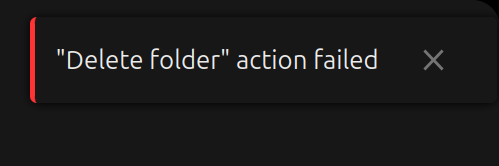
“Delete folder” action failed.
I went through tons of questions about the same problem, and it is unbelievable that so many people reported exactly same problem over the past decade (found a thread as old as 2016). Why the Delete button simply wont work ?
I tried to fill out details as much as I could, but I didn’t understand most of them. I don’t have any Apache, I don’t use proxy, I don’t use Cloudflare (?). I am just using Nextcloud storage provided by my company. Here’s how I set it up :
- I installed
rcloneon my machine - Configure my user + password authentication via
rclone config, with typewebdav. - Pushed a local “Persistent” folder to my Nextcloud datacloud using
rclone copy - Can’t delete Persistent folder via web UI, with error as above.
- I tried to push another “Test” folder.
- Tried to delete Test folder and succeed, leaving Persistent folder remains.
As I was reading other threads about people with the same issue, I couldn’t follow because I don’t understand apache, or server, or CRON, or sql. I don’t use any of them. The datacloud simply serves as backup storage for me.
I also never access Nextcloud locally. It is only for pushing and pulling data using rclone, nothing else. I couldn’t run occ config:list system on my terminal, but I here’s web browser output.
Web Browser
Output when deleting :
Resource URL:
Source Map URL: null
[DEBUG] files: Setting active node
Object { app: "files", uid: "username@company.com", level: 0, node: {…} }

XHR
DELETE
https://datacloud.company.com/remote.php/dav/files/username@company.com/persistent_folder
[HTTP/1.1 423 Locked 209ms]
Most threads mentioning “Permissions” issue, and mine is “Locked”, so it seems like a permission issue as well. But where/how do I fix this ? Why deleting files/folder is prone to such a specific issue that has been reported by so many people over the past decade ? Please make the Delete button simply work.
For “Permissions”, why don’t give the settings via web-interface as well for people like me who’s not tech-savvy and use Nextcloud purely for backup storage ? Help a layman to solve this issue, in case someone in the future encounter the same issue as well. Thank you.