taiBsu
July 14, 2022, 8:16pm
1
Hi folks,
How can I achieve this? Do I have to remove database entries or is there some occ command for that?
Deleting all of them manually would probably last half a day.
Thanks a lot in advance.
Try searching the admin documentation for a possible occ command.
Internet search turned up an earlier discussion
opened 11:14AM - 21 Aug 17 UTC
closed 10:05AM - 11 Sep 17 UTC
enhancement
feature: settings
Is there a way to do this? I have probably thousands of session lines in the dat… abase somewhere, of which only a mere 1000 are displayed from months back.
Is there perhaps a database query that I can use to clean this up. Which Tables? Are these settings even stored in the database?
The problem is that I cannot see the lines for the App Passwords that I added recently...
Thanx in advance
Previous forum solution
Nextcloud version : 13.0.6
Hello Nextclouders.
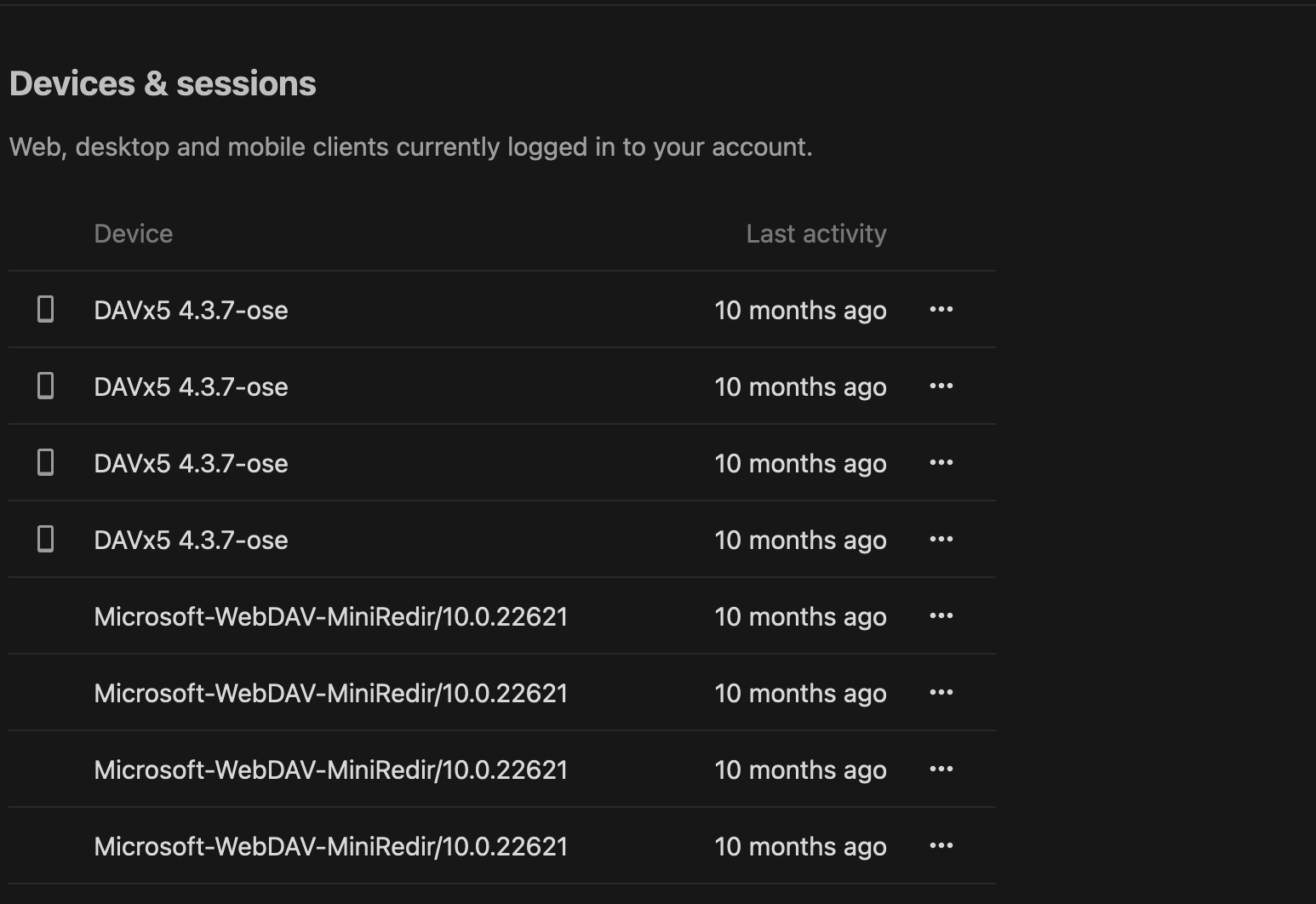
On my users security settings page i see all logged in clients. But the list is very long. Like 10 screens just filled with 3 apps with many sessions/logins for almost every minor version for the last two years.
[screenshot]
Is it possible to revoke access to these old versions/all apps? I know i can revoke access manually, but that would take hours and several thousands of clicks.
Thank you very much.
There is a wipe all devices menu option
opened 09:43AM - 29 May 18 UTC
closed 09:35AM - 20 May 21 UTC
enhancement
1. to develop
security
In case you suspect the account of a user is compromised it would make sense tha… t admins have a way to kill all the apptokens and sessions of a user.
That way they can enforce a password change and be sure that non of the tokens are compromised (since they are all removed).
I'd vote for
1. and occ command (quick and easy)
2. something in the admin interface
CC: @MorrisJobke @ChristophWurst
1 Like
Stef33
August 26, 2024, 11:02pm
3
Hi all,
Even if issue 6203 said it was a bug, i’m facing this situation on a Nextcloud 27 release…
947 lines, unsued mainly around DAVx5, Firefox, Chrome, and gvfs
Sure I won’t do 1894 clicks, my mouse may die before me…
Thanks for any advice !
You can delete the entries in your database. But here is another way.
You can use a PHP script to solve your problem. Make first a backup.
You need in /path/to/nextcloud/.htaccess here a modification to allow the script in the Nexcloud directory.
<IfModule mod_rewrite.c>
  RewriteEngine on
RewriteRule ^deleteallsessions\.php$ - [L]
  RewriteCond %{HTTP_USER_AGENT} DavClnt
file deleteallsessions.php in /path/to/nextcloud:
<?php

ini_set('display_errors', 1);
ini_set('display_startup_errors', 1);
error_reporting(E_ALL);

// function for output
function output($message) {
    if (php_sapi_name() === 'cli') {
        // console
        fwrite(STDOUT, $message . PHP_EOL);
    } else {
        // web
        echo nl2br($message . PHP_EOL);
    }
    ob_flush();
    flush();
}

try {
    require_once 'lib/base.php';
    output("1. base.php loaded");

    \OC::$server->getSession()->close();
    output("2. Session closed");

    $systemConfig = \OC::$server->getSystemConfig();
    output("3. SystemConfig loaded");

    try {
        $connection = \OC::$server->getDatabaseConnection();
        output("4. Database connection established");
    } catch (\Exception $e) {
        throw new \Exception("5. Error establishing database connection: " . $e->getMessage());
    }

    try {
        $query = $connection->getQueryBuilder();
        $query->select($query->func()->count('*'))->from('users')->setMaxResults(1);
        $result = $query->execute();
        $count = $result->fetchColumn();
        $result->closeCursor();
        output("6. Number of users: " . $count);
    } catch (\Exception $e) {
        throw new \Exception("7. Error counting users: " . $e->getMessage());
    }

    try {
        $query = $connection->getQueryBuilder();
        $query->select($query->func()->count('*'))->from('authtoken');
        $result = $query->execute();
        $sessionCountBefore = $result->fetchColumn();
        $result->closeCursor();
        output("8. Active sessions before deletion: " . $sessionCountBefore);
    } catch (\Exception $e) {
        throw new \Exception("9. Error counting sessions before deletion: " . $e->getMessage());
    }

    try {
        output("10. Attempting to close sessions");

        $userManager = \OC::$server->getUserManager();
        $sessionManager = \OC::$server->getSessionManager();

        $users = $userManager->search('');
        $closedSessions = 0;

        foreach ($users as $user) {
            $uid = $user->getUID();
            $sessions = $sessionManager->getAllSessionsForUser($uid);
            foreach ($sessions as $session) {
                $sessionId = $session->getId();
                $sessionManager->closeSession($sessionId);
                $closedSessions++;
            }
        }

        output("11. $closedSessions sessions were closed");
    } catch (\Throwable $e) {
        output("12. Error closing sessions: " . $e->getMessage());
        output("    Error type: " . get_class($e));
        output("    Stacktrace: " . $e->getTraceAsString());
    }

    output("13. After attempting to close sessions");

    try {
        $query = $connection->getQueryBuilder();
        $deleted = $query->delete('authtoken')->execute();
        output("14. Deleted authtoken entries: " . $deleted);
    } catch (\Exception $e) {
        output("15. Error deleting authtoken entries: " . $e->getMessage());
    }

    try {
        $query = $connection->getQueryBuilder();
        $query->select($query->func()->count('*'))->from('authtoken');
        $result = $query->execute();
        $sessionCountAfter = $result->fetchColumn();
        $result->closeCursor();
        output("16. Active sessions after deletion: " . $sessionCountAfter);
    } catch (\Exception $e) {
        throw new \Exception("17. Error counting sessions after deletion: " . $e->getMessage());
    }

    if ($sessionCountBefore > $sessionCountAfter) {
        output("18. Sessions successfully deleted");
    } else {
        output("19. Problem deleting sessions");
    }

} catch (\Exception $e) {
    output("20. Main error: " . $e->getMessage());
}

output("21. Script finished");

?>
Then use the url https://cloud.server.tld/deleteallsessions.php or use php on the command line. command line not tested. After execution you can delete the file deleteallsessions.php and re-edit .htaccess for security reason.
Sorry only tested with a few sessions on my Nextcloud 30 RC2 with only one user.
2 Likes