A Nextcloud update was offered in Docker, which I pulled. Now, in the Nextcloud web GUI under “Admin,” I am receiving an error message stating that my High Performance Backend (HPB) is outdated. I am running it in Docker as well, but no update is being offered there.
Getting help
In order to help you as efficiently (and quickly!) as possible, please fill in as much of the below requested information as you can.
Before clicking submit: Please check if your query is already addressed via the following resources:
(Utilizing these existing resources is typically faster. It also helps reduce the load on our generous volunteers while elevating the signal to noise ratio of the forums otherwise arising from the same queries being posted repeatedly).
Some or all of the below information will be requested if it isn’t supplied; for fastest response please provide as much as you can.
The Basics
Nextcloud Server version (e.g., 29.x.x):
30.0.0 (or latest 30.x.x version)
Operating system and version (e.g., Ubuntu 24.04):
Debian/Ubuntu Linux (Docker Environment)
Web server and version (e.g, Apache 2.4.25):
Docker-internal (Nextcloud Image)
Reverse proxy and version (e.g. nginx 1.27.2)
Caddy (Latest Docker Image)
PHP version (e.g, 8.3):
PHP 8.3 (Docker-internal)
Is this the first time you’ve seen this error? (Yes / No):
Yes
When did this problem seem to first start?
Right after updating Nextcloud and the Talk App via Docker Compose.
Installation method (e.g. AlO, NCP, Bare Metal/Archive, etc.)
Docker Compose (Custom Stack using standalone Package aio-talk · GitHub )
Are you using Cloudflare, mod_security, or similar? (Yes / No)
No
Summary of the issue you are facing:
I get the error message in Maintainace info in admin info:
thank you for your reply. How does this help if there is no new version of the HPB available with Docker pull. I tried several times. In my opinion, there must be an update bei published by the developers of the HPB.
thank you again for your feedback. How long does it typically take until the HBP docker will be updated after an update of NextCloud Talk has taken place? Can anybody inform me, when it is available - maybe here in this discussion thread?
Since the new update has happened I also get another message in the admin console of NextCloud:
Client-Push
Client-Push ist nicht installiert. Dies kann zu verzögerten Talk-Benachrichtigungen führen.
I have seen there is an app/plugin in NextCloud available. Can I just install this plugin and get rid of this meassage or do I need to do more (configuration etc.)? Do I generally need to take care about this message? Is it “a problem” for me?
that message is informative, its not an error or a warning. dunno if its a problem for you, do you need push notifications?
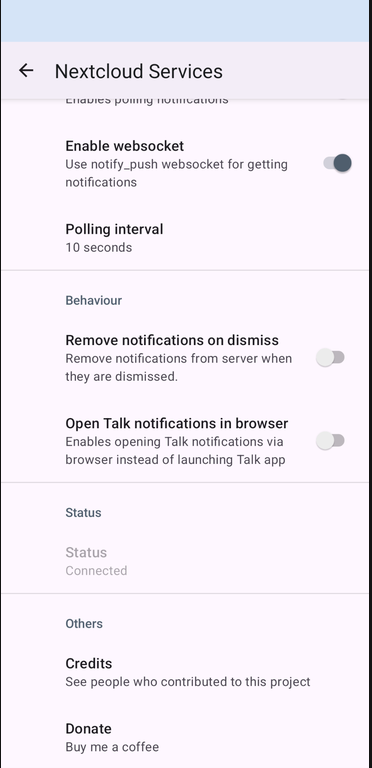
it is useful though → personally I use Talk quite a bit and the notifications help keep track of incoming messages, especially if you’re using the Talk app on your cellphone together with Nextcloud services, which actually pushes messages from Nextcloud to your cell.
its also useful for the Desktop client and helps keep track of file changes (HPB:Files), but I’ve never needed a Desktop client or a sync client at all.
your setup is not clear, but obviously you know your way around docker… so you should be able to include it in your stack → check out the AIO stack and add notify_push to your stack.
for the Nextcloud snap its a piece of cake to set up client push with a systemd notify_push service:
No point in linking to the Talk app if the OP has a problem with the high-performance backend (AKA “signaling server”). Upgrading the Talk app will not help with the HPB, it is a different binary whatsoever. The latest 2.1.1 version of the GitHub - strukturag/nextcloud-spreed-signaling: Standalone signaling server for Nextcloud Talk. · GitHub still does not support the changed-users feature which is a bit odd, as it is the only signaling server recommended in the NC documentation while it is always lagging behind with features that are implemented in the main NC Talk app.
you do realise, that we’re not affiliated right? we’re also not involved in AIO development, so the point we’re trying to make is, it’ll be ready when its ready and we’ll all be getting an upgrade when its released… sounds odd, but that’s the gist.
I absolutely do, however I can see a simple way of getting out of this chicken-egg loop Joas Schilling pointed out: since the Signaling Server is the one recommended (and one of a very few products of this type anyway) by the NC-Team, it would be reasonable to wait with the deployment of new features in the NC Talk (also because no one in the real world will be able to make use of them) until the Signaling Server is ready to support them. I know this is because your corporate customers often have their own highly sophisticated signaling servers and you are able to implement features supported there. But we are mere mortals, and seeing warning about functionalities not supported by the only signaling server NC-Team endorses only adds to our frustration of being a mere mortal…
Can we please not make a mountain out of a molehill here?
Yes, there is a warning with the latest Talk app on Nextcloud 34 when used together with the AIO HPB container, because of some mysterious feature in the new app that the people complaining here don’t even know what it is (neither do I). It has been explained why this situation exists and that existing functionality is not affected.
That’s the point where there really isn’t much more to discuss here, is there? Just wait until AIO officially updates the HPB, and ignore the warning in the meantime. Nagging about it in multiple threads (not you) isn’t going to make the update happen any faster.
So they should hold back features that their paying customers want just so you won’t be reminded that you’re a “mere mortal”, i.e. a regular Community Edition user? Come on!
I mean, I get it warnings like that can be annoying, but in this particular case, it’s not like there’s an actual problem. Let’s not make this into a bigger issue than it is.