the new v33 is about to be released. We are looking for last minute testers. It will be one of the biggest releases in recent times with many fixes and improvements. Any feedback is appreciated
Key changes in 33:
semantic versioning like Nextcloud Server
macOS sandboxing for enhances security
macOS 13 Ventura is the new minimum requirement
Windows VFS on demand for performance
support for new Files High Performance Backend (notify_push) to reduce server load
Client integration for app specific file actions via the right-click context menus
Nextcloud assistant integration by clicking the AI-Icon in the tray window
Better indication of account errors when using more than one accounts
you can continue with your existing setup. VFS on-demand will only benefit for new folders then. so your setup will remain. there is no feature (yet) to clean up all local VFS enumerations. a new sync folder setup would do this
First of all thank a lot for ou work regarding the client for MacOS.
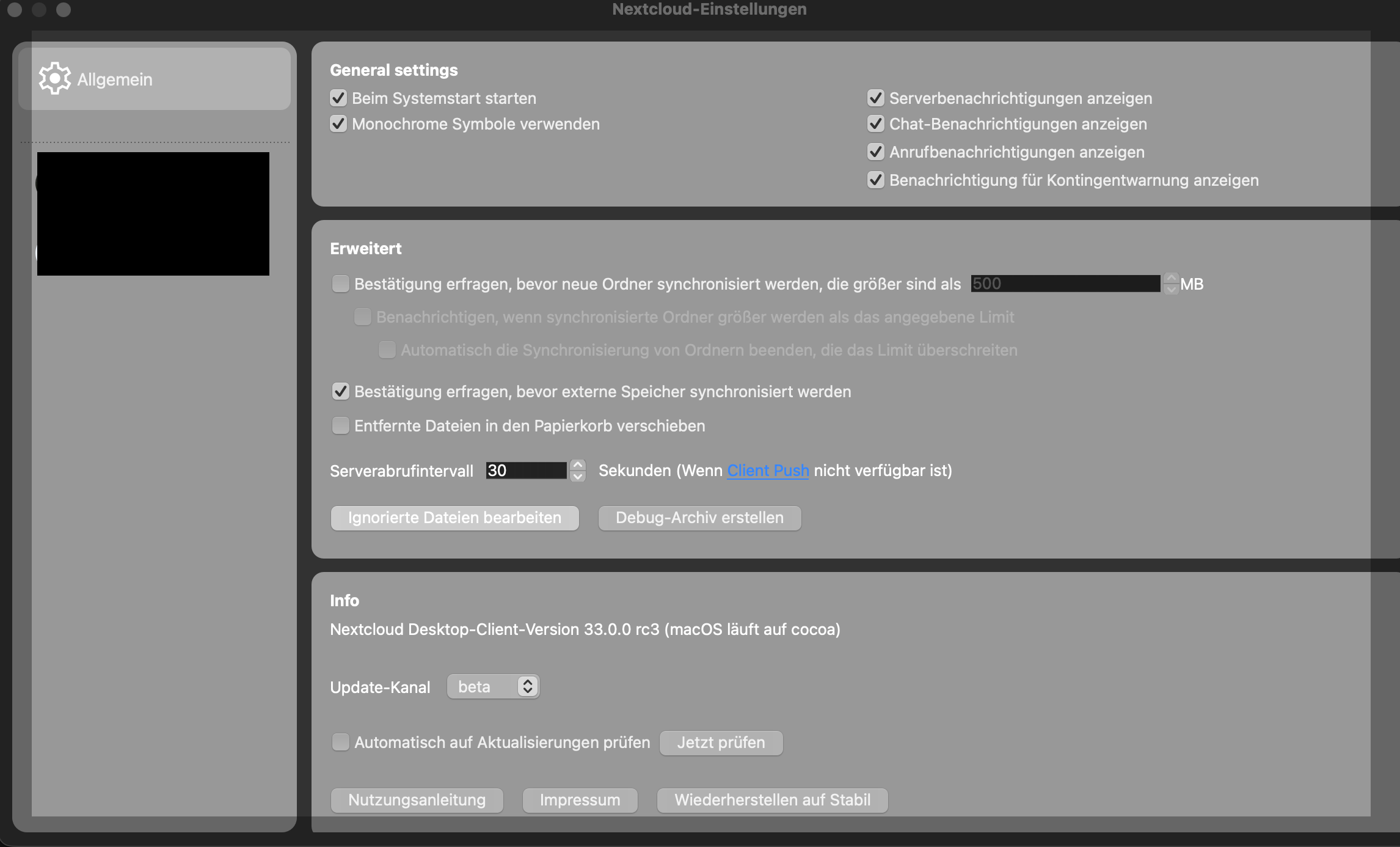
I currently the v33 RC3 with MacOS 26.4 beta 4 and it is really hard to read any text in the setting box. There are boxes wit different grey tones in the background and white text in it (see screenshot). I would suggest to use dark grey or black text color so you are able to read the text in this boxes.
please let me know if you need further information.
Now we have the final release and we have the same bug in UI for MacOS users. To use light grey backgrounds and white text color does not make any sense. Whatever
I just switched to the beta build due to some odd sync issues i was seeing, did the ugly settings page get reverted to the previous much more usable layout?
actually looks like my one laptop is on 4.0.4, and the other is on 33.04, the one on 33.04 is throwing some odd timestamp errors when syncing and causing file sync conflicts.
i much prefer the previous version of the settings section, there is a ridiculous amount of wasted space, it defaults to the “general” settings so theres an extra click every time i go there which is often. move the tab for the user profile back to the top and make that the default. i go there so often so i can see the sync status of the multiple locations im syncing.
My colleagues have similar issues on Windows. Their notebook just freezes every once in a while since we upgraded the clients to 33.x. On Linux I don’t have that, but it also doesn’t use VFS there.
when the 33.0.4 version is running I’m seeing this constantly posted in my server log
DoesNotExistExceptionDid expect one result but found none when executing: query “SELECT * FROM *PREFIX*files_versions WHERE (file_id = :dcValue1) AND (timestamp = :dcValue2)”;
when I stop the 33.0.4 app on my desktop the message stops. the 4.0.4 client continues to sync normally. server version is 33.0.3
As mentioned above, I still have problems with 33.0.4 as well. Important: It seems that you can’t mix VFS and normal sync with different accounts. At least after switching to classic sync for all my accounts, the context menus came back after killing Finder. I must kill the Finder process after a reboot to make the context menus appear again.
(MacOS)
v33 was finally release, so we can close this topic about the release candidate. If you experience problems with this version, feel free to open a dedicated thread in 💻 Desktop - Nextcloud community