The Basics
- Nextcloud Server version (e.g., 29.x.x):
- Nextcloud Hub 26 Winter (33.0.5)
- Operating system and version (e.g., Ubuntu 24.04):
- Linux 5.10.0-39-amd64 x86_64
- Web server and version (e.g, Apache 2.4.25):
Apache Version ?where do I find this ? it’s with nginx
- Reverse proxy and version _(e.g. nginx 1.27.2)
???
- PHP version (e.g, 8.3):
8.4.20
- Is this the first time you’ve seen this error? (Yes / No):
yes, it's been there for a long time
- When did this problem seem to first start?
don't know
- Installation method (e.g. AlO, NCP, Bare Metal/Archive, etc.)
WebSetup / Shared Hosting
- Are you using CloudfIare, mod_security, or similar? (Yes / No)
No
Summary of the issue you are facing:
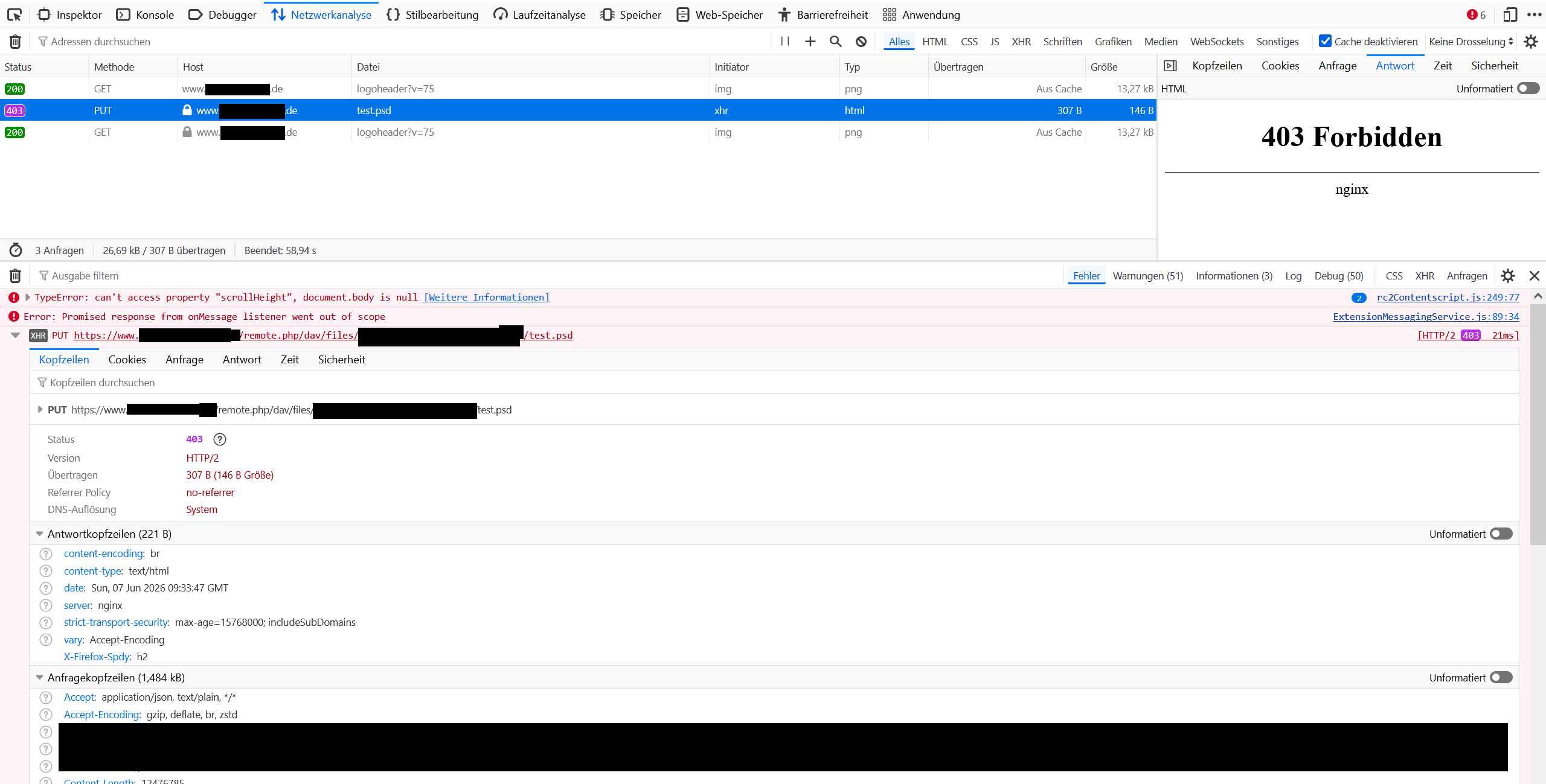
I can’t upload PSD-Files to Nextcloud. When I zip them, they go through (Web/Client). Even if I want to upload a PSD-File with 0kb, it will return the error: “Operation is blocked by access control”. Other files sync/upload without problems.
I did a fresh install of Nextcloud and disabled all Apps. Same error. My hoster says they don’t block anything ( Netcup ). Nonetheless, I think it’s a hoster thing, but still maybe it’s an Nextcloud question.
Steps to replicate it (hint: details matter!):
-
Try to upload PSD-File - no matter which size.
-
Error-Message “Operation is blocked by access control”
Log entries
Nextcloud
They are no log entries.
Web Browser
It’s the same with Web / Client.
Web server / Reverse Proxy
Shared hoster, I don’t have access to this info.
Configuration
Nextcloud
The output of occ config:list system or similar is best, but, if not possible, the contents of your config.php file from /path/to/nextcloud is fine (make sure to remove any identifiable information!):
{
"system": {

    "instanceid": "\*\*\*REMOVED SENSITIVE VALUE\*\*\*",

    "passwordsalt": "\*\*\*REMOVED SENSITIVE VALUE\*\*\*",

    "secret": "\*\*\*REMOVED SENSITIVE VALUE\*\*\*",

    "trusted_domains": \[

        "\*\*\*REMOVED SENSITIVE VALUE\*\*\*"

    \],

    "datadirectory": "\*\*\*REMOVED SENSITIVE VALUE\*\*\*",

    "dbtype": "mysql",

    "version": "33.0.5.1",

    "overwrite.cli.url": "\*\*\*REMOVED SENSITIVE VALUE\*\*\*",

    "dbname": "\*\*\*REMOVED SENSITIVE VALUE\*\*\*",

    "dbhost": "\*\*\*REMOVED SENSITIVE VALUE\*\*\*",

    "dbtableprefix": "oc\_",

    "mysql.utf8mb4": true,

    "dbuser": "\*\*\*REMOVED SENSITIVE VALUE\*\*\*",

    "dbpassword": "\*\*\*REMOVED SENSITIVE VALUE\*\*\*",

    "installed": true,

    "app_install_overwrite": \[

        "occweb"

    \],

    "maintenance": false

}
}
Apps
Enabled:
-
cloud_federation_api: 1.17.0
-
dav: 1.36.0
-
federatedfilesharing: 1.23.0
-
files: 2.5.0
-
lookup_server_connector: 1.21.0
-
oauth2: 1.21.0
-
occweb: 0.2.3
-
profile: 1.2.0
-
provisioning_api: 1.23.0
-
settings: 1.16.0
-
theming: 2.8.0
-
twofactor_backupcodes: 1.22.0
-
viewer: 6.0.0
-
workflowengine: 2.15.0