Continuation from I made no proper backup. Can I still recover my files?
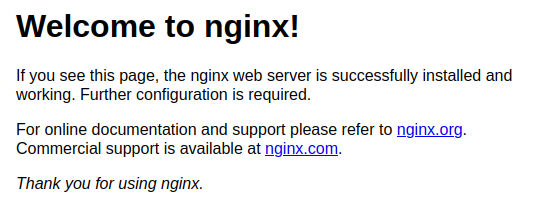
This is what I see on my homepage after restoring my nextcloud database where I should be seeing the nextcloud page.
/var/log/nginx/error.log
2024/08/18 02:48:59 [crit] 903#903: *7499 SSL_do_handshake() failed (SSL: error:141CF06C:SSL routines:tls_parse_ctos_key_share:bad key share) while SSL handshaking, client: 64.62.197.149, server: 0.0.0.0:443
2024/08/18 03:55:16 [crit] 903#903: *7536 SSL_do_handshake() failed (SSL: error:141CF06C:SSL routines:tls_parse_ctos_key_share:bad key share) while SSL handshaking, client: 209.38.136.79, server: 0.0.0.0:443
2024/08/18 04:00:49 [crit] 903#903: *7547 SSL_do_handshake() failed (SSL: error:141CF06C:SSL routines:tls_parse_ctos_key_share:bad key share) while SSL handshaking, client: 13.91.166.30, server: 0.0.0.0:443
2024/08/18 06:18:37 [crit] 903#903: *7604 SSL_do_handshake() failed (SSL: error:141CF06C:SSL routines:tls_parse_ctos_key_share:bad key share) while SSL handshaking, client: 146.190.119.114, server: 0.0.0.0:443
2024/08/18 07:01:50 [warn] 37017#37017: duplicate extension "js", content type: "text/javascript", previous content type: "application/javascript" in /etc/nginx/conf.d/sluimers.net.d/nextcloud.conf:7
2024/08/18 07:01:50 [info] 37017#37017: Using 131072KiB of shared memory for nchan in /etc/nginx/nginx.conf:61
ls /var/www/html
total 12K
drwxr-xr-x  2 root root 4.0K Dec 26  2023 .
drwxr-xr-x+ 5 root root 4.0K Aug 16 06:23 ..
-rw-r--r--  1 root root  612 Dec 26  2023 index.nginx-debian.html
ls /var/www/nextcloud/
ls -lha
total 1.3M
drwxr-x---  14 nextcloud www-data  4.0K Aug 16 06:35 .
drwxr-xr-x+  5 root      root      4.0K Aug 16 06:23 ..
drwxr-xr-x  44 nextcloud www-data  4.0K Jul 18 12:39 3rdparty
drwxr-xr-x  57 nextcloud www-data  4.0K Aug 16 06:50 apps
-rw-r--r--   1 nextcloud www-data   24K Jul 18 12:33 AUTHORS
-rw-r--r--   1 nextcloud www-data  2.1K Jul 18 12:33 composer.json
-rw-r--r--   1 nextcloud www-data  3.1K Jul 18 12:33 composer.lock
drwxr-xr-x   2 nextcloud www-data  4.0K Aug 16 06:26 config
-rw-r--r--   1 nextcloud www-data  4.1K Jul 18 12:33 console.php
-rw-r--r--   1 nextcloud www-data   34K Jul 18 12:33 COPYING
drwxr-xr-x  24 nextcloud www-data  4.0K Jul 18 12:39 core
-rw-r--r--   1 nextcloud www-data  8.3K Jul 18 12:33 cron.php
drwxr-xr-x   2 nextcloud www-data  4.0K Aug 16 06:26 data
drwxr-xr-x   2 nextcloud www-data   20K Jul 18 12:33 dist
-rw-r--r--   1 nextcloud www-data  4.0K Aug 16 06:26 .htaccess
-rw-r--r--   1 nextcloud www-data   156 Jul 18 12:33 index.html
-rw-r--r--   1 nextcloud www-data  4.5K Jul 18 12:33 index.php
drwxr-xr-x   6 nextcloud www-data  4.0K Jul 18 12:33 lib
-rw-r--r--   1 nextcloud www-data   283 Jul 18 12:33 occ
drwxr-xr-x   2 nextcloud www-data  4.0K Jul 18 12:33 ocs
drwxr-xr-x   2 nextcloud www-data  4.0K Jul 18 12:33 ocs-provider
-rw-r--r--   1 nextcloud www-data  6.9K Jul 18 12:33 package.json
-rw-r--r--   1 nextcloud www-data  1.1M Jul 18 12:33 package-lock.json
-rw-r--r--   1 nextcloud www-data  3.7K Jul 18 12:33 public.php
-rw-r--r--   1 nextcloud www-data  5.5K Jul 18 12:33 remote.php
drwxr-xr-x   4 nextcloud www-data  4.0K Jul 18 12:33 resources
-rw-------   1 nextcloud nextcloud 1.0K Aug 16 06:48 .rnd
-rw-r--r--   1 nextcloud www-data    26 Jul 18 12:33 robots.txt
-rw-r--r--   1 nextcloud www-data  2.5K Jul 18 12:33 status.php
drwxr-xr-x   3 nextcloud www-data  4.0K Jul 18 12:33 themes
drwxr-xr-x   2 nextcloud www-data  4.0K Jul 18 12:34 updater
-rw-r--r--   1 nextcloud www-data   101 Jul 18 12:33 .user.ini
-rw-r--r--   1 nextcloud www-data   383 Jul 18 12:39 version.php
ls /var/www
ls -lha
total 20K
drwxr-xr-x+  5 root      root     4.0K Aug 16 06:23 .
drwxr-xr-x  13 root      root     4.0K Aug 15 13:19 ..
drwxr-xr-x   2 root      root     4.0K Dec 26  2023 html
drwxr-x---  14 nextcloud www-data 4.0K Aug 16 06:35 nextcloud
drwxr-xr-x   4 root      root     4.0K Aug 19 19:07 .well-known
/etc/nginx/sites-enabled
total 8.0K
drwxr-xr-x 2 root root 4.0K Dec 26  2023 .
drwxr-xr-x 8 root root 4.0K Dec 26  2023 ..
Configs
/etc/nginx/nginx.conf
/var/www/nextcloud/config/config.php
/etc/nginx/conf.d/hostname.tld.d/nextcloud.conf