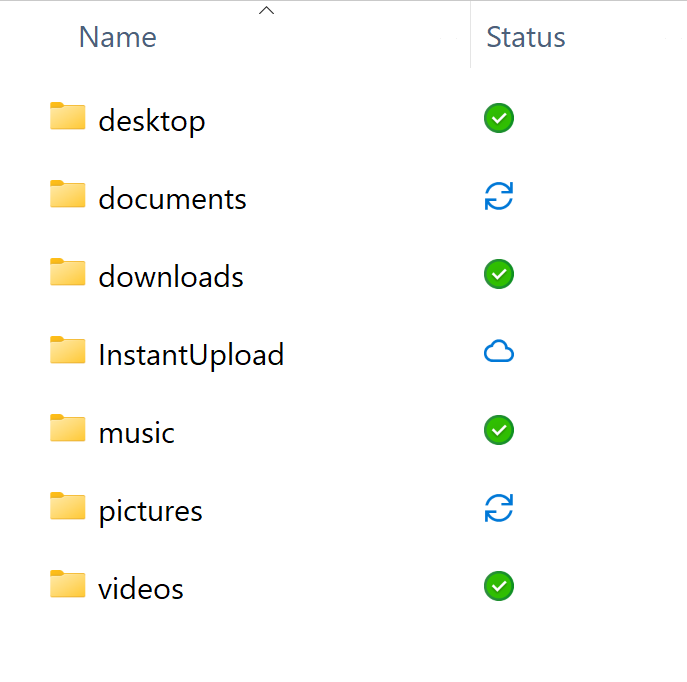
Windows 11 folder status isn’t accurate. The nextcloud app is telling me I have a full sync, but as shown below the documents and pictures folder icon shows as ‘syncing’ I went into each subfolder withing those folders and all of them have a good green check mark status. I tried uninstalling, reinstalling app, resyncing, etc. Status won’t change from below.
Especially if you have run an update before, I’d restart the system and check if the problem persists (and also if you run the latest version, if not the issue might already be fixed).
If you have a folder that shows some activity, if you place a new file and it is then uploading, after having done it, does it then switch back to being synced (just thinking, if before there was some interruption of the upload, perhaps it forgot to check the status in the end)?
Or if these are very large folders, perhaps it is still checking the status and just shows on the highest level the update symbol?
If you can reproduce the problem, please report it to the developers on the bug tracker.