The Basics
- Nextcloud Server version (e.g., 29.x.x):
33.0.0
- Operating system and version (e.g., Ubuntu 24.04):
Debian 12
- Web server and version (e.g, Apache 2.4.25):
Apache 2.4.66 (Debian)
- PHP version (e.g, 8.3):
8.4.18
- Is this the first time you’ve seen this error? (Yes / No):
No
- When did this problem seem to first start?
Right after a server rebuild
- Installation method (e.g. AlO, NCP, Bare Metal/Archive, etc.)
Bare Metal
- Are you using CloudfIare, mod_security, or similar? (Yes / No)
No
Summary of the issue you are facing:
The Web Updater, and occ upgrade function aren’t fetching the latest updates. I’ve been having to manually fetch and install updates my moving files into place.
$ sudo -u www-data php /var/www/cloud/occ upgrade
No upgrade required.

Note: This command triggers the upgrade actions associated with a new version. The new version's updated source files must be deployed in advance.
See the upgrade documentation: https://docs.nextcloud.com/server/33/go.php?to=admin-update for more information.
~$
Steps to replicate it (hint: details matter!):
-
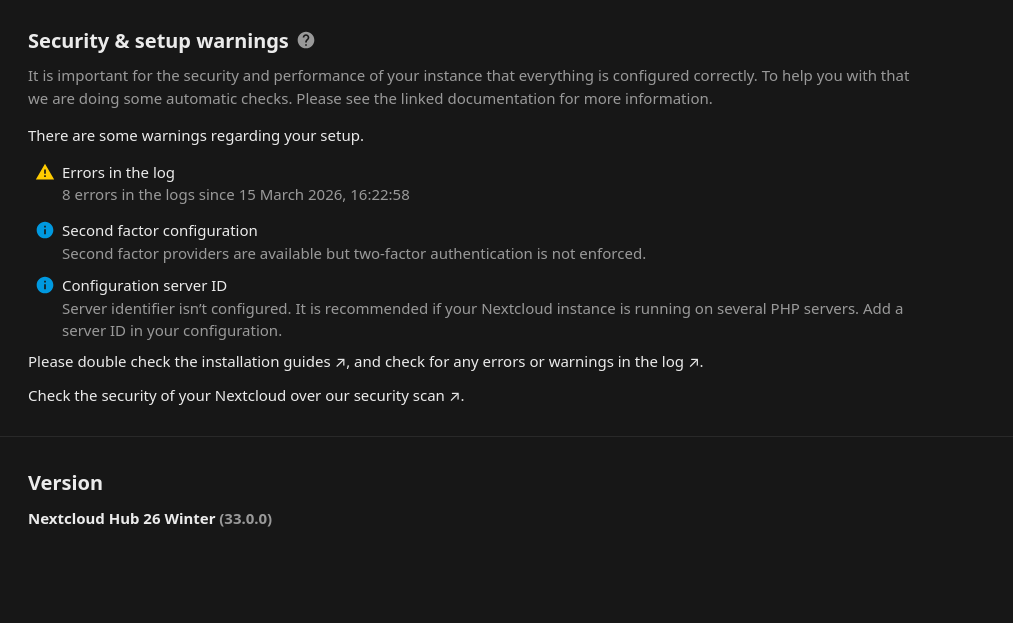
Visit the Administration Settings page - There’s no option to update, or check for updates
-
Checking via occ command also shows no new updates
-
Updating manually should theoretically solve the problem, but I upgraded from 32.x.x manually, and the update function no longer exists.
Log entries
There’s no relevant log entries
Configuration
$ sudo -u www-data php /var/www/cloud/occ config:list system

{
    "system": {
        "instanceid": "***REMOVED SENSITIVE VALUE***",
        "passwordsalt": "***REMOVED SENSITIVE VALUE***",
        "secret": "***REMOVED SENSITIVE VALUE***",
        "trusted_domains": [
            "cloud.hydrocelestis.com",
            "cloud.jihyn.com"
        ],
        "datadirectory": "***REMOVED SENSITIVE VALUE***",
        "dbtype": "mysql",
        "version": "33.0.0.16",
        "overwrite.cli.url": "https:\/\/cloud.jihyn.com\/",
        "dbname": "***REMOVED SENSITIVE VALUE***",
        "dbhost": "***REMOVED SENSITIVE VALUE***",
        "dbport": "",
        "dbtableprefix": "oc_",
        "mysql.utf8mb4": true,
        "dbuser": "***REMOVED SENSITIVE VALUE***",
        "dbpassword": "***REMOVED SENSITIVE VALUE***",
        "installed": true,
        "htaccess.RewriteBase": "\/",
        "memcache.local": "\\OC\\Memcache\\APCu",
        "memcache.distributed": "\\OC\\Memcache\\Redis",
        "memcache.locking": "\\OC\\Memcache\\Redis",
        "redis": {
            "host": "***REMOVED SENSITIVE VALUE***",
            "port": 6379
        },
        "maintenance": false,
        "default_phone_region": "GB",
        "maintenance_window_start": 4,
        "theme": "",
        "serverinfo": {
            "token": "uptimemonitor"
        },
        "0": [],
        "config_preset": 1,
        "mail_smtpmode": "smtp",
        "mail_smtpauth": true,
        "mail_sendmailmode": "smtp",
        "mail_from_address": "***REMOVED SENSITIVE VALUE***",
        "mail_domain": "***REMOVED SENSITIVE VALUE***",
        "mail_smtphost": "***REMOVED SENSITIVE VALUE***",
        "mail_smtpport": "465",
        "mail_smtpsecure": "ssl",
        "mail_smtpname": "***REMOVED SENSITIVE VALUE***",
        "mail_smtppassword": "***REMOVED SENSITIVE VALUE***",
        "app_install_overwrite": [],
        "loglevel": 2
    }
}
Apps
The output of occ app:list (if possible).
~$ sudo -u www-data php /var/www/cloud/occ app:list
Enabled:
  - activity: 6.0.0-dev.0
  - admin_audit: 1.23.0
  - calendar: 6.2.1
  - cloud_federation_api: 1.17.0
  - cookbook: 0.11.6
  - dashboard: 7.13.0
  - dav: 1.36.0
  - encryption: 2.21.0
  - federatedfilesharing: 1.23.0
  - federation: 1.23.0
  - files: 2.5.0
  - files_downloadlimit: 5.1.0-dev.0
  - files_external: 1.25.1
  - files_pdfviewer: 6.0.0-dev.0
  - files_reminders: 1.6.0
  - files_sharing: 1.25.2
  - files_trashbin: 1.23.0
  - firstrunwizard: 6.0.0-dev.0
  - integration_mastodon: 5.0.0
  - logreader: 6.0.0
  - lookup_server_connector: 1.21.0
  - mail: 5.7.3
  - notifications: 6.0.0
  - oauth2: 1.21.0
  - photos: 6.0.0-dev.0
  - profile: 1.2.0
  - provisioning_api: 1.23.0
  - serverinfo: 5.0.0-dev.0
  - settings: 1.16.0
  - sharebymail: 1.23.0
  - theming: 2.8.0
  - twofactor_backupcodes: 1.22.0
  - twofactor_totp: 15.0.0-dev.0
  - viewer: 6.0.0-dev.0
  - weather_status: 1.13.0
  - workflowengine: 2.15.0
Disabled:
  - app_api: 33.0.0 (installed 32.0.0)
  - bruteforcesettings: 6.0.0-dev.0 (installed 5.0.0-dev.0)
  - circles: 33.0.0 (installed 32.0.0)
  - comments: 1.23.0 (installed 1.22.0)
  - contactsinteraction: 1.14.1 (installed 1.13.1)
  - files_versions: 1.26.0 (installed 1.25.0)
  - nextcloud_announcements: 5.0.0 (installed 4.0.0-dev.0)
  - password_policy: 5.0.0-dev.0 (installed 4.0.0-dev.0)
  - privacy: 5.0.0-dev.0 (installed 4.0.0-dev.0)
  - recommendations: 6.0.0-dev.0 (installed 5.0.0-dev.0)
  - related_resources: 4.0.0-dev.0 (installed 3.0.0-dev.0)
  - support: 5.0.0 (installed 4.0.0-dev.0)
  - survey_client: 5.0.0-dev.0 (installed 4.0.0-dev.0)
  - suspicious_login: 11.0.0-dev.0
  - systemtags: 1.23.0 (installed 1.22.0)
  - text: 7.0.0-dev.3 (installed 6.0.1)
  - twofactor_nextcloud_notification: 7.0.0
  - updatenotification: 1.23.0 (installed 1.22.0)
  - user_ldap: 1.24.0
  - user_status: 1.13.0 (installed 1.12.0)
  - webhook_listeners: 1.5.0 (installed 1.3.0)