I have no support/technical question and have seen the support category. (Be aware that direct support questions will be deleted.)
on
Which general topic do you have
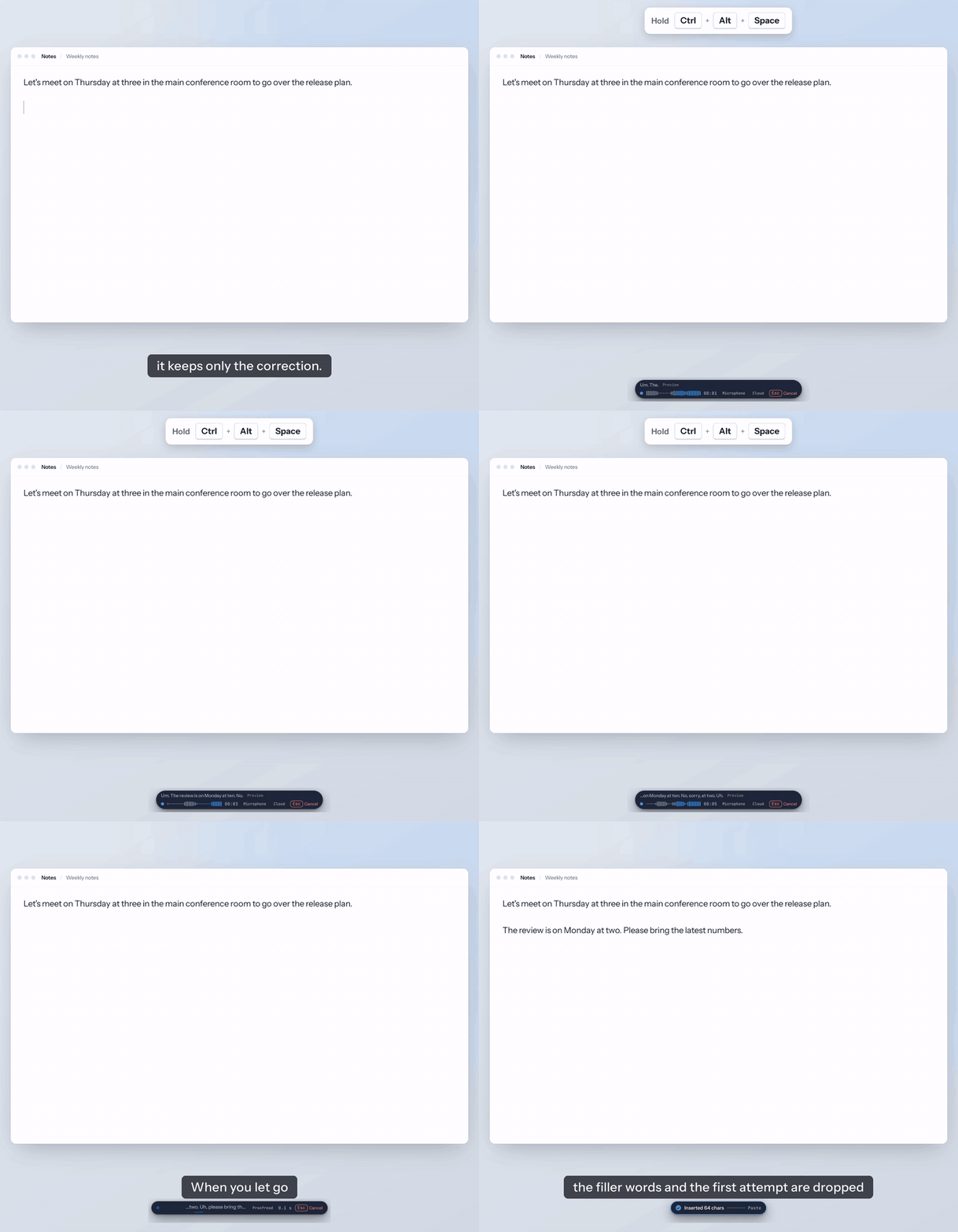
Hi everyone. I made Voltip, an open-source (AGPL-3.0) dictation app for Windows, macOS and Linux. You hold a shortcut in any app and speak, and when you let go, the text is pasted at the cursor with the filler words removed and your self-corrections applied.
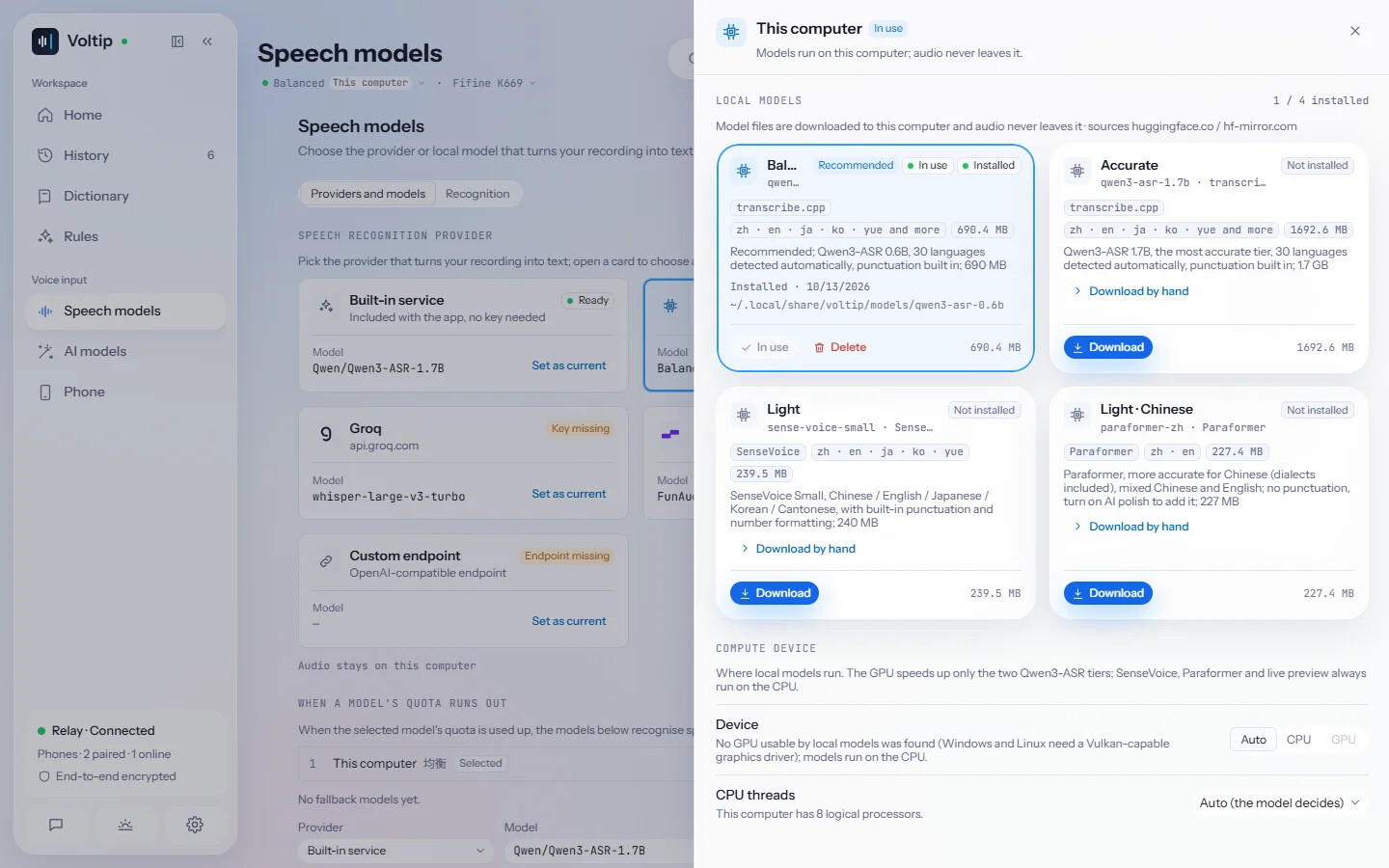
Recognition can run on your own computer with a local model (Qwen3-ASR 0.6B is 690 MB and handles 30 languages; SenseVoice Small is 240 MB and runs on the CPU), through a cloud provider you choose, or through the built-in service that ships with the release builds.
The part that might be useful next to Nextcloud is the server.
voltip-server
voltip-server is a separate program for Linux x64 machines without a desktop. It processes a recording the way the app does (recognition, the personal dictionary, an optional AI clean-up preset, then the replacement rules) and returns the text through an OpenAI-compatible endpoint:
curl -fsSL https://raw.githubusercontent.com/sunerpy/voltip/main/scripts/install.sh | sh -s -- --server
voltip-server --download-model qwen3-asr-0.6b
voltip-server --local-model qwen3-asr-0.6b

# from another terminal
curl http://127.0.0.1:47840/v1/audio/transcriptions \
  -H "Authorization: Bearer $(voltip-server --print-token)" \
  -F file=@note.wav -F model=voltip -F language=en
- With a local model the recording stays on that machine, and
model=voltip:rawskips the AI clean-up, so the text does too. - It listens on 127.0.0.1:47840 by default, and every request needs the access token.
--listentogether with--allow-remoteopens it to other machines, but the connection is unencrypted, so an SSH tunnel or a TLS proxy is the better way. - Limits: WAV only (8 to 192 kHz), up to 2 hours per request, 2 requests at a time with 4 more waiting, and no timestamps, so no SRT or VTT.
With Nextcloud Assistant: not tested yet
integration_openai connects to any OpenAI-compatible service, so in principle you could add http://127.0.0.1:47840/v1 as a service, use the token as the API key and pick voltip as the transcription model. From reading the code, it sends a multipart request to /audio/transcriptions and reads text from a verbose_json reply, which voltip-server returns, and the Assistant’s recorder records WAV. I haven’t run this combination, though, so please treat it as untested.
What won’t work: uploaded MP3 or M4A files (WAV only), and the subtitles task, which needs timestamps. If Nextcloud runs in a container, 127.0.0.1 is usually the container itself, so the server needs an address the container can reach.
If you try it, I’d be glad to hear how it went, and I’ll fix what breaks on the Voltip side.
- How to set up voltip-server: Local service | Voltip
- Source and releases: GitHub - sunerpy/voltip: Push-to-talk voice typing for Windows, macOS, Linux and Android. On-device or cloud speech recognition, AI polish with presets, a dictionary, rules and scenes, long recordings with subtitles; the phone works on its own or pairs end-to-end encrypted as the computer's microphone and keyboard. · GitHub
This post was drafted with AI assistance from my own article and Voltip’s documentation; the facts were checked against the docs and the integration_openai and Assistant source code. It may still contain mistakes.
Created with: Claude Code (Claude Opus 5.5)
Prompt (summary): “Write a new English topic for the Nextcloud community forum introducing Voltip, using only facts from its README and docs. The Nextcloud angle is voltip-server’s OpenAI-compatible transcription API: check whether integration_openai can use a custom service URL, and if it hasn’t been tested, say so.”