Just upgraded to 32.0.2 (SNAP), although this was happening prior to the upgrade. I can only see folders that have been explicitly shared with me, both from my domain user (which is an admin), and from the admin account. I’m hoping there’s some way for me to be able to see what folders have been created, and with whom they’ve been shared, as well as the ability to share existing folders that have been made by other users. I’ve never had that kind of insight to the system, but I think there must be a way, isn’t there?
well done, glad you’re on track 
Nextcloud is designed for privacy, so being able to see what others are doing/sharing would be defying the object?
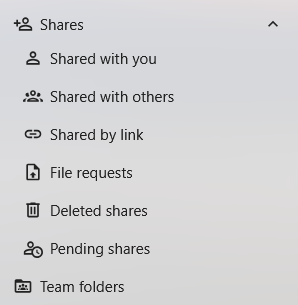
or do you mean something like this, which would be what you’d see by default in your own Nextcloud account regardless of the account type… admin or not:
what exactly do you mean with “admin console”? the administrator user is a user too and will not be able to see what other users are doing/sharing either.
assuming you’d like to see what another user is seeing, for support purposes, you may want to look at the impersonate app:
this is a great tool for helping users, especially non-techy users who can’t explain clearly what the issue is they’re having. but its certainly not something you’d use to be prying on users’ activities! 
OK, I guess it’s by design, so, cool. I do have the Impersonate app, and I’ve used it before.
My boss has tasked me with sharing a few folders that were shared by others, with others, with a few other people, and he’d like me to do the sharing. I guess maybe we should just have a policy that all shares have to be shared with me so I can do some further sharing if needed. We do have a strict rule to only share only the root of folders to avoid making a mess of things, so I guess that would work. Thanks very much for your help, we really love the product, our CEO is especially happy with Nextcloud.
The → nc-shares ← script exists precisely for this purpose.
It is is Part of ebtb and lists shares with their tokens and full path on the command line.
As a less attractive alternative, there is the sharelisting app:
| App-Id | sharelisting |
| App-Name | Share Listing |
| Summary | List shares on the command line |
| Categories | tools |
| Repository | https://github.com/nextcloud/sharelisting |
| Issue-Tracker | GitHub · Where software is built |
| Not-shipped (not included) App available in appstore | |
| Appstore | Share Listing - Apps - App Store - Nextcloud |
… but it is nowhere near as informative as the nc-shares script.
h.t.h.
ernolf
@ernolf thanks for that, sounds like that’s exactly what @drigboy is looking for  are there any special considerations when running that on a snap install?
@drigboy you’d be the first to run this on a snap install… would you mind documenting the process and posting here? that would be greatly appreciated.
Ups, yes. Snap is not supported by nc-shares but therefore the sharelisting app should work, since it is integrated in occ.
ernolf
Ok, so I cannot use the nc-shares script at all because I’m running the SNAP version of Nextcloud?
Starting with Nextcloud 32 the occ command contains a new instuction:
occ share:list
list shares on the system - maybe it helps.
@Mornsgrans thanks for that, looks good
Nextcloud snap occ command
@drigboy issue command in host shell to a list of shares in your instance
sudo nextcloud.occ share:list

You may also want to look into using the Nextcloud Team Folders (formerly Group Folders) app for your use case.
This topic was automatically closed 8 days after the last reply. New replies are no longer allowed.