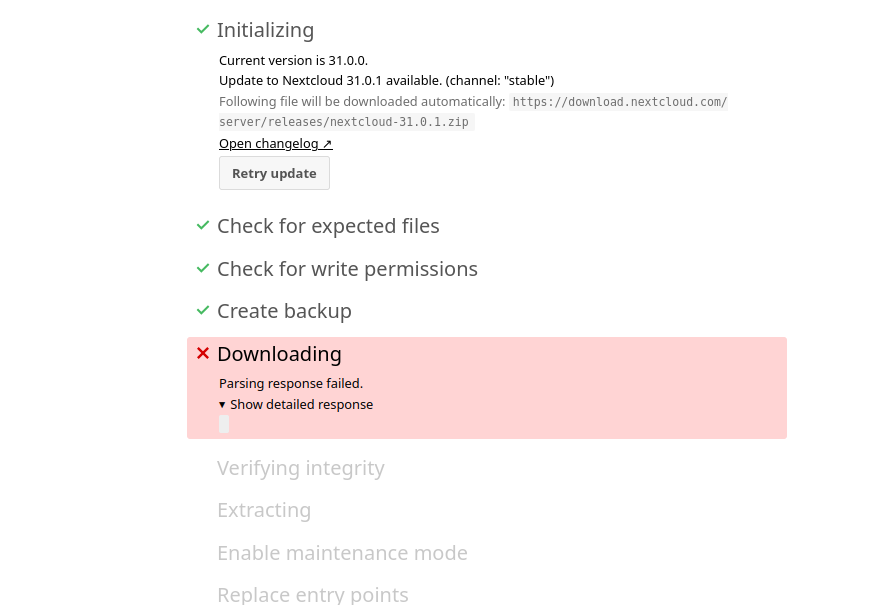
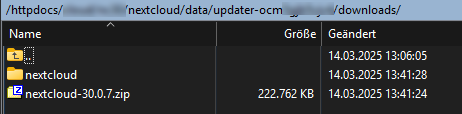
Error: copy(https://download.nextcloud.com/server/releases/latest.zip): Failed to open stream: HTTP request failed! HTTP/1.1 429 Too Many Requests
I don’t know if I’m the only one affected. But every time I upgrade, the download of the new Nextcloud version crashes.
My very simple questions:
Is there a sustainable solution to the problem? How do other users solve the problem? Could it be that the download servers are unsuitable for Nextcloud?
Right now I am trying from three different IP addresses in Germany. Via a web interface (Tiny File Manager upload option) I directly get the error message above. On the same system, the normal download during the upgrade stops after about 30 MB, which is probably due to a timeout. On another system via updater.phar it is very slow. The download also takes a very long time via a third IP address. Very long here is greater than 30 minutes. Access is not via a normal DSL connection, but via server systems directly on the Internet. With other new releases, the download was completed in a few seconds, well under a minute.
I also tested it from a forth IP address (DSL) in Germany (wget on Debian desktop) and i get an estimated download time of 30 minutes. Is this normal? I am not a user of Deutsche Telekom where sometimes peering restrictions exists (maybe also to AS24940 Hetzner).
You are welcome to test the download. But it is currently very slow. And unfortunately this happens very often with new releases e.g. now Nextcloud 31.0.1.
This may be the case for 429, as I have made perhaps a maximum of 5 attempts in total on the server of a web host that manages thousands of domains via the same IP address. I wrote you a PN.
But it is already very slow. updater.phar and also wget seem to run through in i think 30 minutes for download. But the webupdater seems to be getting a timeout. That’s really stupid. Not for me. But for other users.
I’m about 20 minutes in, so maybe there is still hope
Updater run in non-interactive mode.

Start update

Info: Pressing Ctrl-C will finish the currently running step and then stops the updater.

[✔] Check for expected files
[✔] Check for write permissions
[✔] Create backup
[ ] Downloading ...
The download was completed after about an hour. On each individual system, of course. Update with updater.phar works. But i was unable to update the system with the web updater.
I have created the issue #51481. I have suggested a simple solution to what I think is a workaround.
I’m still in the process. Unfortunately, I killed the process after about 45 minutes, which I probably shouldn’t have done. Now I’m on my second attempt for about as long again. I guess I’ll just wait it out this time…
If you run the update via CLI, i.e. updater.phar, you have an hour’s time. I even always use tmux on the server side in case the SSH connection between client and server drops. With the webupdater, however, there is usually a timeout after 60 seconds of no real interaction.
It won’t help any of you at the moment (well, unless you download the newer Updater and deploy it manually), but the v32 Updater has download resume + progress logging.