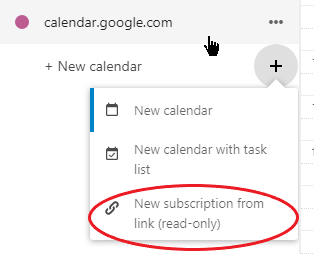
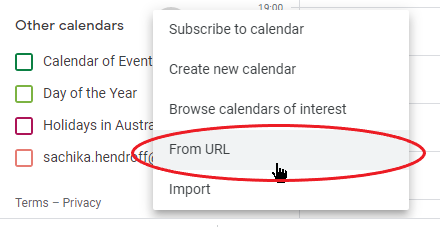
Well, that is interesting! Based on the default refresh rates for both Google and Nextcloud, this would seem to suggest that calendar subscriptions are a pretty useless feature for dynamic calendars as changes to ‘near events’ (within a week for calendars subscribed in Nextcloud, and within a day for calendars subscribed in Google) would not be picked up. No biggie, as long as I can understand what I’m observing. So, a little test…
When I set up the initial subscription of the Google calendar, I can see pre-existing events on the subscribed calendar. If I then add an event on the Google calendar, that event does not appear on the subscribed calendar in Nextcloud. That ties in with what you’re saying. I didn’t have the patience to wait a week to find out, but removing and readding the subscribed calendar did make the new event appear.
No, I haven’t waited that long yet. The difference here though is that when I set up the initial subscription of the Nextcloud calendar, I can’t see pre-existing events on the subscribed calendar. I would have hoped to at least see these; if only to serve as some visual feedback that the subscription worked. Or do I have to wait 24 hours to see those as well?
Google Calendar and Nextcloud apps on Android
To understand the observed behaviour for the phone apps, I’ve unsubscribed calendars in the web applications (on the desktop). This is what I’m observing:
An event added to the Nextcloud app calendar appears in the Nextcloud web calendar (on the desktop). Similarly, for an event added to the Google calendar app. However, those events do not appear in the other app’s calendar.
After a refresh in DAVx5, events from the Nextcloud app calendar do appear in the Google calendar app, but not in the Google web calendar. The reverse is not true. Events from the Google calendar app do not appear in the Nextcloud app calendar.
Based on this observation, I’d have to conclude the following:
-
Of the four calendar views (Google and Nextcloud web and app calendars), the most accurate view will be from the Google calendar app (with DAVx5 installed) on the smartphone.
-
If, for whatever reason, I had to rely on both Google and Nextcloud calendars on the smartphone, the only way to accurately schedule a Nextcloud calendar event without doubling-up appointments is to have the Google calendar app open at the same time to look for free time slots.
-
Even with a Google calendar subscription enabled in the Nextcloud web calendar, which would make Google calendar events appear in Nextcloud app calendar on the smartphone, there is no guarantee that appointment overlaps can be avoided due to the refresh rate (default of 1 week) on the subscribed calendar.
Please let me know if there’s something wrong with my reasoning.