Operating system and version (e.g., Ubuntu 24.04):
Debian stable
Reverse proxy and version _(e.g. nginx 1.27.2)
Nginx 1.22.1-9
Is this the first time you’ve seen this error? (Yes / No):
Yes
Installation method (e.g. AlO, NCP, Bare Metal/Archive, etc.)
AIO
Are you using CloudfIare, mod_security, or similar? (Yes / No)
No
Summary of the issue you are facing:
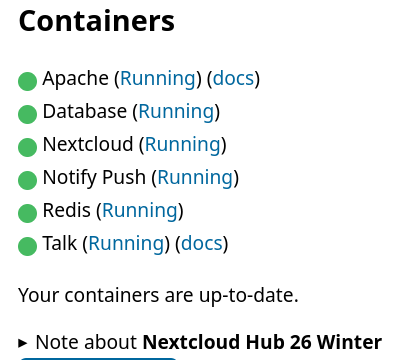
I have created a a discussion on Talk with the objective to host a call. The server use AIO and it’s hosted on internet (no NAT)
I tried with both
Firefox on Linux desktop, on a LAN with NAT: I see the conversation but can’t join the call
Firefox on mobile desktop, on both Wifi LAN with NAT and roaming data (no NAT): I can join the call in both situations
I have read the AIO readme again and nowhere it talks about the need to host a dedicated STUN or TURN server, but older docs does (like this one HowTo: Setup Nextcloud Talk with TURN server ).
I want to know what exactly I need to do to be able to self-host all my video and audio calls on my Nextcloud Talk server, in all situations (roaming, LAN with NAT, etc).
Do I need a dedicated TURN/STUN server and which is there any updtodate documentation?
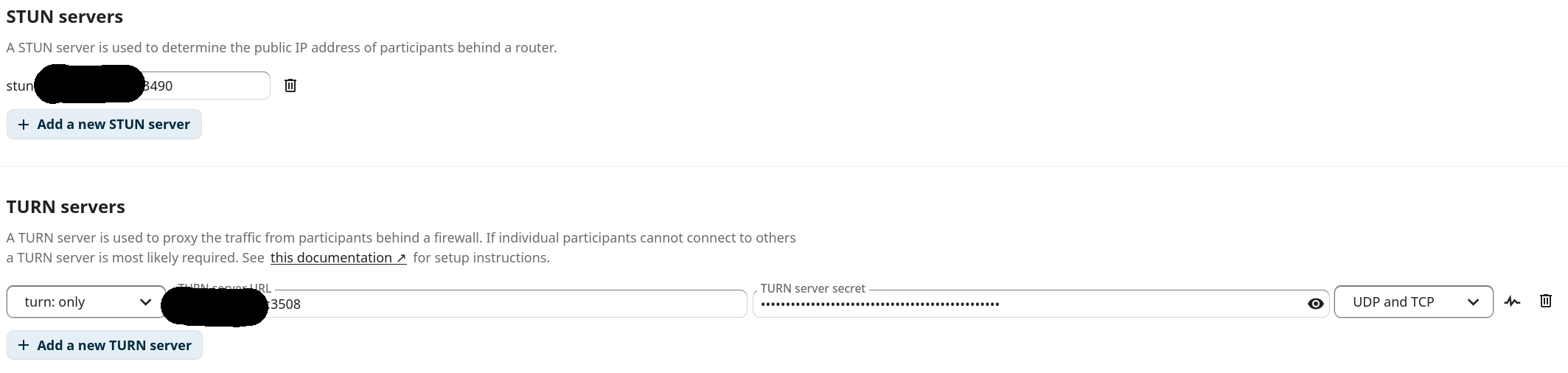
Maybe simpler quick test is the one in the web UI settings: there is this lightning button at the right side of the TURN server input fields. Does it show a green tick/success when clicking it?
The TLS warnings from curl are probably since you do not send the request with the domain name your TLS cert is valid for. But TURN does not use the TLS cert anyway, so that does not matter. If you can access the Nextcloud web UI, and there are no browser warnings, all fine with that.
It seems to reset Nextcloud-side settings, STUN and TURN server entries need to be removed entirely (trash bin icon at the right side):
The eturnal (TURN server) config is however always updated with the TALK_PORT variable:
So yeah, when fiddling with the settings, remember that TALK_PORT must be used, for both STUN and TURN, and that this port needs to be open/forwarded.
Since you used TALK_PORT=3490, only that port needs to be open, and applied for both STUN in TURN in the Nextcloud settings. Why ever 3508 was there, it is wrong.
Then test again with the lightning button, and if that shows success now, joining a video call with your desktop browser.