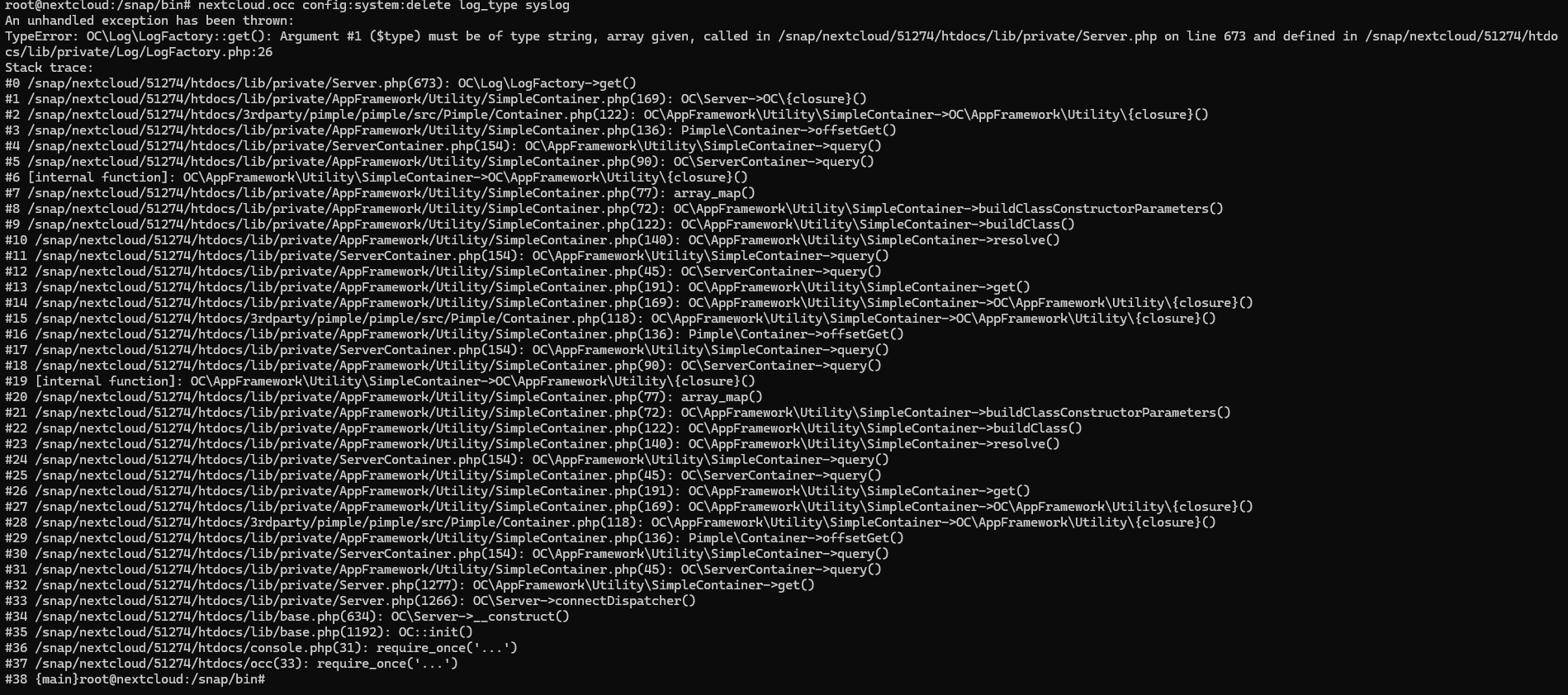
Hi, my nextcloud server was installed by means of snap. I configered it and start to change system configs, i try to change /snap/nextcloud/current/htdocs/config/config.php, but i got error Read-only file-system. I started reading forums about this problem and found out that when i install nextcloud by means of snap i cant change system file with nano. I find that i can try to change it by nextcloud.occ and start read docs about it. I want to redirect logs from file to syslog, i use command
nextcloud.occ config:system:set log_type syslog
,but after that command i cant access to my server:
Hey @Alex2222000 welcome to the Nextcloud community and thanks for supporting the snap.
I want to redirect logs from file to syslog
nope I’m afraid that won’t work due to Snap confinement. You will not be able to access any other directory outside of the confinement. see FAQ’s.
to solve your “Internal Server Error” issue, restore your backed up config.php file see How to edit config.php for Nextcloud snap or remove that line you added from your config.php.
Also i dont understand which folder i have to choose to replace file config.php /snap/nextcloud/current/htdocs/config or /var/snap/nextcloud/current/nextcloud/config/?
edit that config.php manually and take care to preserve the syntax and special characters, as incorrect formatting or misplaced characters and spaces may render your Nextcloud unusable.