hi @f9fjd!
I’m not after your reward and didn’t spent lot of time looking into issue. but my short test mounting Nextcloud via webdav was not such easy as I expected.
- I didn’t find the way to mount WebDAV folder from Explorer…
- ended with command line (which is good enough for me)
`net use g: https://cloud.my.domain/remote.php/dav/files/myusername /user:myusername /persistent:yes - maybe this reg key is required (set it before already)
HKEY_LOCAL_MACHINE\SYSTEM\CurrentControlSet\Services\WebClient\Parameters\BasicAuthLevel = 2 - folder is visible in Explorer and simple text files can be created and edited without issues
- editing files with LibreOffice (no MS Office available) results in more or less same issue like you have
a. password request
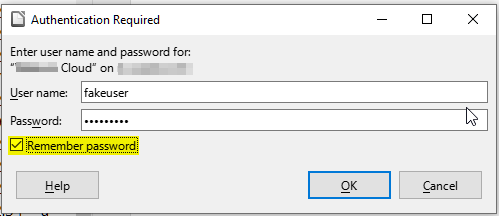
b. if you mark[Remember password]there is another dialog telling you the "master password is required once per session
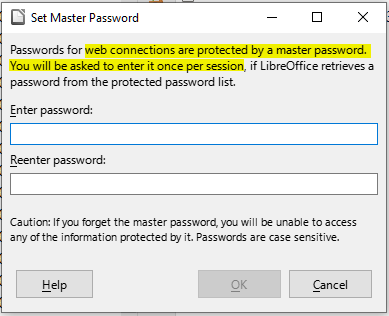
it makes me think there might be some silly Windows “security” feature… requesting password from Office suite (but why simple editor works without issues?)
From : Mounting folders via WebDAV
The built-in Windows client might repeatedly ask your for your credentials. In that case you might need to enable Basic Authentication:
and Mounting a Shared Folder using WebDAV on Windows
both mention BasicAuthLevel = 2 which i set in my tests and restarted the service (but I didn’t reboot - maybe this is the key).
Maybe this helps you as well:
In general I would recommend you to use Nextcloud desktop client or maybe some 3rd party WebDAV application which might work better than integrated Windows WebDAV client.