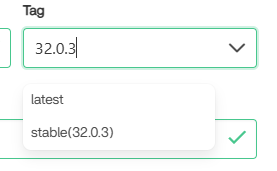
32.0.3Operating system and version (e.g., Ubuntu 24.04):
replace me
Web server and version (e.g, Apache 2.4.25):
I don't know what this is
Reverse proxy and version _(e.g. nginx 1.27.2)
I don't know what this is
PHP version (e.g, 8.3):
I don't know what this is
Is this the first time you’ve seen this error? (Yes / No):
Yes
When did this problem seem to first start?
Today
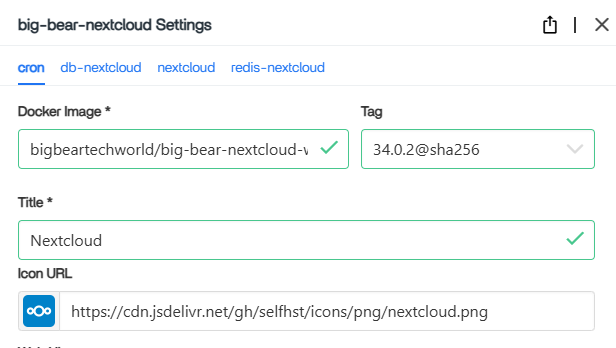
Installation method (e.g. AlO, NCP, Bare Metal/Archive, etc.)
The windows application was installed via a typical executable. The actual server is installed via a linux app "store", Big Bear
Are you using CloudfIare, mod_security, or similar? (Yes / No)
My server runs off a pi I have CasaOS installed on.
Summary of the issue you are facing:
Windows side of nextcloud will not log in. Defaults to "Signed out from (my url here) as (my username), though if I press the “Log in” button I connects briefly (sometimes longer) with a message of “no nextcloud connection configured.” This was not a problem last week, which is the last time I had my sync unpaused. I have not restared my computer between then and when the issue started occurring. I do not have this issue connecting to my own webhost via the URL I have set up, however - my login credentials work fine and I can upload or download files through my browser normally. It’s just the application that decided it wasn’t working right. I did update the windows application the moment I noticed this issue, though it seems like it’s to no avail
Steps to replicate it (hint: details matter!):
Open nextcloud
It shows that I am signed out.
click log in repeatedly or once, still signed out.
Log entries
Nextcloud
Pass: w3DpP7N37W
Please provide the log entries from your Nextcloud log that are generated during the time of problem (via the Copy raw option from Administration settings->Logging screen or from your nextcloud.log located in your data directory). Feel free to use a pastebin/gist service if necessary.
Sorry I’m so sparse on info. I’m an amatuer at best when it comes to webdev, I mostly slung this thing together using a tutorial and didn’t have any issues until. . . . now? Been at least like 6 months since I put it together.
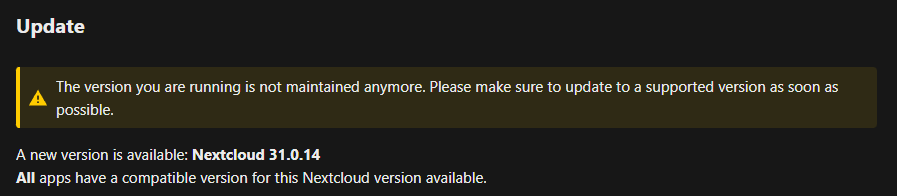
This means in my understanding that your last successgull connect of the client to your NC-Server was to Version 31.0.6.2. So the question is did you update last week from 31.0.6 to 32.0.3 and if so why to 32.0.3 and not to 32.0.13 what is the last release of Version 32 (July 23, 2026), while 32.0.3 is from December 11, 2025.
I updated both the windows side and the linux side AFTER the issue started occurring, thinking an update might fix it. This log is from after the fact, unfortunately.
Last addendum for now until somebody else responds or it magically fixes itself with this news- I went back to the original guide I used and rediscovered that I had me turn off maintenance mode and filelocking in config since they aren’t good for everyday users (Their words, not mine). I’ve since set both to true and now my server is in maintenance mode. We’ll .. . see what happens, i guess.
Alright, I’ve entirely reinstalled nextcloud from both sides of the equation - server and client.
Server’s back up and updated to 34.whatever properly, no issues there. I can once again access it via my usual web client ways. Or at least it was until I tried logging into it in my phone client to test the connection and now I’m COMPLETELY LOCKED OUT with a “Too many requests” notice.
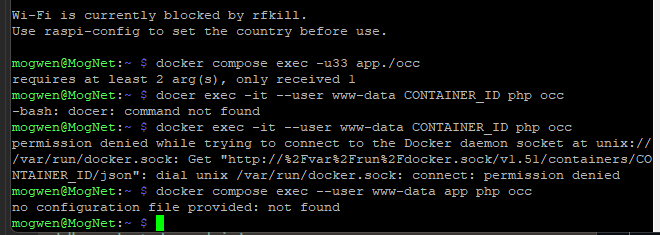
and the one way I tried to fix that is from instructions from a different post Cannot login: Too Many Requests - #28 by michuvon ? here with the sudo command, except that it tells me that it’s “not found” when I try the terminal.
God it’s just one thing after another.
Client is fresh on windows, though if there’s a lingering config file somewhere I don’t know where it is. In the brief window where my web client was letting me in, I was still getting the same redtext error as before in the desktop client.
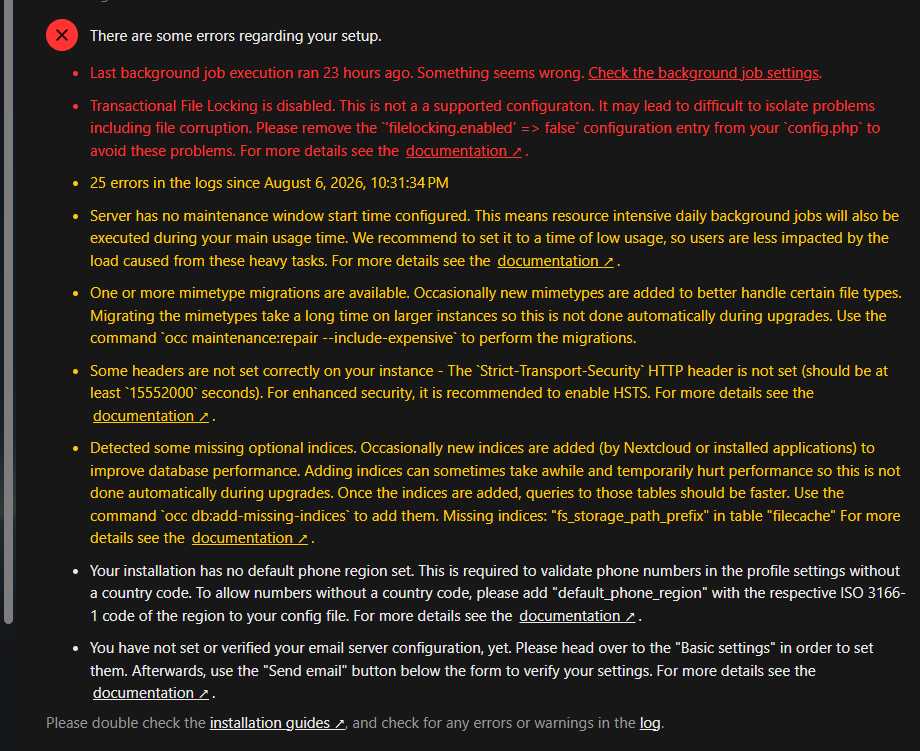
So the last of the two tells you what you shall do to get rigit of the error. You shall enable the File Locking. It tells you also how to do so. You shall edit your config.php and remove the 'filelocking enabled => false'.
The first of the two and its solution depends from your Setup, but that you never told us.
You need to config Background Tasks in your web frontend as admin. The options are:
AJAX
Webcron
Cron (recommended)
what did you choose? My cristall balls did not tell it to me
There is a file named nextcloud.cfg for each user. View for it at /Users/<username>/AppData/Roaming/Nextcloud/nextcloud.cfg. Move (not delete) the file into another directory or rename it. Nextcloud will create a new nextcloud.cfg
The Credentials are also stored in your users Credential Manager. Since i do not use Windows but Linux only, also on Desktops you need to ask a AI or search engine for more details.
I have removed the cfg and cleared nextcloud’s credentials via credentials manager, so those are now accounted for. As for the final issue that prevents me from addressing anything else as a fun little impediment to progress. . .
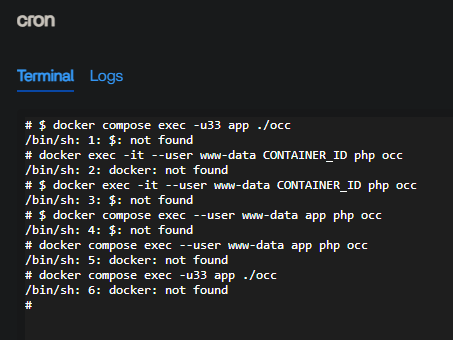
# sudo -u www-data php /var/www/nextcloud/occ/security:bruteforce:reset My_Internet_IP
/bin/sh: 1: sudo: not found
# sudo -u www-data php /var/www/nextcloud/occ/security:bruteforce:resete My_Local_IP
/bin/sh: 2: sudo: not found
for security reasons I have obviously obfuscated my IP there. casaOS is a bit funky.
is not an real Operating System. I did ask Gemini for that:
CasaOS is a free, open-source personal cloud operating system (or dashboard) designed to make home servers and self-hosting easy. It runs on top of standard Linux distributions like Debian or Ubuntu
This means you do not run your CasaOS on top of Ubuntu. If you run it on top of Debian you need to install sudo first, since sudo is not part of default (out of the box) Debian-Server unlike Ubuntu-Server.
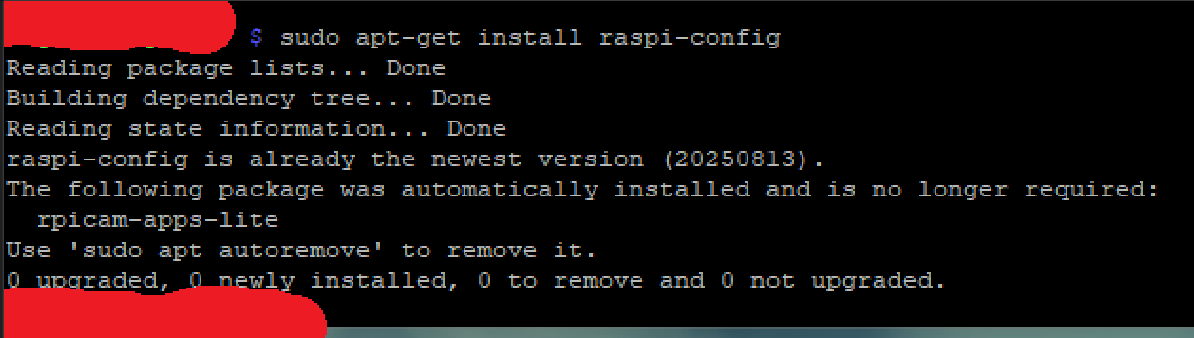
Now, doubling back to how I originally made the thing, it appears I have a base of RaspberryOS, so that is a misunderstanding on my part. I suppose CasaOS is one of these “Shells” I’ve been hearing so much about.
Going to another record of my attempts to get it running in the first place, I HAVE been able to use sudo before. So I don’t know what’s going wrong there, unless the “terminal” feature within the CasaOS interface requires something else.
I tried my PuTTY connection instead, since that was the last place I was able to use Sudo.
``sudo: php: command not found``
So that’s what happened there. Same command as before. Not sure what’s going on there since I HAVE BEEN ABLE TO USE SUDO BEFORE. I have screenshot proof even from said time.
Nextcloud is almost certainly running in a Docker container on CasaOS. Their app store version of Nextcloud is derived from the micro-services image. It has docs for using occ with it:
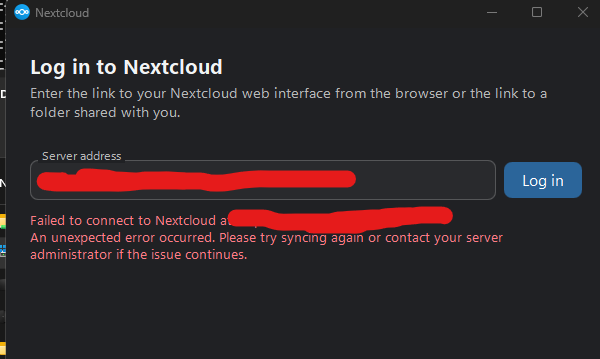
I did reinstall it a third time. I can now log in correctly again, so my current issue is still connecting the clientside desktop app on my Windows machine to the serverside pi host:
I have tried several different variations to the URL.
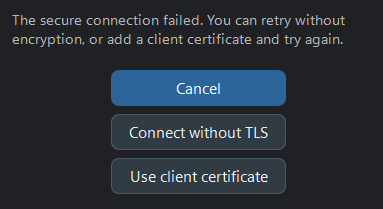
Using connect without TLS results in the above redtext.
Use Client Certificate shows things I do not have any relevant information for, as I didn’t need this certificate before.