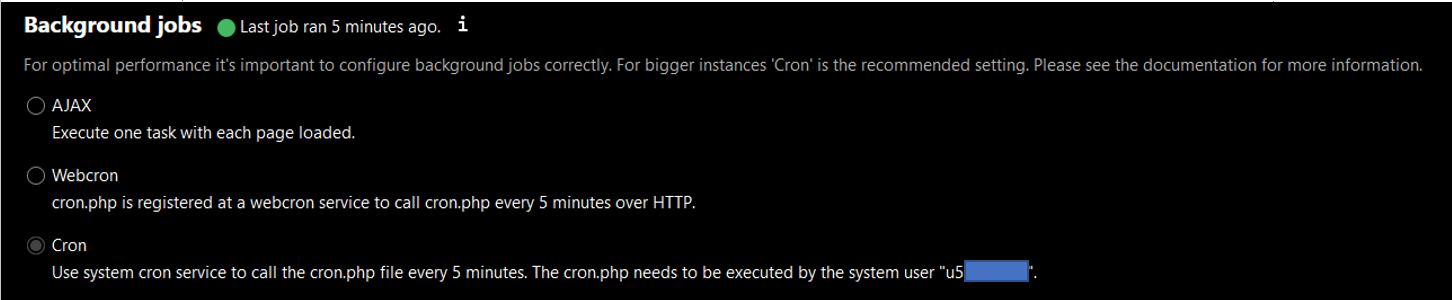
Does anyone know how to do this correctly?

What to choose?
What settings where?
THX
It seems to be possible to answer this question using the search function of this forum 
If you have access to the shell, then you have maybe also access to the shell command “crontab -e”. At the crontab you can define an entry, which call the nextcloud cron job. The entry at the crontab can be the following:
*/15 * * * * /usr/bin/php7.4-cli -f /homepages/xx/dxxxxxxxx/htdocs/nextcloud/cron.php
In this example the entry will be run every 15 minute the nextcloud cron script.
If you need some information of crontab, then look at crontab - Unix, Linux Command - Tutorialspoint
If you have no access to the shell or the crontab, then you can use a webservice, which called your cron script. You have to set the URL at that webservice: http://yourdomain/nextcloud/cron.php
You can use for example the webservice at https://www.cronjob.de/ or any other cronjob webservice.
The jobs, which nextcloud has to be done, will be executed, if the user run a page of nextcloud.
THX
I was able to call
**crontab -e** in putty
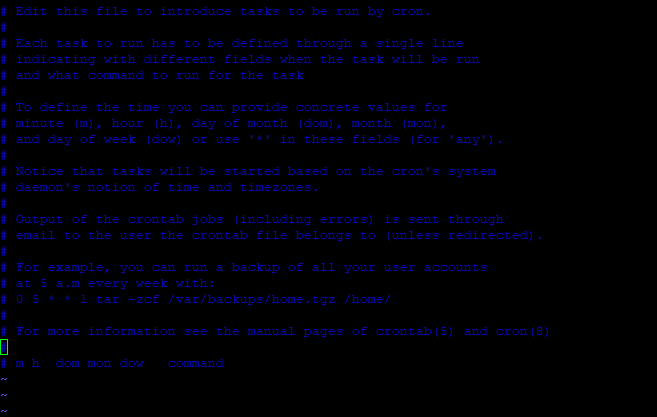
But I don’t know how to edit this!
I have also access to the Nextcloud folder with Win SCP
but I cannot find a File “crontab”
What am I doing wrong?
Pls explain HowTo
THX
If you search with the words “ionos crontab editor” in a search engine, you found the following entries, which are explaning, how you can edit the crontab. It is a help site from IONOS.
AhAA…
Great!
Big approach to extend my poor Knowledge
THX!
Still a question to be sure everything is set up correctly:
Done this now successfully!
I now have:
Has also " /usr/ " in the line be replaced by the u5xxxx ?
*/15 * * * * /u5xxxx/bin/php7.4-cli -f /homepages/xx/dxxxxxxxx/htdocs/nextcloud/cron.php
THX for taking care!
The user mustn’t replace. So it has to be look like:
*/15 * * * * /uer/bin/php7.4-cli -f /homepages/xx/dxxxxxxxx/htdocs/nextcloud/cron.php
At shell you are logged in with your user, which is u5xxxx. So the cronjob will also run with your user u5xxxx.
THX for clearing 
PS: Worx perfect!
THX 
Just for interest in learning about crone Jobs
Is it possible to start cron jobs other than xx Minutes?
E.g. each time when something is saved or a new page is loaded or??
I do not use Nextcloud very often and the server has to work all time?
Running job every 15 minutes.
Does another setting make sense.
(Ajax didn’t work correctly.)
What do you think?
Easycron.com is a WebCron Service provider. It does have a easy-to-use interface to manage all crons in one place.