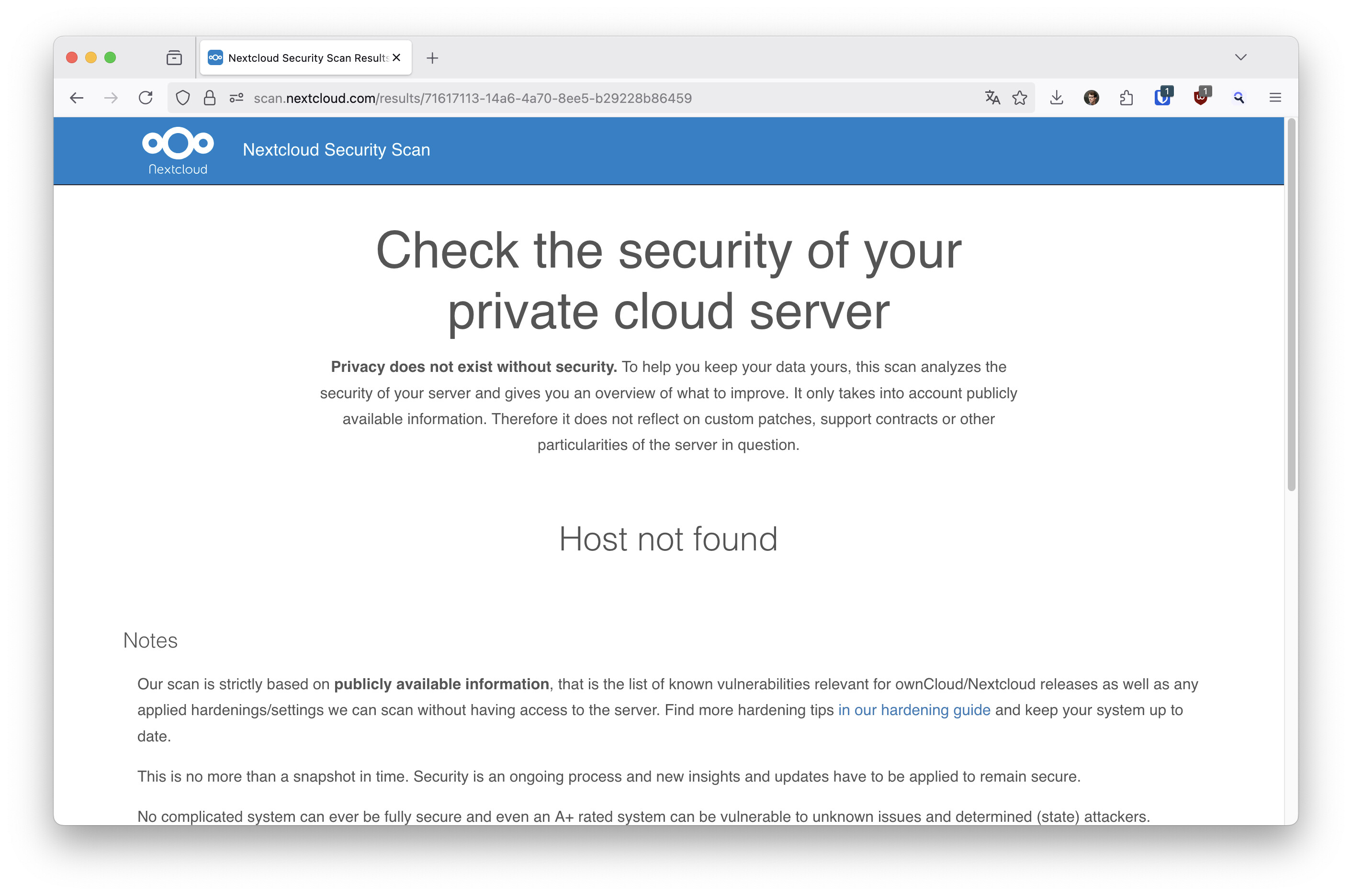
When trying to run a security scan, the scanner says “Host not found”. It used to work in the past (> 6 months ago). I now upgraded to 31.0.6 and it doesn’t work anymore.
Everything else is working fine. I can access my nextcloud from the internet from both, mobile and pc clients as well as webdav. To access it, I use an address like cloud.mydomain.ch. My server is behind a firewall that only lets Ports 22, 80 and 443 through. And only TCP protocol. Also only IPv4. DNS entries haven’t changed in years.
My status.php returns: https://cloud.mydomain.ch/status.php
{“installed”:true,“maintenance”:false,“needsDbUpgrade”:false,“version”:“31.0.6.2”,“versionstring”:“31.0.6”,“edition”:“”,“productname”:“Nextcloud”,“extendedSupport”:false}
Thus my questions:
Is the security scan working for others? Can somebody confirm?
What preconditions does the security scan need to reach my host?
Ok, I got it to work (and I still got my A+ rating ): I entered the following URL in the security scanner’s input prompt: https://cloud.mydomain.ch/status.php
Instead of only (as I did in the past years):
cloud.mydomain.ch
Same issue here. Three different instances. All selfhosted. 1 = v31.x and 2 = v30.x. Before I could write cloud.domain.tld. Now i must write https://cloud.domain.tld/status.php.
This works as workaround. But its not a real solution, I think.
I can now also reproduce the problem. Since there is no project for this on GitHub, I’ll take the liberty of pinging two (presumably) Nextcloud employees here
The strange thing is that it works with some installations, but not with others. I don’t see any request in the server’s access log. So I wonder if it’s a DNS problem? But everything looks ok from my point of view. IPv4 and IPv6 works. DNSSEC works also. And that it suddenly affects so many seems more like a problem on the part of scan.nextcloud.com.
EDIT: DNS problem does not seem right to me as it works with /status.php.
I have the same issue since (I think) upgrading to v31. I host NC on rpi, there’s an nginx reverse proxy between the NC instance and the world.
As with the other posters: in the past I could just plop down my NC address to scan, now I need to append /status.php for it to work.
It’s a minor inconvenience, but might be indicative of a larger issue.
I’m getting the same issue and it was resolved for now by adding /status.php to my domain. Previously it was not necessary, I’m not sure if it has to do with the nextcloud version, but I did recently enable ipv6 and have both A and AAAA DNS records (currently without a proxy). Both ipv4 A and ipv6 AAAA records can be resolved with dig -4 and dig -6 respectively.
Building on @i13302 's answer: my server is reachable at https://myhost.mydomain.pl, works normally, but obviously I came here with the same problem as the rest of us. “status.php” solution works for me - but I discovered one more option (inspired by @i13302 ):
Looks quite broken to me. Checking the primary name does not work on my side (but of course with all found addtions, either /status.php or :443) but additional hostnames do work. Since I did not check these before I’d say there is something broken with the backend database. Hosts that have been entered some time ago may fail. New ones always work.
I was able to get the :443 workaround to work on one of my installations, but none of the workarounds has worked on my second installation. I’m getting **Scan failed!** The scan for the specified domain failed. Either no Nextcloud or ownCloud can be found there or you tried to scan too many servers.. Perhaps this is an issue with any domain that has been scanned previously and, so, you only get one shot at the workarounds? Just spitballing.
Is it completely fixed? I just tested two domains. In both cases, it gave me an error message the first time I tried, but then when I tried a second time, it gave me a response instantly. And the response had just been refreshed, so it appears that when I entered the domain the first time it triggered a re-scan but issued an error. Sorry, but I did not copy the error.
 ): I entered the following URL in the security scanner’s input prompt: