Hello everyone!
I would like to introduce PyNextCloud Sync, an independent and unofficial Linux desktop application I created to solve a very specific personal need:
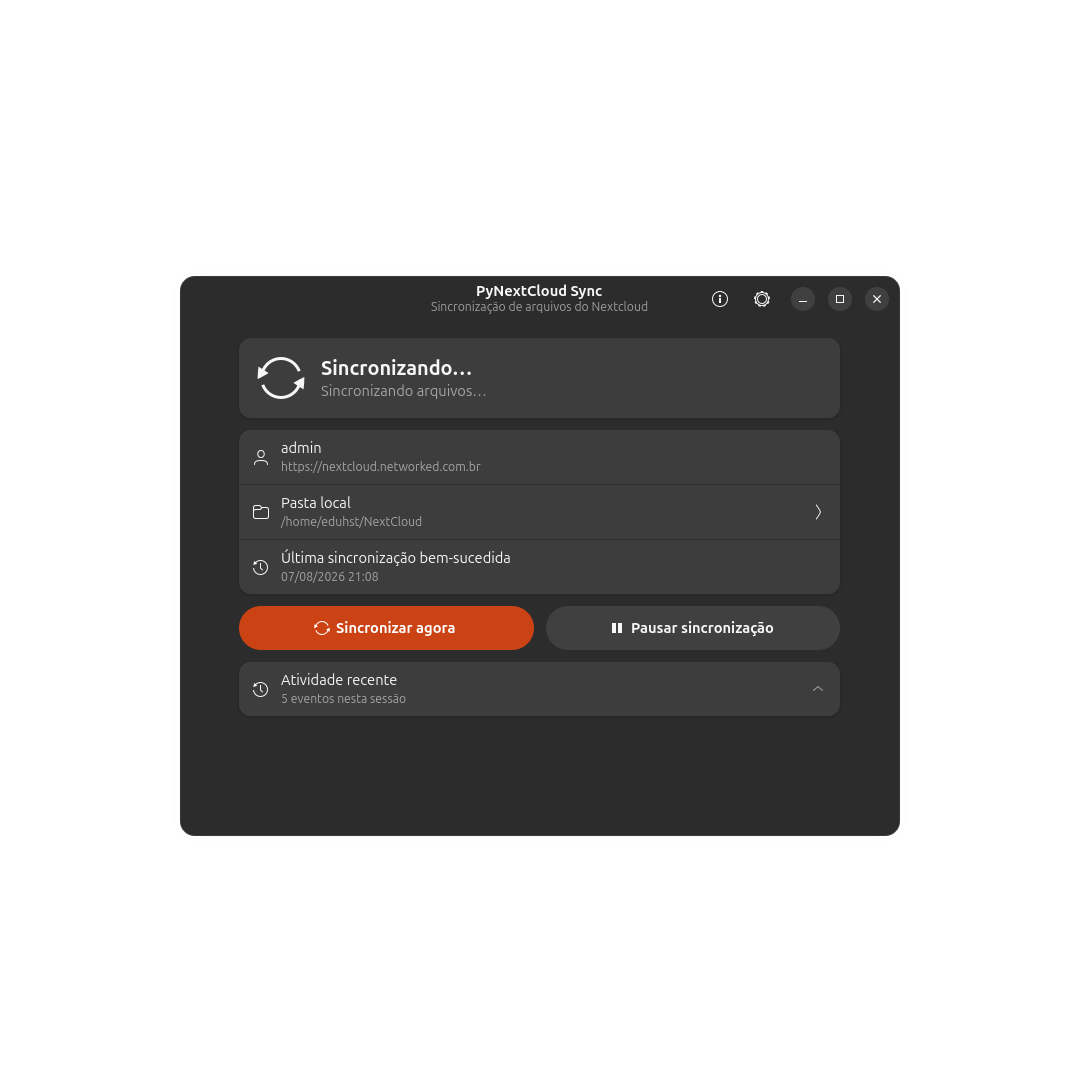
Keep one Nextcloud account completely mirrored to one local folder, using real physical files, with a simple GNOME-oriented interface and low background resource usage.
Why I created it
First, I want to make clear that the official Nextcloud Desktop Client is a mature, reliable and feature-rich application. PyNextCloud Sync is not intended to discredit it or reproduce all of its features.
However, on my Linux installation, I repeatedly noticed the official desktop client using considerably more RAM than I wanted from an application that remains running in the background all day.
My requirements were quite narrow:
-
one Nextcloud account;
-
one local folder;
-
a complete physical copy of the files;
-
automatic synchronization;
-
a tray icon;
-
clear status and error information;
-
good GNOME integration.
I did not need virtual files, multiple synchronization trees, selective synchronization, multiple accounts or the other advanced features available in the official client. In my particular situation, keeping all of that functionality loaded felt unnecessarily heavy.
This is only my experience, not a claim that every Nextcloud user will encounter the same RAM usage. Memory consumption can depend on the client version, number of files and folders, desktop environment, server configuration and synchronization activity.
Still, it motivated me to explore whether a smaller desktop layer could cover my simpler use case.
It still uses the official synchronization engine
PyNextCloud Sync does not implement its own WebDAV synchronization algorithm.
The actual file discovery, reconciliation, transfer, conflict handling and deletion propagation are performed by the official nextcloudcmd executable distributed as part of the Nextcloud Desktop project.
The design principle is:
Python manages.
nextcloudcmdsynchronizes.
PyNextCloud Sync provides the persistent desktop layer around that engine:
-
GTK 4 and Libadwaita interface;
-
Nextcloud Login Flow v2 through the browser;
-
optional manual login;
-
credentials stored using GNOME Keyring/Secret Service;
-
recursive local monitoring through Linux
inotify; -
optional
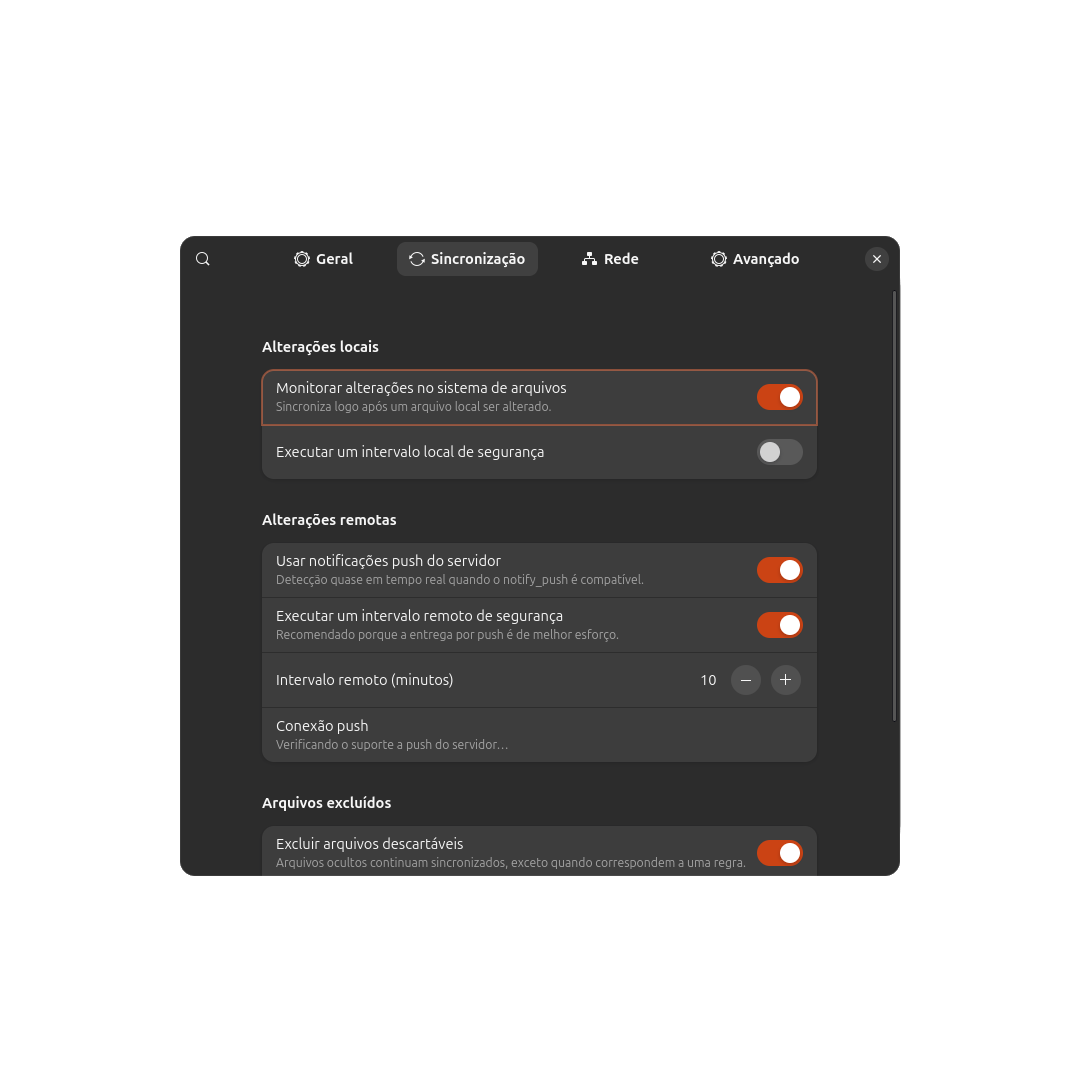
notify_pushsupport; -
configurable local and remote safety intervals;
-
system tray controls;
-
autostart;
-
desktop notifications;
-
logs and diagnostics;
-
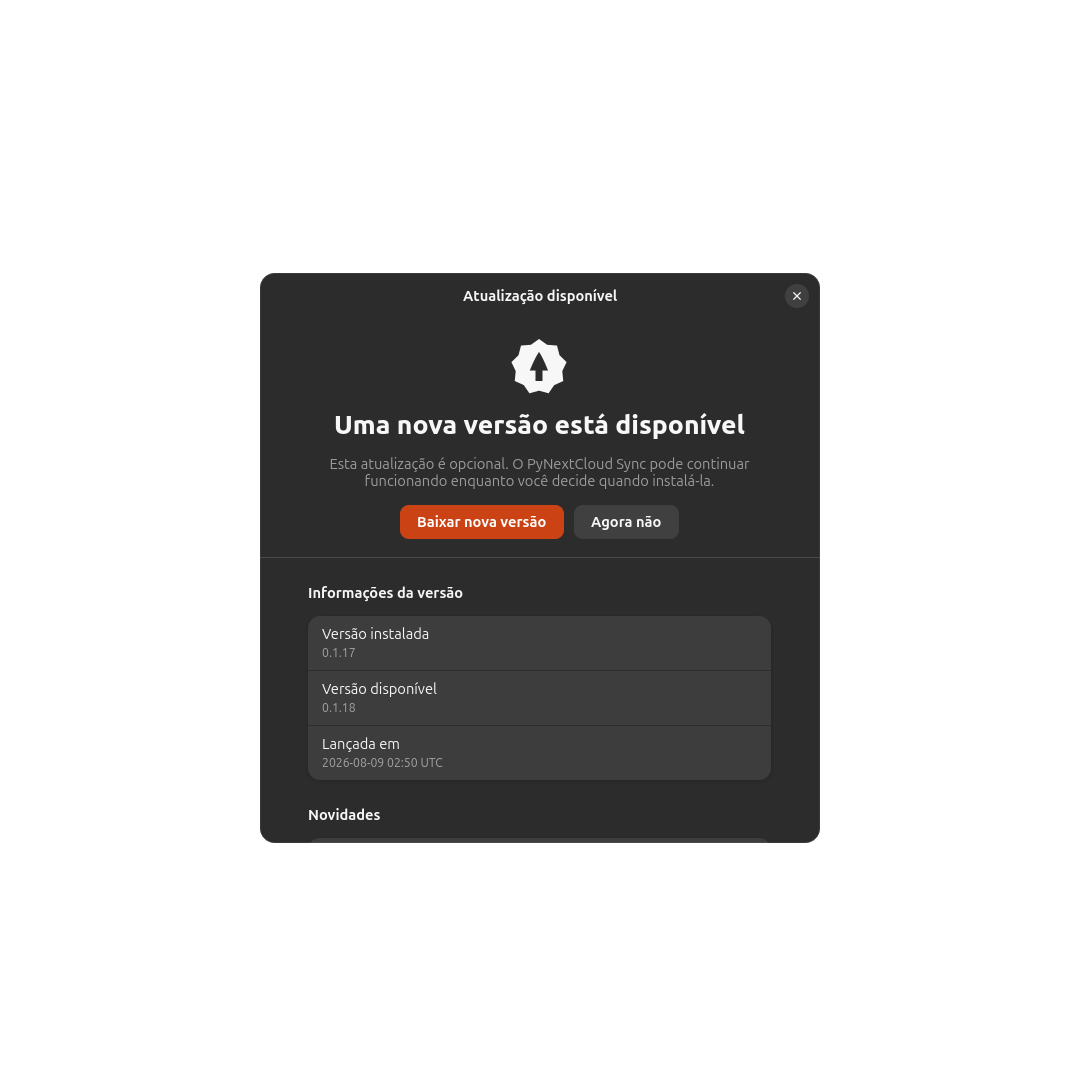
update notifications;
-
GNOME Files bookmark and Desktop integration.
Only one nextcloudcmd process is intentionally allowed at a time, and synchronization requests arriving close together are merged into a single queue.
Resource-conscious design
Low idle resource usage is one of the main goals of the project.
Some decisions made with this in mind include:
-
no Electron;
-
no embedded browser or WebView;
-
no constant one-second polling loop;
-
an event-driven GLib main loop;
-
inotifyinstead of continuously scanning the local filesystem; -
optional
notify_pushinstead of frequent server polling; -
main and settings windows created only when needed and released when closed;
-
bounded in-memory logs, activity history and
nextcloudcmdoutput; -
coalescing large bursts of filesystem events;
-
at most one synchronization process at a time.
The initial engineering target is an idle RSS below 100 MB, but this is a goal rather than a guarantee. Real memory usage should be measured on different Linux distributions, desktop environments and file trees.
A deliberately narrow application
PyNextCloud Sync currently supports:
-
one account;
-
one complete local mirror;
-
one local root folder;
-
bidirectional synchronization;
-
real files stored locally.
It deliberately does not currently provide:
-
multiple accounts;
-
virtual files or placeholders;
-
folder redirection;
-
individual remote subtree exclusions;
-
selective synchronization;
-
sharing management or other Nextcloud web features.
The idea is to remain focused and understandable instead of slowly becoming another full replacement for the official client.
Safety features
Because this is bidirectional synchronization, safety received considerable attention.
The first synchronization uses a new temporary folder to obtain a protected copy of the server tree. The user can review computer-only files, Nextcloud-only files, identical files and conflicts before enabling normal bidirectional synchronization.
The application also maintains a local safety baseline. It blocks synchronization before nextcloudcmd starts if the configured local folder:
-
disappears;
-
becomes unreadable;
-
appears to have been replaced or remounted;
-
unexpectedly becomes empty;
-
loses its synchronization state database;
-
suddenly loses too many previously synchronized files.
This is intended to reduce the risk of an accidental local problem propagating mass deletions to the server.
Even with these protections, users should always maintain an independent backup of important data.
Screenshots
Main window
Synchronization settings
Update notification
More screenshots, including the complete first-run setup, settings, tray menu and mandatory update screen, are available in the repository.
An honest note about development: this is vibe coding
I am not a professional programmer.
This project was created through vibe coding and iterative development with AI assistance. I described the requirements, tested the application on my own system, reported problems, reviewed behavior and repeatedly refined the implementation.
I have done my best to make the application safe, useful and well documented, but AI-assisted development is not a substitute for experienced human code review.
The project currently has an automated test suite, defensive validation, detailed documentation and Debian packaging, but it should still be considered an early development release. I would be especially grateful for technical reviews, testing, issue reports and contributions from experienced developers.
Please test it first with non-critical data and keep independent backups.
Current status and compatibility
The current release is 0.1.17 and is intended for evaluation.
It is currently tested with:
-
Ubuntu/Debian-based Linux;
-
GNOME;
-
Nextcloud AIO;
-
Nextcloud Hub 26 Spring (34.0.1).
Other environments may work, but compatibility can depend on the installed nextcloudcmd, authentication method, reverse proxy, optional server applications and desktop environment.
Download and project links
Download the newest version:
GitHub repository:
Documentation and screenshots:
Report a problem or suggest an improvement:
The recommended installation method is the .deb package available on the latest release page. A complete source ZIP is also provided.
PyNextCloud Sync is licensed under the MIT License. It is an independent, unofficial third-party project and is not affiliated with, sponsored by, maintained by or endorsed by Nextcloud GmbH.
I am sharing it because the project solved a real problem for me, and it may also be useful to other Linux users who want a simple physical Nextcloud mirror without the broader feature set of a complete desktop client.
Feedback, testing and constructive criticism are very welcome.