Hi! This is not a known issue yet. The error message itself indicates that there is not something wrong with the feature but apparently the communication (“XPC”, interprocess communication) between the file provider extension (the integration into macOS and Finder) and our main app in general. This hints an issue specific to the local environment. I cannot reproduce the issue and “Always keep available offline” even on the root (Finder sidebar item “Nextcloud”) itself.
Did you restart your Mac?
Do you have multiple Nextcloud client bundles laying around on your file system (macOS might mix them up and use the wrong extension with a mismatching app)?
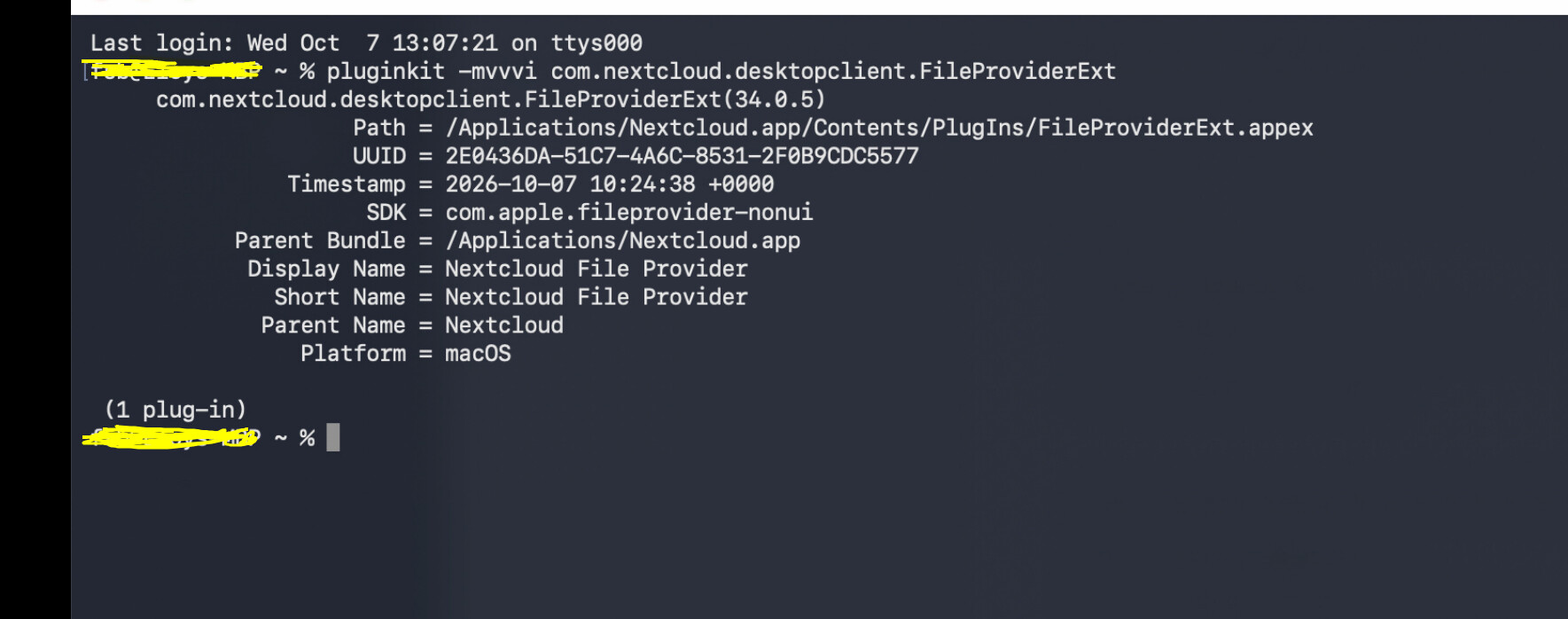
What does the Terminal command pluginkit -mvvvi com.nextcloud.desktopclient.FileProviderExt print?
com.nextcloud.desktopclient.FileProviderExt(34.0.5)
    Path = /Applications/Nextcloud.app/Contents/PlugIns/FileProviderExt.appex
    UUID = 2E0436DA-51C7-4A6C-8531-2F0B9CDC5577
    Timestamp = 2026-10-07 10:24:38 +0000
    SDK = com.apple.fileprovider-nonui
    Parent Bundle = /Applications/Nextcloud.app
    Display Name = Nextcloud File Provider
    Short Name = Nextcloud File Provider
    Parent Name = Nextcloud
    Platform = macOS

(1 plug-in)
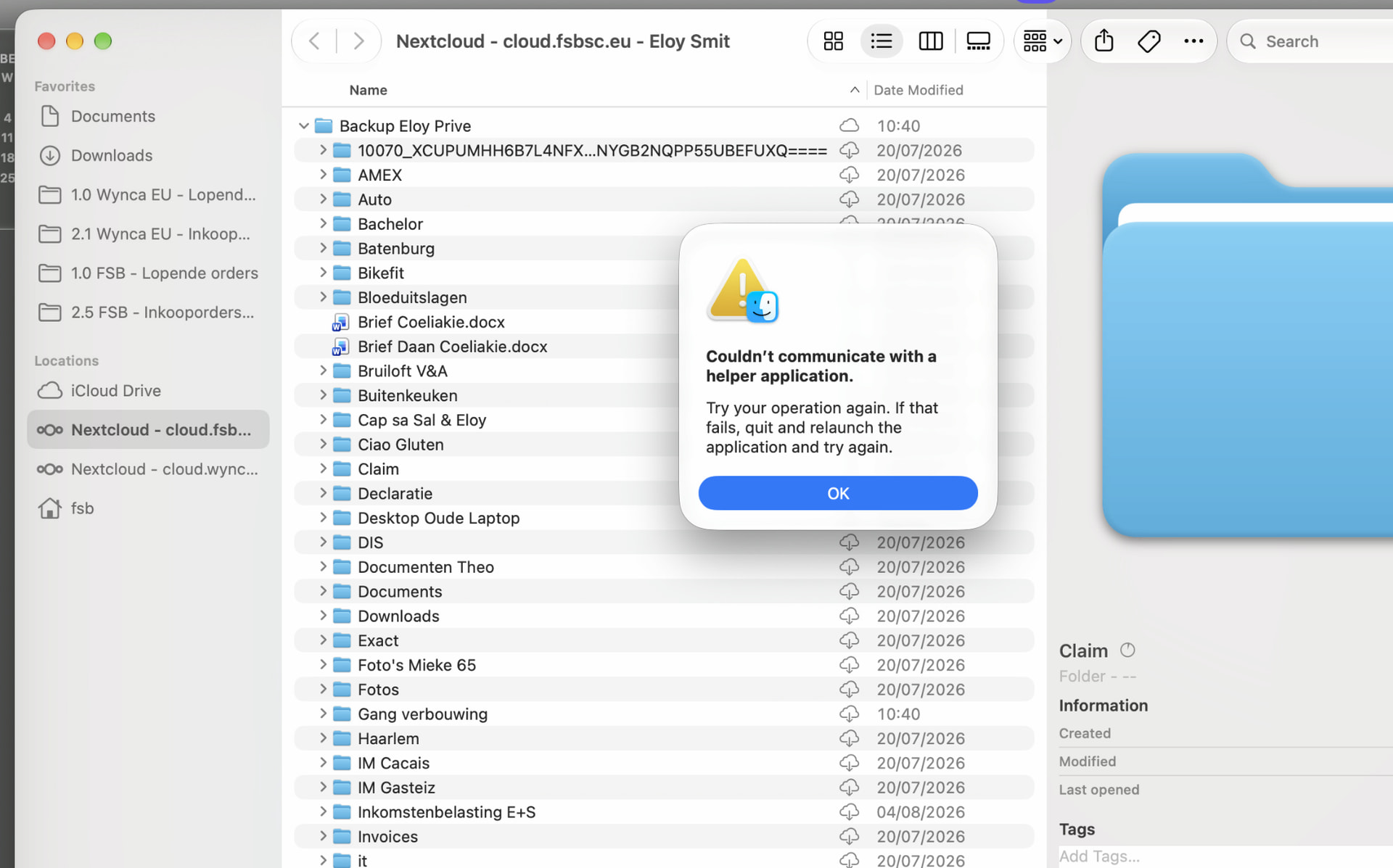
I have also attached screenshots of the Terminal output and my Nextcloud installation.
As far as I can tell, macOS recognizes the Nextcloud File Provider extension correctly, and there does not appear to be a duplicate installation.
However, the problem with “Always Keep Available Offline” still persists.
Do you have any suggestions on what I could try next?
Could this be related to the communication between the File Provider extension and the main Nextcloud application, even though the extension appears to be registered correctly?
Was this a fresh installation and configuration or did you update your client only recently from a previous version and had the accounts already setup?
You could also try to reset the file provider domain in the app settings. This is equal to a graceful remove (unsynched data will be preserved locally) and creation from scratch. If you have a previous history with this deployment, it might be that your client or macOS state is not correct.
I originally had an older version of the Nextcloud desktop client installed on my Mac. I then updated the client to the newer version and configured two different Nextcloud server accounts.
The important thing is that the “Always Keep Available Offline” error occurs with both Nextcloud server accounts, not just one.
Both accounts are connected to the same Nextcloud desktop client.
Since the issue affects both accounts, I suspect it might be related to the macOS File Provider integration or some remaining configuration from the previous Nextcloud version.
Regarding your suggestion to reset the File Provider domain, I would be willing to try this.
However, before proceeding, I would like to clarify a few things:
Is it safe to reset the File Provider domain when two Nextcloud accounts are connected?
Will my existing files and account configurations be preserved?
Will I need to download all my files again after the reset?
Could you please provide the recommended steps to perform the reset safely?
I am sorry for the late response and I will be irresponsive for a few more days.
Is it safe to reset the File Provider domain when two Nextcloud accounts are connected?
This depends on whether your changes are fully synchronized between client and server. If so, then yes. Reset happens per file provider domain.
Will my existing files and account configurations be preserved?
The account configurations on your device remain. A file provider domain reset implicates a wipe of the local state, though. It does not affect what is on the server!
Will I need to download all my files again after the reset?
If you have downloaded files or marked them to be kept available offline, you unfortunately need to repeat that step. This is the trade-off for this procedure. Resetting a file provider domain is like setting up a sync folder from scratch.
I hope this is enough information for now to decide whether you actually want to go that way.
I have already followed all the recommended troubleshooting steps, but unfortunately, the issue still persists.
Whenever I try to make my entire Nextcloud account available offline on my Mac, I receive the following error message:
“Couldn’t communicate with a helper application.”
This error occurs when I attempt to download and store all files and folders from my Nextcloud account locally on my Mac so that they are accessible without an internet connection.
I have tried several times, but the problem remains unresolved.
I have attached a screenshot of the error message for your reference.
Could you please investigate what is causing this issue and provide a permanent solution?
My goal is to have all files and folders from my entire Nextcloud account fully downloaded and available locally on my Mac, even without an internet connection.
I would appreciate a solution that addresses the root cause of this issue, as I have already tried the previously recommended steps without success.