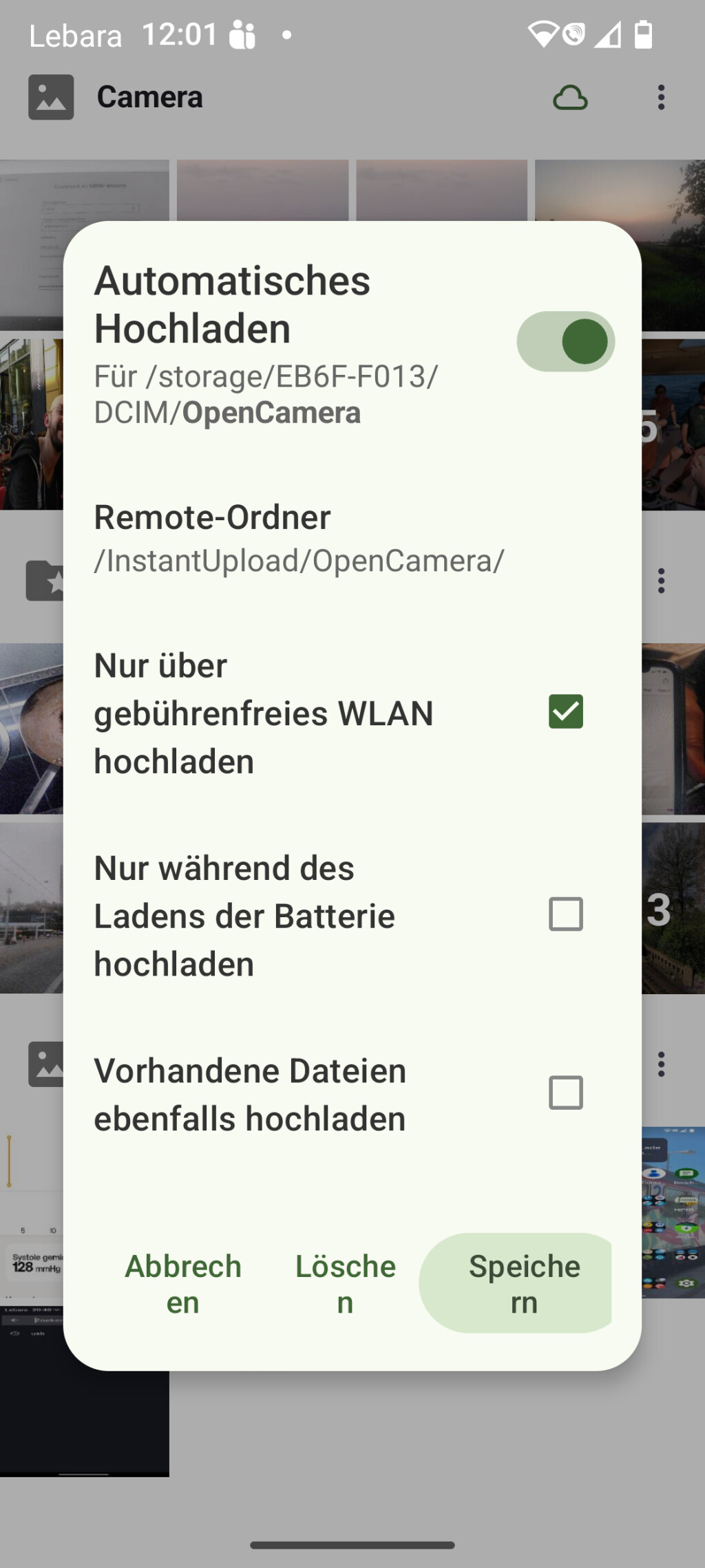
On Android I´ve setup Nextcloud to automatic upload
- /storage/disk/DCIM/OpenCamera to
- /InstantUpload/OpenCamera
- With only Upload over WLAN checked the rest uncheck
OpenCamera saves new images (JPG and DNG) to /storage/disk/DCIM/OpenCamera
When I take a picture with OpenCamera it is stored and uploaded to NextCloud server and appears in /InstantUpload/OpenCamera folder.
When the Nextcloud Client on Fedora starts a sync it consistanly runs in an error:
File with name /InstantUpload/OpenCamera/name could not be found.
If I uncheck /InstantUpload on the desktop client it does indeed not sync but gives no errors.
How do I setup my phone, nextcloud server and nextcloud client to sync the files without error?