Please do not create multiple threads asking essentially the same question in slightly different phrasings. 
Yes, you can link directly to the Files app (cloud.yourdomain.tld/apps/files), as you have probably already discovered. However, this does not stop your users from seeing and using the other apps in the top bar, which is what you actually want to prevent, according to this thread: Template for new users.
Depending on your desired outcome, there are different approaches.
If you just want users to land directly on the Files app, they can use the above link or you could set Files as the default app, as @scubamuc mentioned.
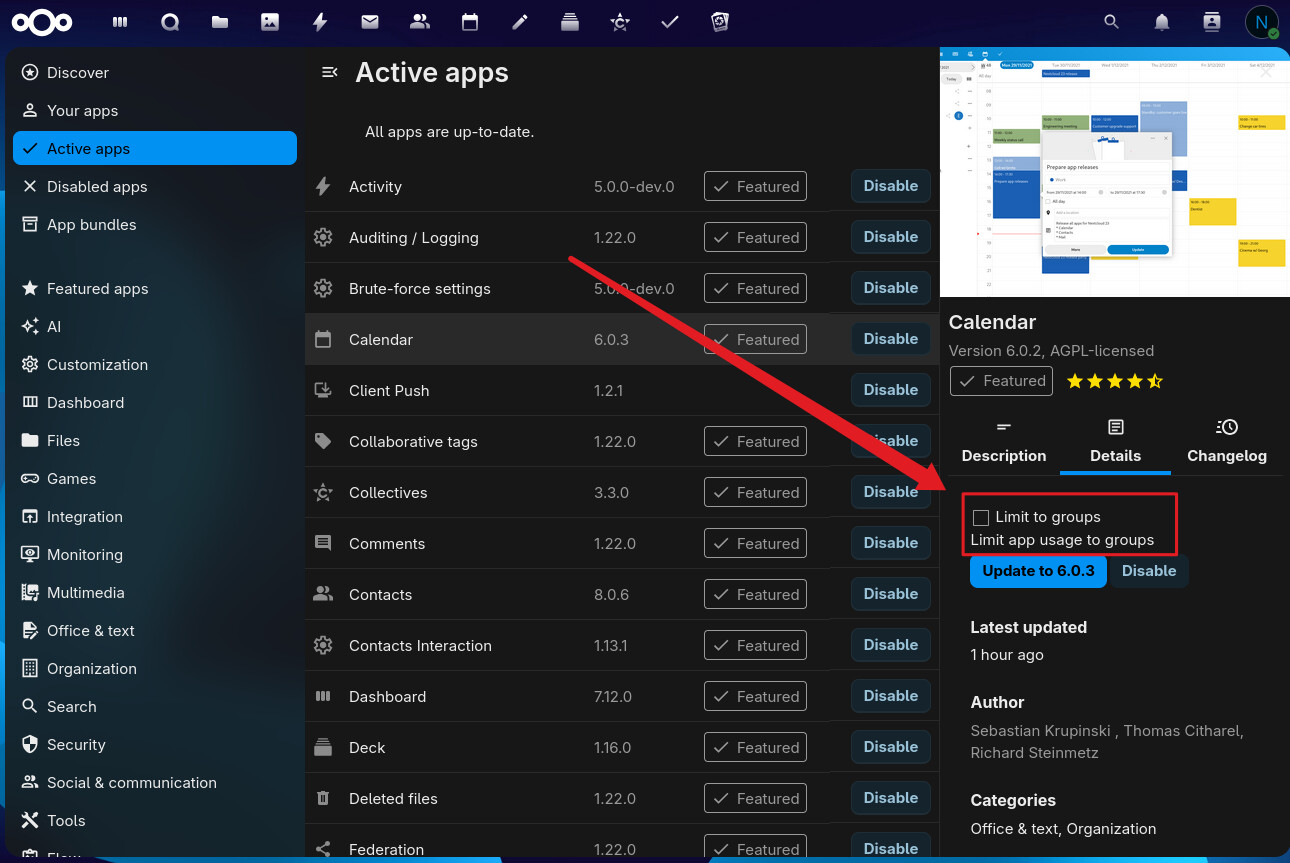
If you want to prevent certain users from using certain apps, you can restrict those apps to specific user groups. This would kind of also answer the question regarding the template, as it probably wouldn’t be needed anymore, since you could just add new users to the restricted group.
However, if you really only want these users to be able to use and share files, it might also make sense to set them up as ‘guests’ via the Guests app: Guests - Apps - App Store - Nextcloud