Support intro
Sorry to hear you’re facing problems. 
The community help forum (help.nextcloud.com) is for home and non-enterprise users. Support is provided by other community members on a best effort / “as available” basis. All of those responding are volunteering their time to help you.
If you’re using Nextcloud in a business/critical setting, paid and SLA-based support services can be accessed via portal.nextcloud.com where Nextcloud engineers can help ensure your business keeps running smoothly.
Getting help
In order to help you as efficiently (and quickly!) as possible, please fill in as much of the below requested information as you can.
Before clicking submit: Please check if your query is already addressed via the following resources:
- Official documentation (searchable and regularly updated)
- How to topics and FAQs
- Forum search
(Utilizing these existing resources is typically faster. It also helps reduce the load on our generous volunteers while elevating the signal to noise ratio of the forums otherwise arising from the same queries being posted repeatedly).
Some or all of the below information will be requested if it isn’t supplied; for fastest response please provide as much as you can. 
The Basics
- Nextcloud Server version (e.g., 29.x.x):
- 32.0.1
- Operating system and version (e.g., Ubuntu 24.04):
- Debian GNU/Linux 13.1 (trixie)
- Web server and version (e.g, Apache 2.4.25):
- nextcloud/all-in-one:beta
- Reverse proxy and version _(e.g. nginx 1.27.2)
Traefik 3.5.3
- PHP version (e.g, 8.3):
- nextcloud/all-in-one:beta
- Is this the first time you’ve seen this error? (Yes / No):
Yes
- When did this problem seem to first start?
2 weeks ago
- Installation method (e.g. AlO, NCP, Bare Metal/Archive, etc.)
AIO
- Are you using CloudfIare, mod_security, or similar? (Yes / No)
No
Summary of the issue you are facing:
Hi everyone,
I’m running Nextcloud AIO (nextcloud/all-in-one:beta; version 32.0.1) on a home server, normally behind a Traefik reverse proxy that sits on a VPS.
On that same home server I recently installed Mailu, also behind Traefik.
Since adding Mailu, the Nextcloud Notes app in the web UI frequently shows: “The document could not be loaded. Please check your internet connection. Reconnect”
This did not happen before I made those changes.
At first I assumed this was a performance issue with my rather weak home server, so I upgraded the home server to a much more powerful machine. Unfortunately, the problem did not go away.
To rule out Traefik and the VPS path, I:
- Accessed Nextcloud directly on the AIO Apache port using
http://localhost:11000/...(via SSH on the home server), completely bypassing Traefik/Mailu. - I can reproduce the same Notes error there as well.
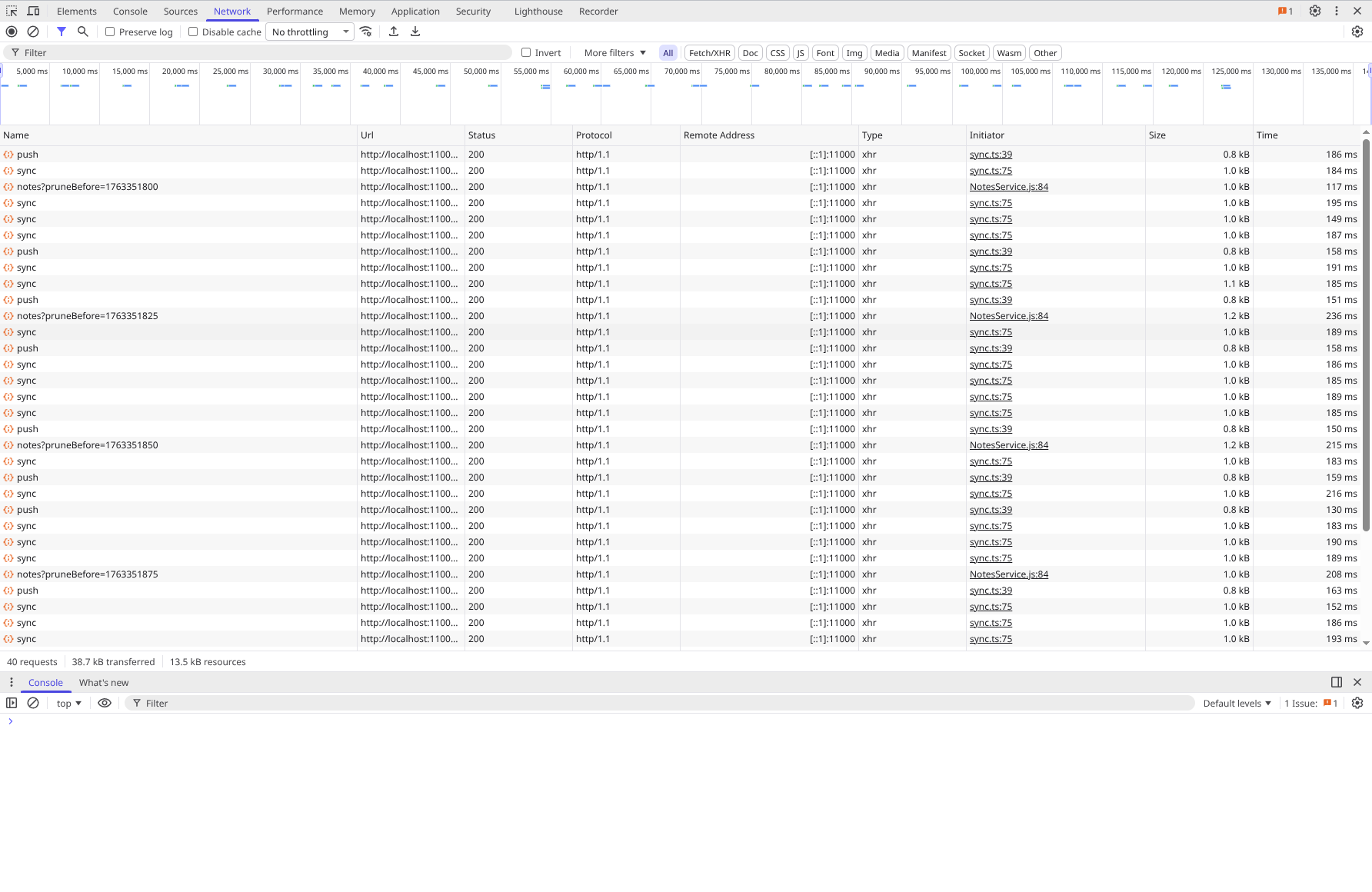
- I checked both the Network tab and the JavaScript console in the browser’s DevTools while the error occurs and don’t see anything suspicious (requests are 200/304, no obvious JS errors).
So at this point it looks like the issue is with AIO/Nextcloud/Notes itself, not in Traefik or Mailu.
Could you please:
- Suggest what to check next to get closer to the root cause (logs, configs, specific modules to look for, known Notes issues, etc.)?
- Let me know if this matches any known bugs with the Notes app and which logs or additional info would be most helpful to share?
Thanks a lot in advance for any hints or debugging ideas!