I have the NC client running in a browser window under windows. I tried with FF, Edge, and Chrome. If there is an incoming call or chat message, I want to get a sound notification. But don’t get any.
I went through all the browser settings and entered notification exceptions for the Nextcloud site - with no success. A Talk application is unusable if there are no notifications, so there must be a solution. I don’t care which browser the solution works for, as long as there is a solution.
Does anybody have some hints for me, what I can do to get sounds for incoming calls and messages?
This stopped me from installing the desktop app. But anyway: The talk app is as silent as the browser. The audio settings are correct because I can have a conversation. I just don’t hear the ringing.
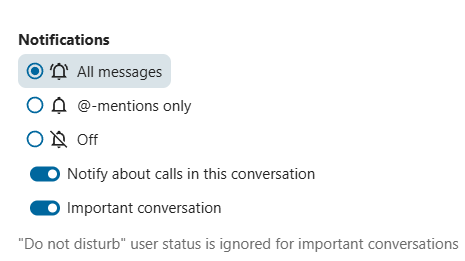
If somebody else has the same problem: Install the app. Don’t be confused by the fact that the app seems to be only for file sharing. And there is a Mac OS version, too. Communication between Window and Mac OS works very well. And change the conversation settings: