libsepol.context_from_record: type virt_var_lockd_t is not definedlibsepol.context_from_record: could not create context structurelibsepol.context_from_string: could not create context structurelibsepol.sepol_context_to_sid: could not convert system_u:object_r:virt_var_lockd_t:s0 to sidinvalid context system_u:object_r:virt_var_lockd_t:s0
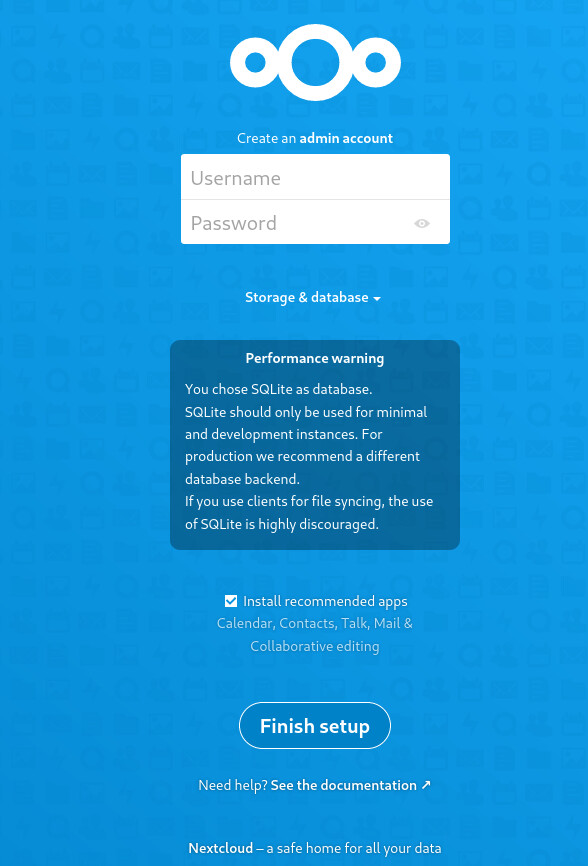
I can connect to my server: 123.456.789.123 - there is a page where I can enter login and password and finish the installation
but I’m worried that the internet goes through HTTP that is not secure afaik (Firefox warns about it too but you can’t see it on the screenshot), and if I enter https:\\123.456.789.123 the browser redirects to to 123.456.789.123 and there is still a warning from Firefox
Also I can’t connect to 123.456.789.123/nextcloud, I have the following: Not Found The requested URL was not found on this server.
Additional information: Firefox has addon HTTPS Everywhere
In the example installation you linked, no SSL is configured. SSL must be configured separately, preferably before you finish setting up your Nextcloud, so that your passwords are not transmitted unencrypted.
Note: To obtain certificates from e.g. Let’s Encrypt, that do not generate a warning in the browser, you need an official domain name and corresponding DNS A records, that refer to the IP address of your server.
You can also generate self-signed certificates on your server, but these will trigger a warning in the browser, every time you visit your site. But that’s good enough to set up your Nextcloud securely, if you don’t have a domain name yet.
How to generate self signed certs:
How To Secure Apache with Let’s Encrypt on CentOS:
$ mysql -u root -p
> CREATE USER 'username'@'localhost' IDENTIFIED BY 'password';
> CREATE DATABASE IF NOT EXISTS nextcloud CHARACTER SET utf8mb4 COLLATE utf8mb4_general_ci;
> GRANT ALL PRIVILEGES on nextcloud.* to 'username'@'localhost';
> FLUSH privileges;
> quit;