Summary
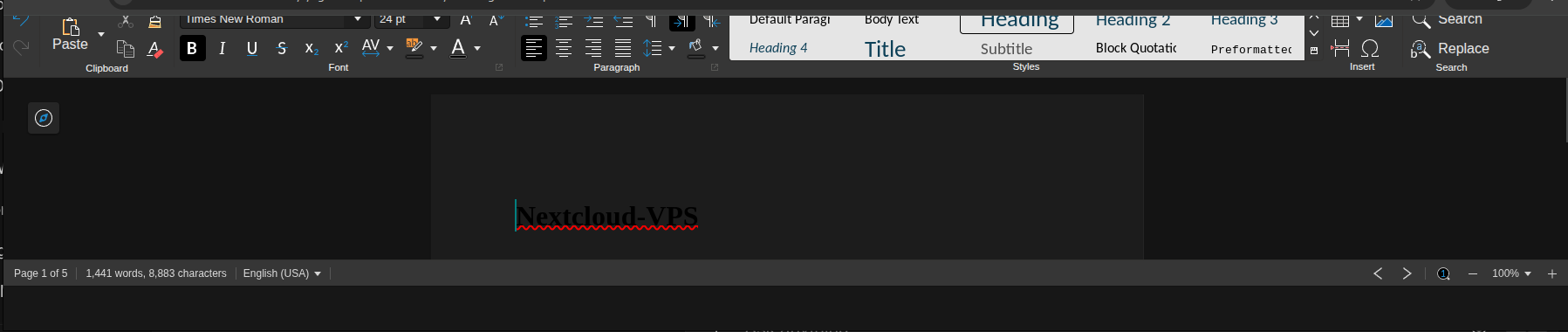
When a public link (anonymous) recipient opens an Office document, they can edit the document, but the top menu / file menu is missing or unusable for the guest user (so they can’t use Save/Download/etc). This happens with both:
- the built-in CODE server (Nextcloud internal)
- an external Collabora server (
office.domain)
So it appears independent of whether CODE or external Collabora is used.
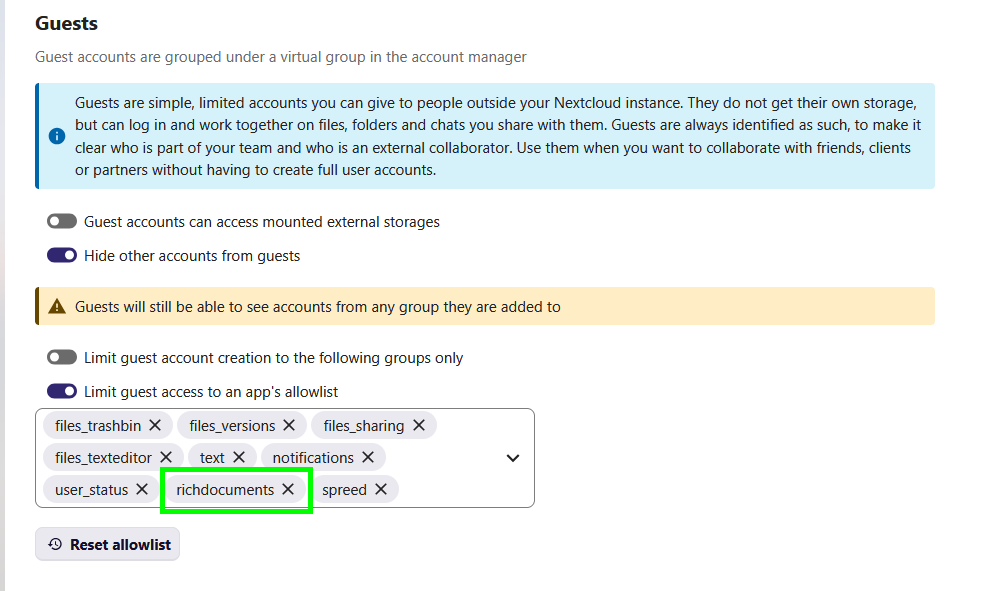
I’ve tried the usual debugging steps (detailed below). Posting this to ask for a focused fix/diagnosis: is this a configuration issue (CSP / WOPI / proxy / headers / guest handling) or a bug in richdocuments / Nextcloud?
There is also an empty bar that seems to have to do with being a guest user at the bottom of the screen.
https://cloud.domain/s/(hash)?dir=/?dir=/&editing=false&openfile=true upon redirect.
The Basics
- Nextcloud server version: 32.0.5.0
- Collabora / CODE: Collabora Online Dev Edition 25.04.8.1 (external) and built-in CODE also reproduces the issue.
- Nextcloud container internal IP: 172.19.0.6
- Collabora container internal IP: 172.19.0.5
- Public domains (anonymised):
cloud.domain(Nextcloud public URL),office.domain(Collabora public URL) - Reverse proxy: nginx 1.28.1 in front of the Docker stack (proxying to Nextcloud container on localhost)
- PHP version: PHP/8.3.30
- Operating system and version: Ubuntu 24.04.3 LTS
- Is this the first time you’ve seen this error? Yes, though I don’t know when it appeared for sure.
- When did this problem seem to first start? After upgrading to Nextcloud 32.x (exact minor update unclear, but issue did not exist previously)
- Installation method (e.g., AIO, NCP, Bare Metal/Archive, etc.) Docker Compose based on
nextcloud:32.0.5 image** - Are you using Cloudflare, mod_security, or similar? No. No CDN, no WAF, no mod_security. Only nginx reverse proxy in front of Docker, but Apache also runs in Docker container.
Summary of the issue you are facing
- Main File, Home, Insert, Layout, References etc. menu appears only for logged in users - doesn’t show up for anonymous (shared public link) sessions - editing area works and edits are saved.
- The toolbar/menu below is also sometimes partly hidden.
- Console shows a
TypeErrorin GuestNamePicker.vue (reading.valueofnull). - Collabora returns 404s for many
/browser/<hash>/images/...assets. - Nextcloud reports cURL timeouts when calling Collabora
/cool/convert-to/png.
Steps to reproduce
- Create a public share for a document and enable editing on the share.
- Open the public share link in a browser (incognito recommended to avoid cached CSP).
- The document loads and is editable, but the top editor menu/file menu is missing or unresponsive for the anonymous user.
- Open DevTools → Console & Network to see errors (see logs below).
This reproduces with both:
- External Collabora at
https://office.domain(WOPI external server) - Built-in CODE (internal Nextcloud CODE) — same UX bug
Log entries
Nextcloud
"Failed to convert preview: cURL error 28: Operation timed out after 5002 milliseconds ... for https://office.domain/cool/convert-to/png"
Browser console (selected)
TypeError: Cannot read properties of null (reading 'value') at GuestNamePicker.vue:90
Loading failed for script https://office.domain/browser/<hash>/global.js  (blocked or 404)
Content-Security-Policy: blocked a script from office.domain (script-src)
Request for font "Ubuntu Sans" blocked at visibility level 2 (requires 3)
Collabora (selected)
WRN FileServerRequestHandler: File not found: Invalid URI request (hash): [/browser/<hash>/images/dark/lc_settings.svg]
WRN systemplate directory [/opt/cool/systemplate] is read-only
FTL Failed to initialize COOLWSD: File not found: /etc/coolwsd/coolwsd.xml  (when volumes were not mapped / permissions wrong)
Nginx log (selected)
[external client IP] "GET /s/<public-share-id>?dir=/&editing=false&openfile=true HTTP/2.0" 200
[external client IP] "POST /apps/richdocuments/token HTTP/2.0" 200
[external client IP] "POST /browser/<session-id>/cool.html?WOPISrc=https://cloud.domain/index.php/apps/richdocuments/wopi/files/
<file-id> HTTP/2.0" 200
[external client IP] "GET /cool/https://cloud.domain/index.php/apps/richdocuments/wopi/files/
<file-id>/ws HTTP/1.1" 101
[internal container IP] "GET /index.php/apps/richdocuments/wopi/files/<file-id>?access_token=<token> HTTP/1.1" 200 "COOLWSD HTTP Agent"
[internal container IP] "GET /index.php/apps/richdocuments/wopi/settings?type=systemconfig HTTP/1.1" 200 "COOLWSD HTTP Agent"
Configuration
Here’s the config output. Some things are relics of me really trying everything to get it to work, e.g. additional trusted domains. Removed things that are a bit irrelevant.
###nextcloud
{
    "system": {
        "trusted_domains": {
            "0": "localhost",
            "1": "cloud.domain",
            "2": "talk.domain",
            "3": "rec.domain",
            "5": "nc_app",
            "6": "172.19.0.6",
            "7": "172.19.0.5",
            "100": "office.domain"
        },
        "trusted_proxies": "***REMOVED SENSITIVE VALUE***",
(Actually: 'trusted_proxies' => ['172.19.0.0/16','::1','127.0.0.1'],)
        "forwarded_for_headers": [
            "HTTP_X_FORWARDED_FOR"
        ],
        "version": "32.0.5.0",
        "dbtype": "pgsql",
        "dbpersistent": false,
        "installed": true,
        "memcache.local": "\\OC\\Memcache\\APCu",
        "memcache.distributed": "\\OC\\Memcache\\Redis",
        "memcache.locking": "\\OC\\Memcache\\Redis",
        "redis": {
            "host": "***REMOVED SENSITIVE VALUE***",
            "password": "***REMOVED SENSITIVE VALUE***",
            "port": 6379
        },
        "filelocking.enabled": true,
        "apps_paths": [
            {
                "path": "\/var\/www\/html\/apps",
                "url": "\/apps",
                "writable": false
            },
            {
                "path": "\/var\/www\/html\/custom_apps",
                "url": "\/custom_apps",
                "writable": true
            }
        ],
        "overwrite.cli.url": "https:\/\/cloud.domain",
        "overwritehost": "cloud.domain",
        "overwriteprotocol": "https",
        "overwritewebroot": "\/",
        "loglevel": 2,
        "log_type": "file",
        "logfile": "\/var\/www\/html\/data\/nextcloud.log",
        "log_rotate_size": 10485760,
        "enable_previews": true,
        "preview_max_x": 2048,
        "preview_max_y": 2048,
        "preview_max_memory": 2048,
        "check_data_directory_permissions": false,
        "auth.bruteforce.protection.enabled": true,
        "ratelimit.protection.enabled": true,
        "twofactor_enforced": "true",
        "twofactor_enforced_groups": [],
        "twofactor_enforced_excluded_groups": [
            "guest_app",
            "admin"
        ],
        "files_external_allow_create_new_local": true,
        "davstorage.request_timeout": 60,
        "htaccess.RewriteBase": "\/",
        "upgrade.disable-web": true,
        "memories.db.triggers.fcu": true,
        "memories.exiftool": "\/var\/www\/html\/custom_apps\/memories\/bin-ext\/exiftool-amd64-glibc",
        "memories.vod.path": "\/var\/www\/html\/custom_apps\/memories\/bin-ext\/go-vod-amd64",
        "app_install_overwrite": [
            "maps",
            "health"
        ],
        "maintenance": false,
        "config_preset": 1,
    }
}
Richdocuments app
"richdocuments": {
  "public_wopi_url": "https://office.domain",
  "wopi_allowlist": "127.0.0.1,172.19.0.0/16,172.19.0.4,https://cloud.domain",
  "wopi_url": "https://office.domain:443"
}
Nginx
Both cloud.domain and office.domain are served via nginx.
The office.domain vhost proxies /browser/ and /cool/ directly to the CODE container.
Headers are passed through without modification.
I can provide the relevant location /browser/ and location /cool/ blocks if needed.
What I tried
-
Verified
richdocumentsconfig (WOPI URLs, allowlist) andguestsapp is enabled (though that doesn’t seem to be linked). -
Added internal Docker IPs to Nextcloud
trusted_domains/trusted_proxies. -
Tested with external Collabora (
office.domain) and with built-in CODE — same issue. -
Adjusted nginx CSP to be permissive for
office.domainandcloud.domain(to rule out CSP), cleared browser cache, tested in incognito. -
Confirmed Nextcloud still sends CSP headers; investigated using
more_set_headers(nginx-extras) to override, butnginx-extrascannot be installed on this host due to held/broken package dependencies. -
Confirmed WOPI requests succeed (no 401/403, no “host not authorized” errors), and WebSocket upgrade succeeds (
101) -
Ensured Collabora container had persisted folders mapped (
/etc/coolwsd,/var/lib/collabora/data), set ownership to Collabora UID, copiedcoolwsd.xmlinto mapped folder. -
Observed Collabora 404s for
/browser/<hash>/images/...and many CSP/script blocks in the browser console. -
Restarted services/containers multiple times and verified logs.
Open questions / things to confirm
- Anonymous public-link users can edit documents, but the editor menu/toolbar is broken (built-in CODE and external Collabora). Console shows
GuestNamePicker.vueTypeError and CSP/script 404s.Could this be caused by a change in richdocuments, richdocumentscode, or Nextcloud core? Any known workaround or patch? - CSP & proxy: With nginx as reverse proxy, should CSP be adjusted in nginx or perhaps in Nextcloud/Apache config? Is
more_set_headers+nginx-extrasrequired, or can Nextcloud itself emit headers allowingoffice.domain+blob:+data:? (IF this is part of the problem!) - WOPI host list: What exactly should go in Collabora
<wopi>alias_groupsand Nextcloudwopi_allowlistfor:-
Public hosts (
cloud.domain,office.domain) -
Docker internal IPs (
172.19.0.5/172.19.0.6/172.19.0.0/16)
Should bothhttps://cloud.domainandhttps://cloud.domain:443be listed?
-
- Is the
GuestNamePicker.vueTypeError a known issue with anonymous guests missing a required DOM/JS value?
Thanks in advance for any and all clarity you can provide!