Thanks linucksrox, that fixed that problem
Now onto the next problem (will this ever end!!!)…
When I enter my IP address into a web browser (which is redirected to https) and I enter all the details I get the error
Error while trying to create admin user:
Failed to connect to the database: An exception occurred in the driver:
SQLSTATE[HY000][1045] Access denied for user nextcloud@localhost (using password YES)
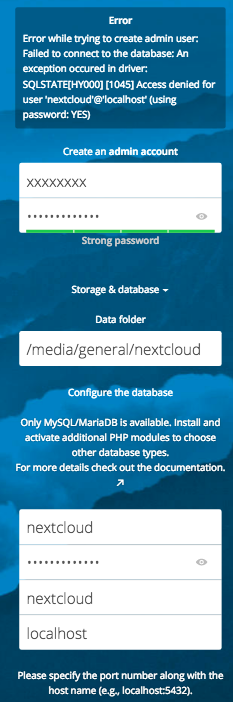
I created the Mysql database as follows:
10 mysql –u root –p
11 CREATE DATABASE nextcloud;
12 GRANT ALL PRIVILEGES ON nextcloud.* TO ‘nextcloud’@‘localhost’ IDENTIFIED BY ‘{password}’;
13 FLUSH PRIVILEGES;
14 exit;
Are my following assumptions correct ?
-
For admin username and password I can use anything as this is only creating a new account ? I can use the same username and password that I used during my previous install ?
-
As shown in step 12 above, the database user is ‘nextcloud’ and the database name is ‘nextcloud’ and the password is the same as {password} ?
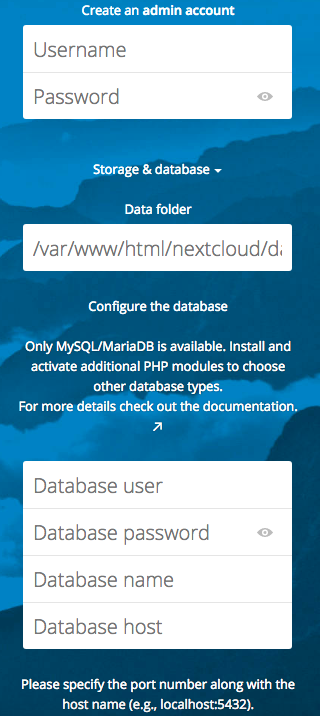
Not sure if it helps but below is my Nextcloud config.php…
$CONFIG = array (
‘instanceid’ => ‘xxxxxxxxxxxxxx’,
‘passwordsalt’ => ‘xxxxxxxxxx’,
‘secret’ => ‘xxxxxxxxxxxxxx’,
‘trusted_domains’ =>
array (
0 => ‘192.168.1.136’,
),
‘datadirectory’ => ‘/media/general/nextcloud’,
‘overwrite.cli.url’ => ‘https://192.168.1.136’,
‘dbtype’ => ‘mysql’,
‘version’ => ‘12.0.4.3’,
‘dbname’ => ‘nextcloud’,
‘dbhost’ => ‘localhost’,
‘dbport’ => ‘’,
‘dbtableprefix’ => ‘oc_’,
);
Is it missing dbuser and dbpassword (and if so why) ?