Thanks linucksrox,
I did try to copy nextcloud-le-ssl.conf (which was in my Documents folder) back into /etc/apache2/sites-available in terminal. I changed directory to Documents and then used…
sudo cp nextcloud-le-ssl.conf /etc/apache2/sites-enabled
… but I got the error…
cp: not writing through dangling symlink ‘/etc/apache2/sites-enabled/nextcloud-le-ssl.conf’
Are you saying that nextcloud-le-ssl.conf in my Documents folder is a ‘short cut’ like in Windows ?
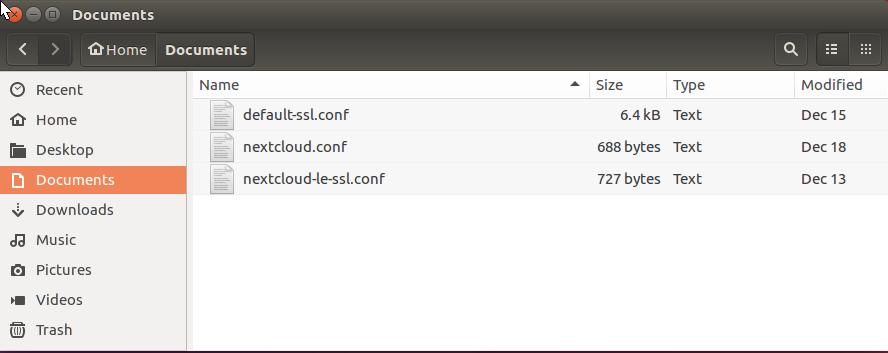
I gave up in the end and created new files in /etc/apache2/sites-enabled/ using…
sudo nano /etc/apache2/sites-enabled/nextcloud-le-ssl.conf
… which created an empty file. I then copied and pasted the text from nextcloud-le-ssl.conf in my Documents folder. I did the same with the nextcloud.conf file and it worked.
Now when I enter my IP address in a web browser, it redirects me to https (presumably because I have already set this up?) and I am able to create a new Nextcloud user name, password and data path.
Nextcloud is installed on my Ubuntu OS HDD and I tried to change the data path to a different drive. So on the web page I entered…
/media/general/Nextcloud
… where media/general is a different HDD I mounted and created the folder Nextcloud. But I get the error "Can’t create or write to the data directory media/general/Nextcloud
As /media/general/Nextcloud had root permissions, I changed the permissions to my Ubuntu username…
sudo chown -R username.username /media/Nextcloud
… but I still get the same error.
So what am I doing wrong now ?
Is it possible to have Nextcloud installed on one HDD and the data path point to a different HDD ?