Originally published at: File Drop: secure file upload and share for Enterprises
When you work with external clients, such as partners, patients, or customers, secure file sharing is of the utmost importance. At Nextcloud, you can access the File Drop function to upload and transfer sensitive documents within a couple of clicks. By creating a secure link with an optional password or expiration data, you can easily collaborate online while keeping the documents safe.
How to safely transfer files with File Drop
Getting started with File Drop is easy. In three simple steps, you can start uploading and sharing files securely and quickly.
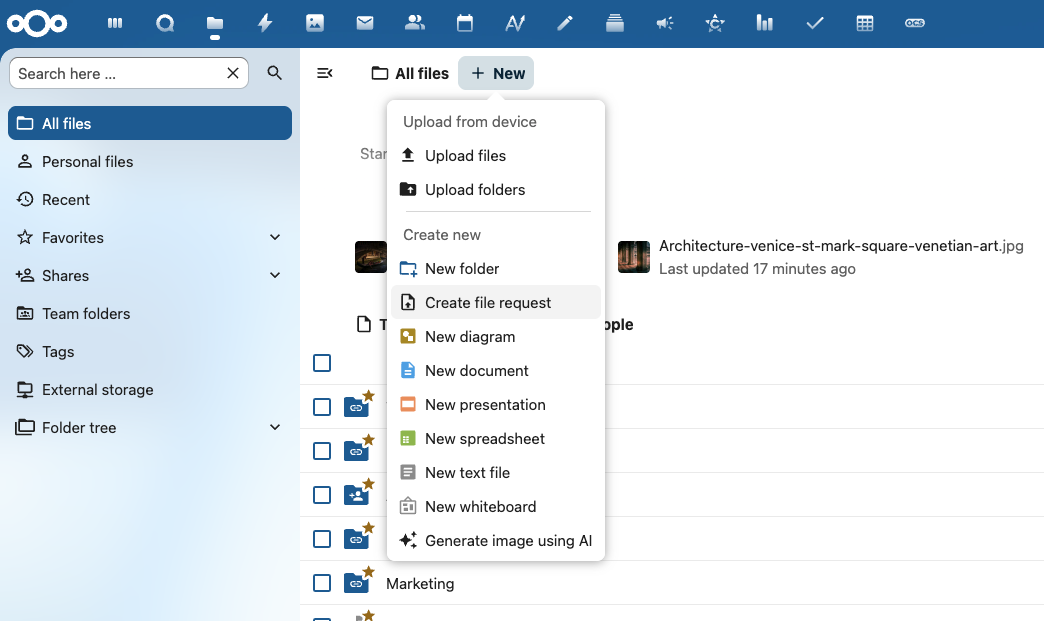
1. Click “+New” and select “Create file request”.
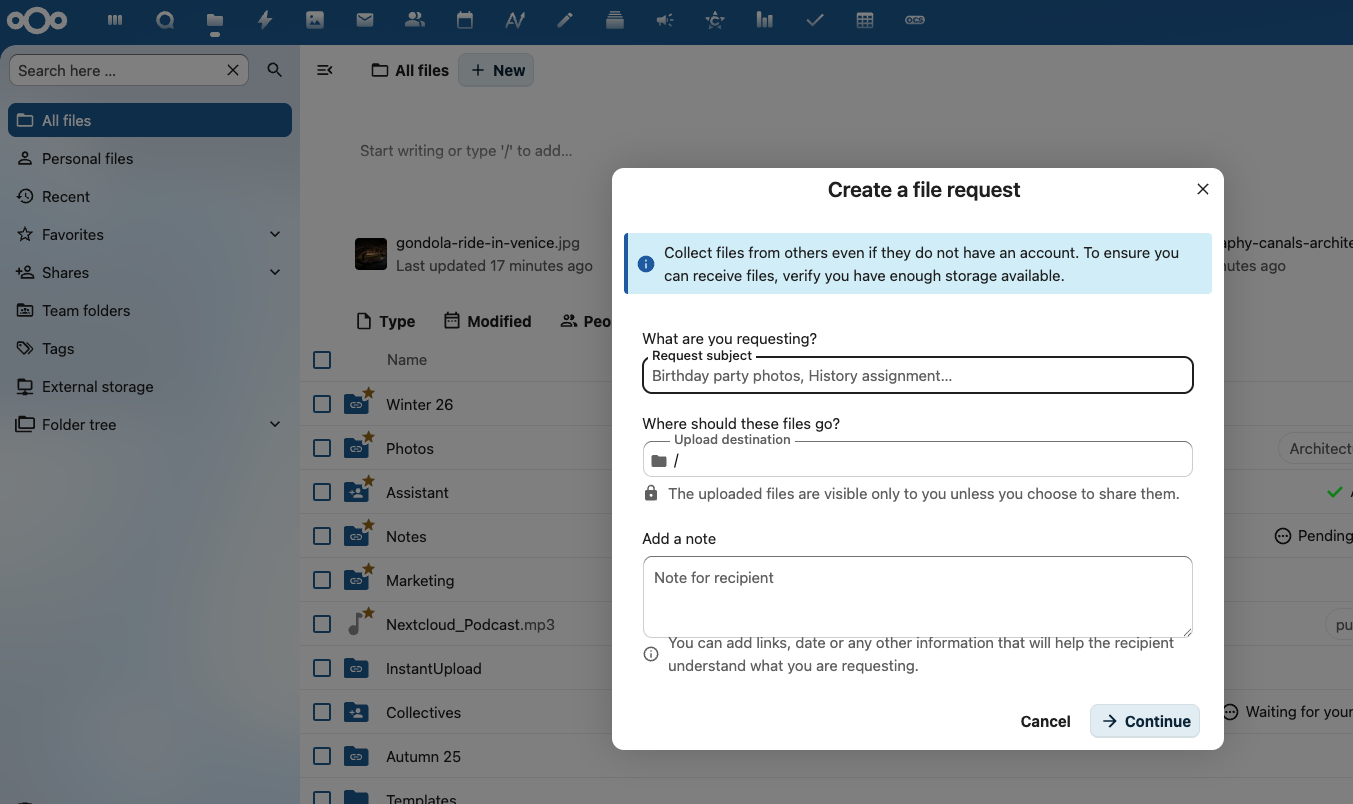
2. Add the file information, including what you are requesting, where the files should go, and possible notes. You can add links, a date, or any other information that will help the recipient understand what you are requesting. Click “Continue”.
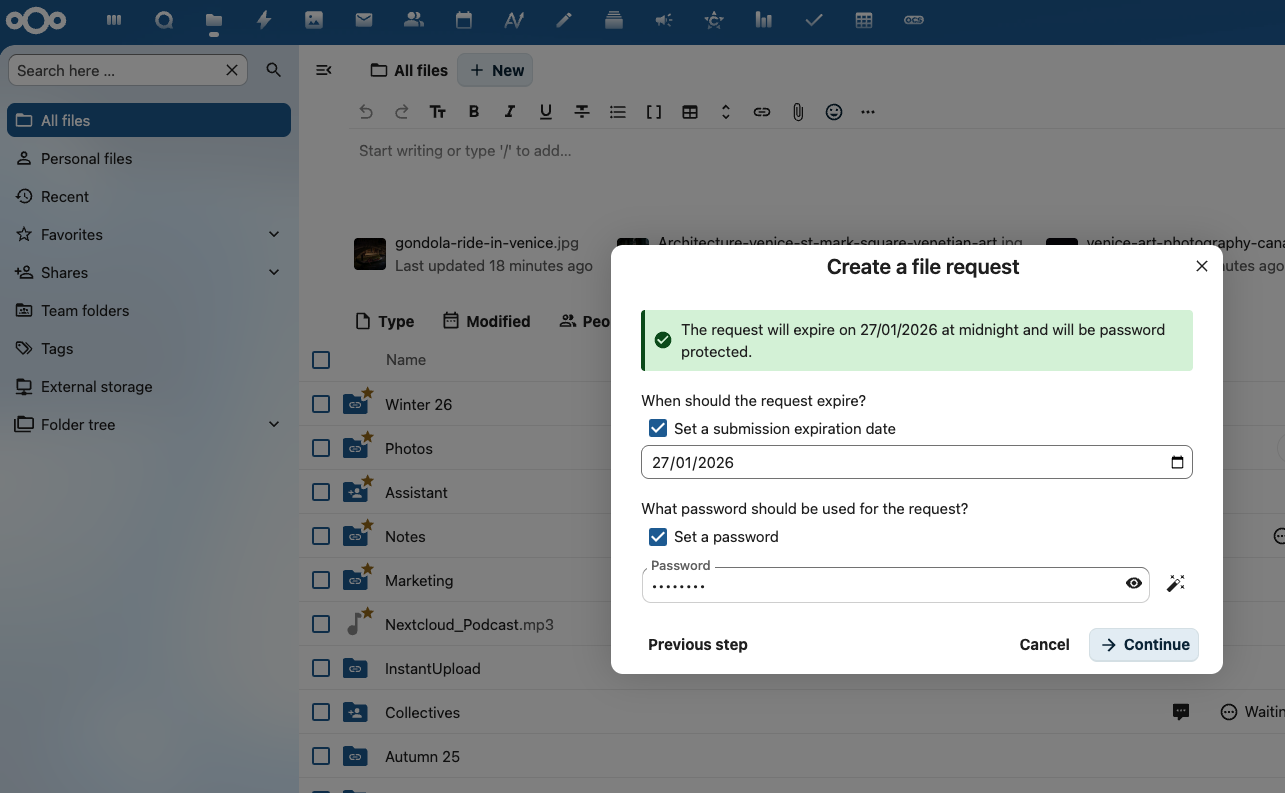
3. Set additional information if needed, such as an expiration date for the submission or a password. Click “Continue”.
You are now ready to securely share files. Simply copy-paste the share link or send the link via email to your contacts, so they can start uploading their files.
Secure file uploading and sharing for your enterprise
Your client will then be able to upload files to your server in a secure and easy manner. When the client uploads a file, you will receive a notification of new files in your upload folder and proceed to process the data. At the end, you provide the result in a separate folder for your client to download securely. At all times, your data and your client’s data are protected by industry-leading security measures!

Easy and personal
Send files and folders with just a few clicks to one or multiple customers. Create personal links for them to upload data to you.

Ultimate security
Files are securely transferred and stored on your own infrastructure, without any third party ever gaining access.

IT stays in control
The IT department enforces rules and limitations on password & expiration dates, access by IP, file type or size and more.
Your files under your control thanks to advanced features
The system administrator can rest assured that all interactions follow the rules and requirements set by the company with regard to passwords, expiration dates, and the limitations enforced by the Nextcloud File Access Control feature.
Data remains, at all times, on-premise, under full authority of IT. File Drop supports a wide range of storage technologies, including NFS, SMB, Windows Network Drive, SharePoint, Object Storage, and many more.
Create unique links for each customer
Rather than creating a random upload link, you can also have customized links by entering a customer’s email address and then enabling the File Drop function (upload only). Your client will receive an email with instructions on where to securely upload their files and, if you choose to add one, the password in a separate email.
You can have both a shared link and multiple, unique email links that each come with their own password, expiration date, and access rights. The password email can be disabled in the admin sharing settings for even more security-sensitive data, where a secure second channel (like a secure video call) has to be used for the password.
Request encrypted files with File Drop
The File Drop feature includes the option to upload files to end-to-end encrypted folders. You can request confidential files from external people without worrying about security, simply and without fuss. And you don’t even need to share additional passwords.
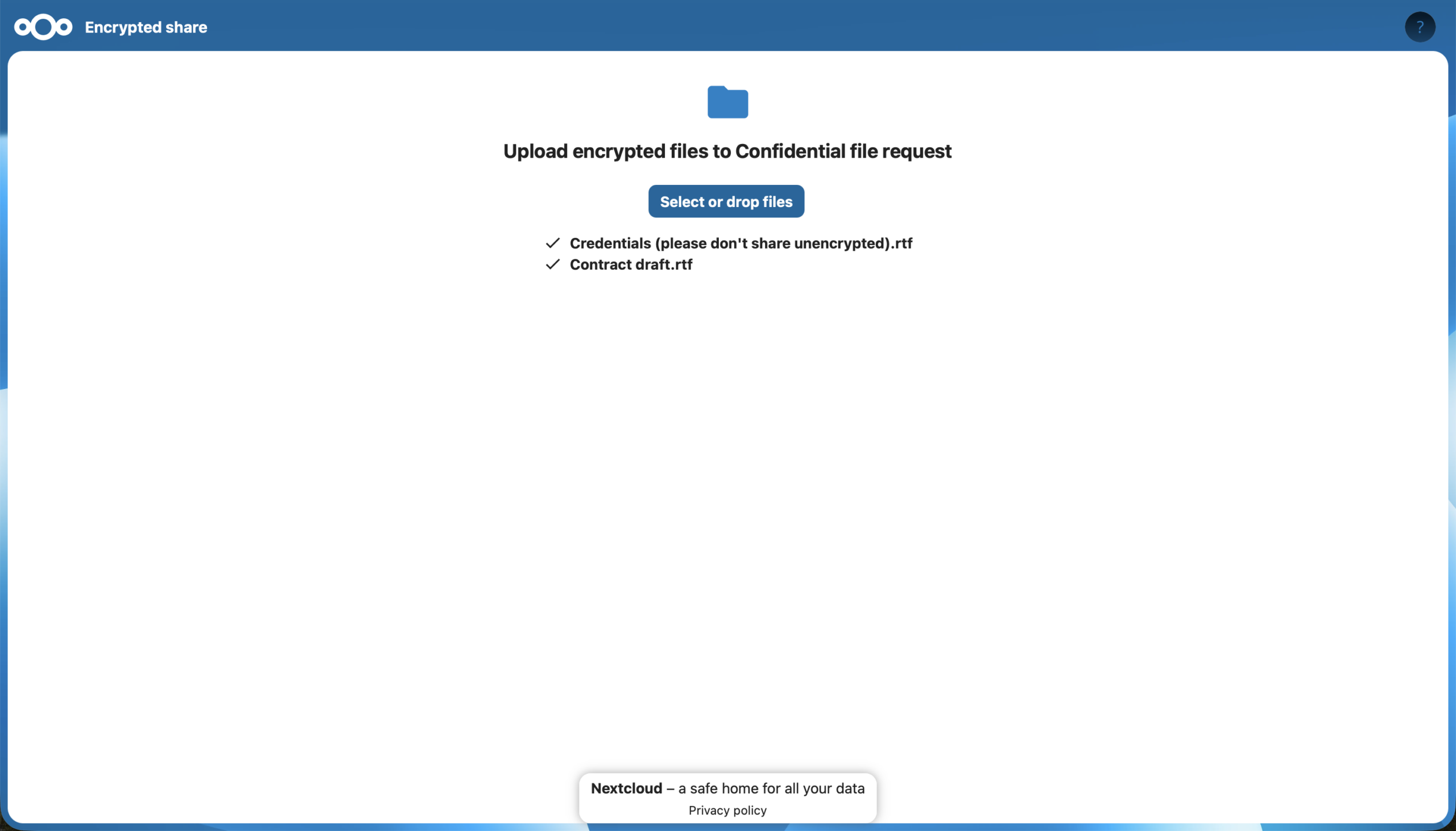
With the release of Nextcloud Hub 26 Winter, you can create encrypted File Drop links both via desktop and in the browser.
Key features
- Attractive, easy interface
- Unlimited shares and upload folders
- Show/hide existing files
- Edit/rename without link change
- (Push) notifications
- pdf/video/image preview
- Templated sharing emails
- Mobile and desktop clients
- Read only/write permissions
- File retention
- Comprehensive audit tracking
- Anti-virus scanning
- Password protection
- Expiration date
- Encryption at rest & in transit
- Data remains on-premise
- Your own server = under your control
- HIPAA, GLBA, NERC CIP, SOX, PCI compliance
Regain your digital autonomy with Nextcloud Hub 26 Winter
Our latest release of Nextcloud Hub 26 Winter is here! Discover the latest Nextcloud features.

