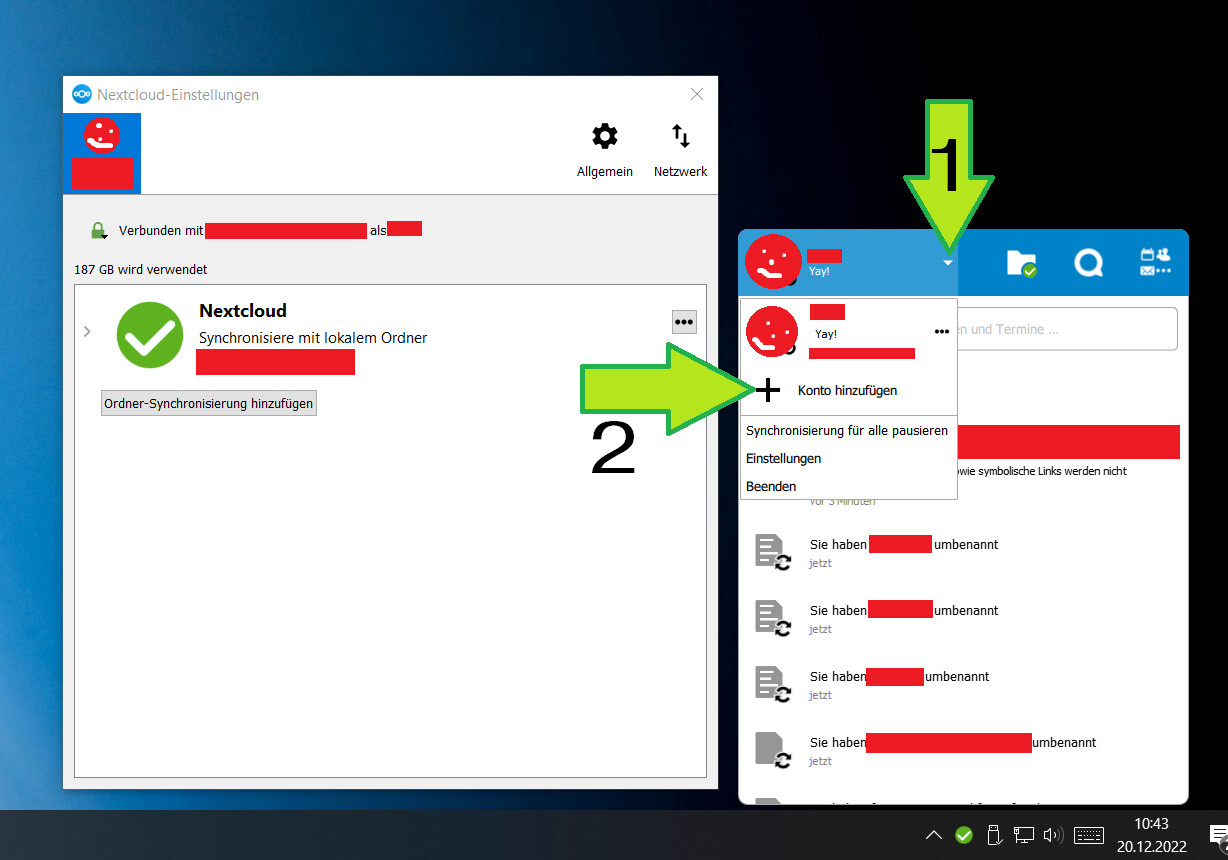
Okay, I just found out how things work in 2022 (Windows Desktop client 3.6.4):
The current NC client still has the old “settings” window as described above, but the account functionality has been moved to the new task-bar-pop-up-window.
There you need to click a small arrow next to cour profile picture, which then displays options to manage/add accounts.