Nextcloud desktop client look weird and is nearly unusable

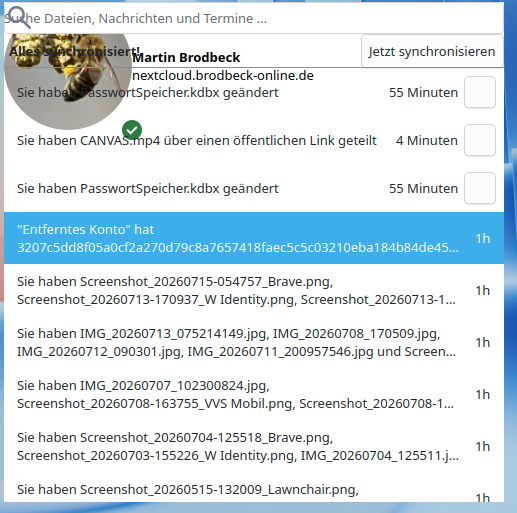
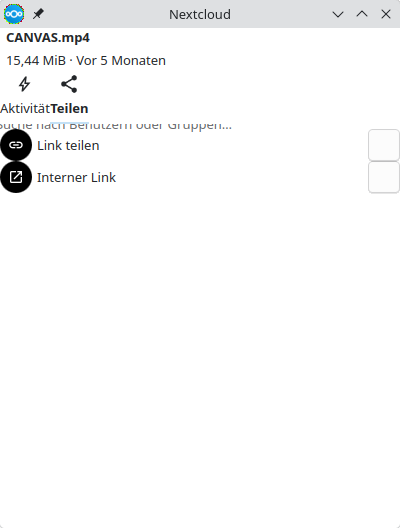
My Nextcloud desktop client looks very weird:

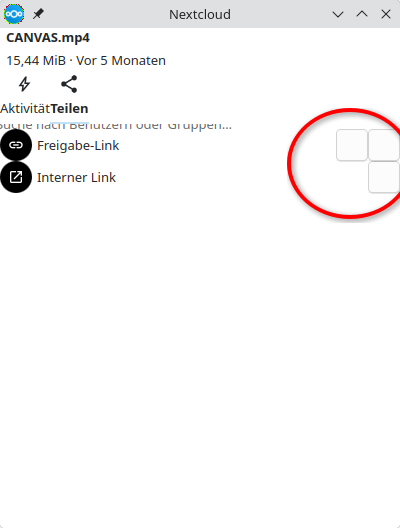
Same happens to sharing options when I right-click on a file in dolphin:

Since the buttons are blank/white I don’t know what they do and the client is nearly unusable.

I’m on Arch Linux, KDE Plasma 6.7.2 (Wayland). I didn’t configure anything special. Is this a known problem? How can I solve it?

Which client version is it?

I do see no blank/white buttons in your photos but two telling you, you have unsolved conflicts.

Client version is 33.0.7.

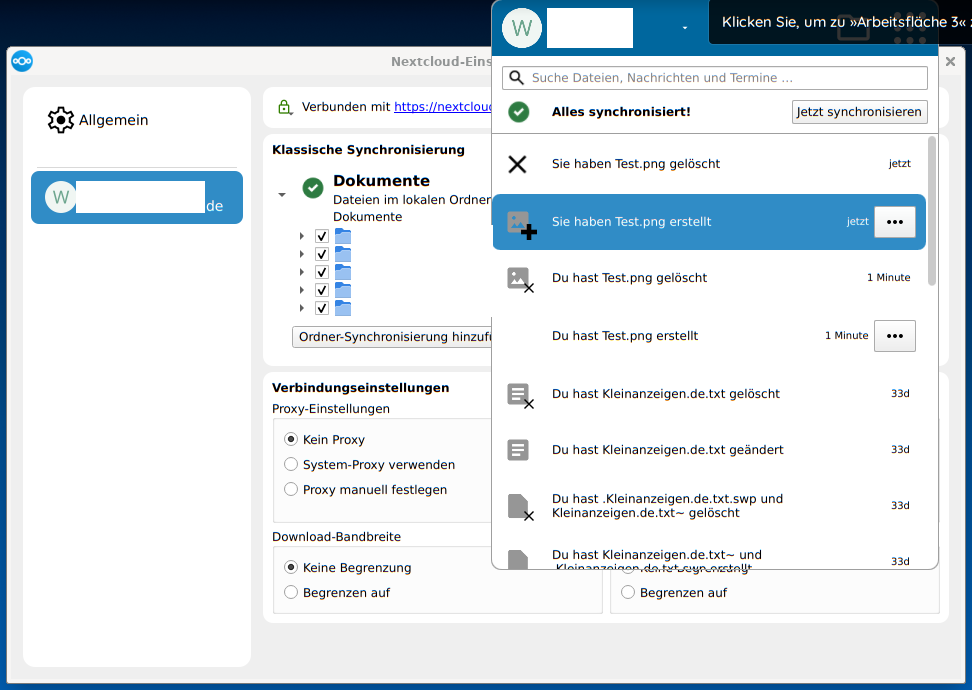
Here you can see blank buttons:

(Conflicts are solved now. The were the reason to open the nc-client :slight_smile: )

And please note the missing window border/decoration, the weird avatar size and the unability to resize the “window”.

Appimage from https://github.com/nextcloud-releases/desktop/releases/download/v33.0.7/Nextcloud-33.0.7-x86_64.AppImage or any other source, eg. your distributions package manager?

Sorry for the questions but my cristall balls are broken

The native Arch package (as I said, I use Arch Linux). Otherwise (AppImage, etc.), I certainly would have mentioned it. :slightly_smiling_face:

I don’t use Arch, but Debian, so i can’t test the Arch package. I did test Nextcloud-33.0.7-x86_64.AppImage and it works as expected. View:

Also i do not use KDE Plasma nor Wayland, but xfce.

What would i do now to check what cause the Problems?

  1. switch from Arch package Version to AppImage (its most easy, since all credentials are safe and wont be deleted. Especially not the file /home/<USER>/.config/Nextcloud/nextcloud.cfg.
  2. if that won’t help i woud try to use X instead of Wayland. Some Distros allow to switch between X and Wayland at login-screen. In Ubuntu community Wayland is well known for cause issues with some Software
  3. but well you may also wait for someone’s response using same config as you use, Means Arch, KDE, Wayland and Client version 33.0.7 from Arch Package
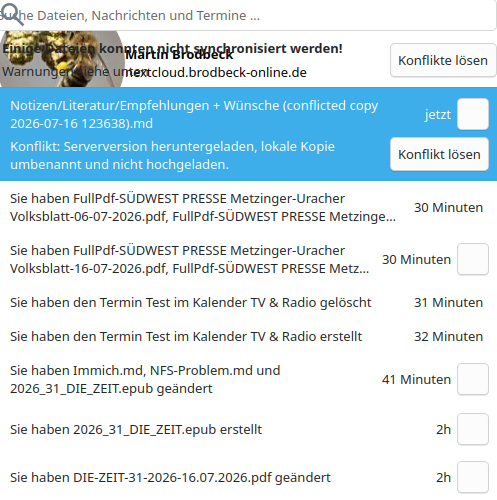
Yes, I can confirm that using the AppImage, it looks ways better. No empty buttons.

So you shall create a bug-report to your Arch package maintainer.

Done.

And the ticket has been immediately closed. “Not an Arch problem”.

At least, Exec=env QT_QUICK_CONTROLS_STYLE=Basic nextcloud %u in the .desktop file helps and the buttons are not empty anymore.