Some or all of the below information will be requested if it isn’t supplied; for fastest response please provide as much as you can. 
The Basics
- Nextcloud Server version (e.g., 29.x.x):
- 33.0.8
- Operating system and version (e.g., Ubuntu 24.04):
Ubuntu 24.04
- Web server and version (e.g, Apache 2.4.25):
- Reverse proxy and version _(e.g. nginx 1.27.2)
- PHP version (e.g, 8.3):
- Is this the first time you’ve seen this error? (Yes / No):
Yes
- When did this problem seem to first start?
Since I tried for the first time
- Installation method (e.g. AlO, NCP, Bare Metal/Archive, etc.)
AIO
- Are you using CloudfIare, mod_security, or similar? (Yes / No)
No
Summary of the issue you are facing:
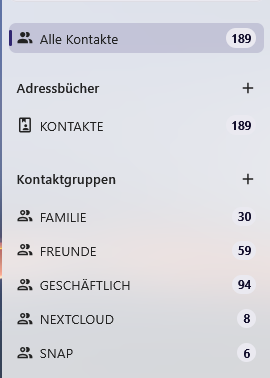
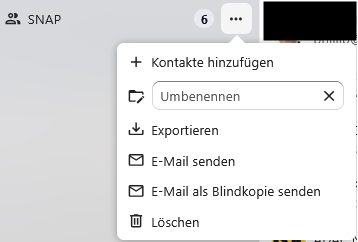
Contacts app is very confusing… on one hand there is this contact groups… Users assume it is a group in your address book. It is not! It won’t get synced. Poorly documented. Then there are address books but the contacts app does not let you browse your own address books. Hence, you can’t really use your address books as groups. I wanted to have a simple way to create a synced group. I have bunch of e-mail addresses, which I want to invite in Thunderbird. But I can’t get them easily into a contact group. I don’t want to copy them one-by-one or deal with VCard files. Either contact groups need to be synced as well via CardDav OR ideally address books need to be displayed separately in the web interface for easier address book management. In addition, address books can be selected for invites. Or even better, users should be able to paste also comma or semicolon separated e-mail addresses as attendees to invite multiple external people at once. (it does not have to be a Talk event).