Nextcloud Assistant Context Chat – backend deployment/runtime issues and inconsistent indexing state

Hi,

I am testing Nextcloud Assistant Context Chat in Nextcloud AIO 12.9.1 Beta and I ran into several problems that seem to affect both deployment/runtime stability and indexing behavior.

My setup is:

  • Nextcloud AIO 12.9.1 Beta

  • Nextcloud Hub 25 Autumn / 32.0.8

  • AppAPI 32.0.0

  • Assistant 2.13.0

  • Nextcloud Assistant Context Chat 5.3.1

  • Context Chat Backend 5.3.0

  • Context Agent 2.5.1

  • Assistant Talk Bot 3.1.3

Problem 1 – backend initially got into an inconsistent AppAPI state

At first, Nextcloud Assistant Context Chat showed that the backend was not installed or not responding.

What I observed:

  • context_chat_backend was not shown properly in php occ app_api:app:list

  • the backend container nc_app_context_chat_backend did not exist

  • at one point php occ app_api:app:register context_chat_backend behaved inconsistently and did not lead to a clean deploy

What recovered that state was:

docker exec --user www-data nextcloud-aio-nextcloud php occ app_api:app:unregister --rm-data --force context_chat_backend
docker exec --user www-data nextcloud-aio-nextcloud php occ app_api:app:register --wait-finish context_chat_backend

After that:

  • context_chat_backend appeared correctly in app_api:app:list

  • nc_app_context_chat_backend was created

  • the admin page changed to show that the backend was installed and responsive

Problem 2 – after full server reboot, backend became unavailable again

After a full reboot of the whole server, Nextcloud Assistant Context Chat again showed the backend as unavailable, even though the container was still running.

At that point:

  • php occ app_api:app:list still showed context_chat_backend as [enabled]

  • the container nc_app_context_chat_backend was up

  • but the GUI showed:

    • The Context Chat Backend app is not installed or not responding

    • CC Backend unavailable

Restarting only the backend container:

docker restart nc_app_context_chat_backend

made it responsive again.

So this looked less like a deployment problem and more like some kind of post-boot AppAPI / ExApp init or enable-state issue.

Problem 3 – indexing/statistics state is inconsistent

After the backend became responsive again, I expected indexing to start normally.

For a long time, php occ context_chat:stats showed:

ContextChat statistics:
The indexing is not complete yet.
Total eligible files: 9286
Files in indexing queue: 8258
New files in indexing queue (without updates): 8235
Queued documents (without files):array (
  'mail__mail' => 5,
)
Files successfully sent to backend: 0
Indexed documents: array (
)
Actions in queue: 134
File system events in queue: 18

So initially it looked like nothing was being sent to the backend.

Then, after further testing, the backend logs started showing successful embedding activity such as repeated:

POST /v1/embeddings HTTP/1.1" 200 OK
PUT /loadSources HTTP/1.1" 200 OK

That suggests the backend was in fact doing work.

However, at that point php occ context_chat:stats started failing with this error:

Malformed indexed documents count response from Context Chat Backend (ExApp): 'files__default' key is missing, response: {"mail__mail":40}

So now it looks like the backend may already be indexing at least mail__mail, but the stats response is incomplete or inconsistent because files__default is missing.

Current understanding

At this point it looks like there may be more than one issue involved:

  1. AppAPI / ExApp registration inconsistency

  2. post-boot backend init / enable-state instability

  3. malformed or incomplete indexed document count response during indexing

Questions

  1. Does this look like one bug or multiple separate bugs?

  2. Is the reboot behavior more likely an AppAPI issue than a Nextcloud Assistant Context Chat issue?

  3. Is the malformed context_chat:stats response (files__default missing, only mail__mail returned) a known bug?

  4. Is there any recommended AIO-specific way to make Nextcloud Assistant Context Chat survive a full reboot correctly?

  5. Would you like these findings split later into GitHub reports for:

    • AppAPI repo

    • Context Chat / backend repo

While I can not help you directly with your issues, I had great hopes regarding Context Chat and invested quite a significant amount of money as well as a ridiculous amount of time into it. After almost two years I am still up the creek without a paddle with it. This contraption is nowhere near production-ready; it never indexed more than 20k documents on my setups (around 50% of the actual amount), one of the servers indexes 3 documents for a week now.

I actually gave up on this feature. No matter how helpful the devs are (and they do try to help on Github), Context Chat is a trainwreck.

I wrote this mainly so these problems are out in the open. If nobody reports them properly, they stay invisible and there is very little chance for real improvement.

I understand the frustration, because I have been dealing with this myself for more than a year, so I know how tiring it can be. Still, I am not giving up on it. I still hope this can move forward, but that starts with being honest about what is not working.

That is why I posted it — not to complain for the sake of complaining, but so these issues are documented and there is a real chance that they can lead to fixes and improvements over time.

Small update from my side.

I checked Nextcloud Assistant Context Chat again and can now see at least some progress.

The backend is currently shown as responsive, files__default is visible again, and the page now shows 3 documents in vector database (2 sent).

So it does not look completely stuck anymore, but the behavior still feels inconsistent because I have already seen it switch between unavailable, malformed stats, and now partial progress.

I am attaching a screenshot of the current state.

Another follow-up from my side.

I did some additional debugging on the server in parallel and eventually paused the files_antivirus app, then later disabled the whole ClamAV module in the Nextcloud AIO backend and regenerated the AIO containers.

After that, the indexing finally started moving properly.

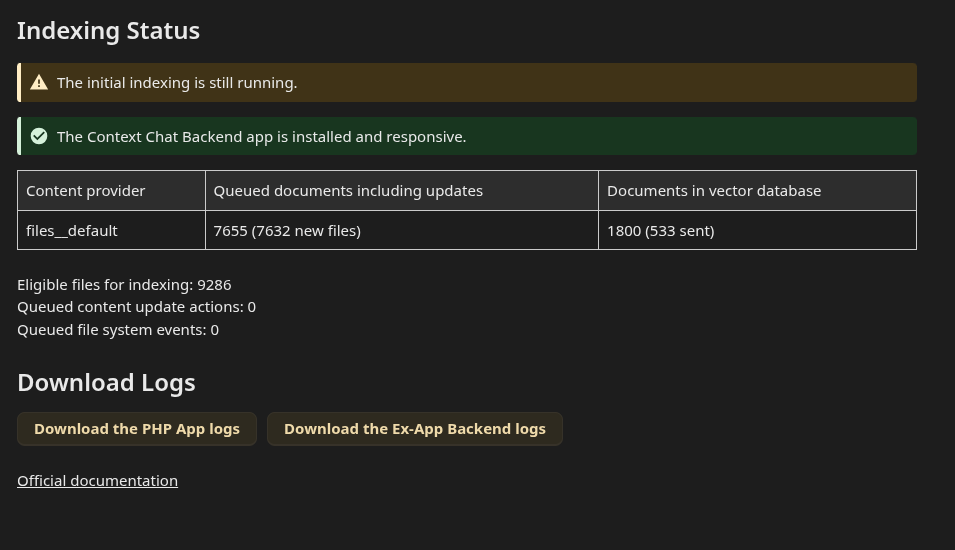
Current state:

  • backend is responsive

  • files__default is progressing

  • queue dropped to 7655

  • vector database now shows 1800 (533 sent)

So in my case, there seems to have been some relation between this behavior and the antivirus / ClamAV side as well.

I am attaching a screenshot of the current state.

Hi @vawaver,

Thanks for sharing your experience! I am also testing the Context Chat app and wanted to share my current status to see if it aligns with what you or others are seeing.

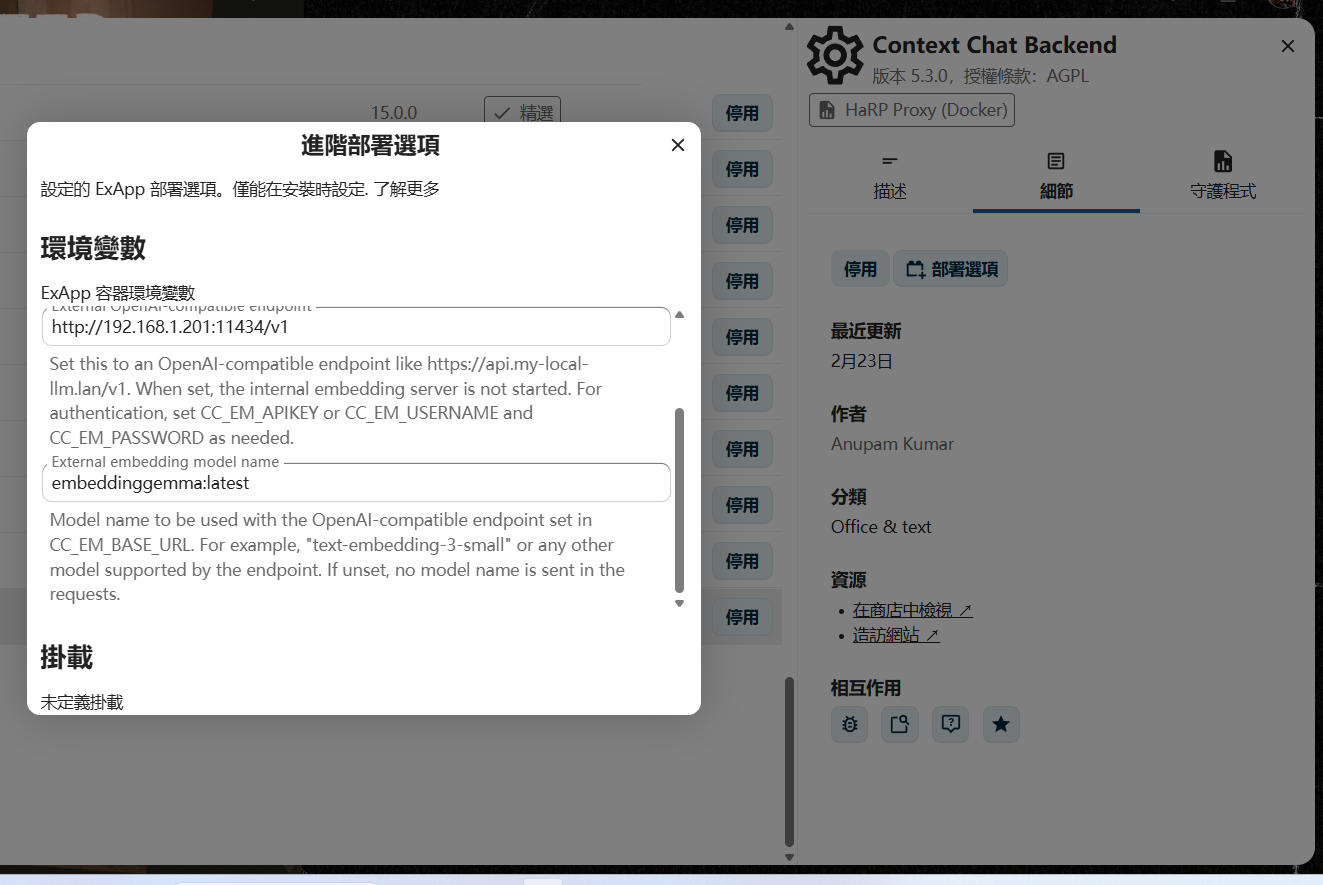
In my setup, I connected the Context Chat Backend to a local Ollama instance at http://192.168.1.201:11434/v1 and I am using the embeddinggemma:latest model.

To push the indexing process, I manually executed the following commands in my Nextcloud Docker container:

  1. docker exec -u www-data -it nextcloud php /var/www/html/occ context_chat:scan Converse
  2. docker exec -u www-data -it nextcloud php /var/www/html/cron.php "OCA\\ContextChat\\BackgroundJobs\\IndexerJob"

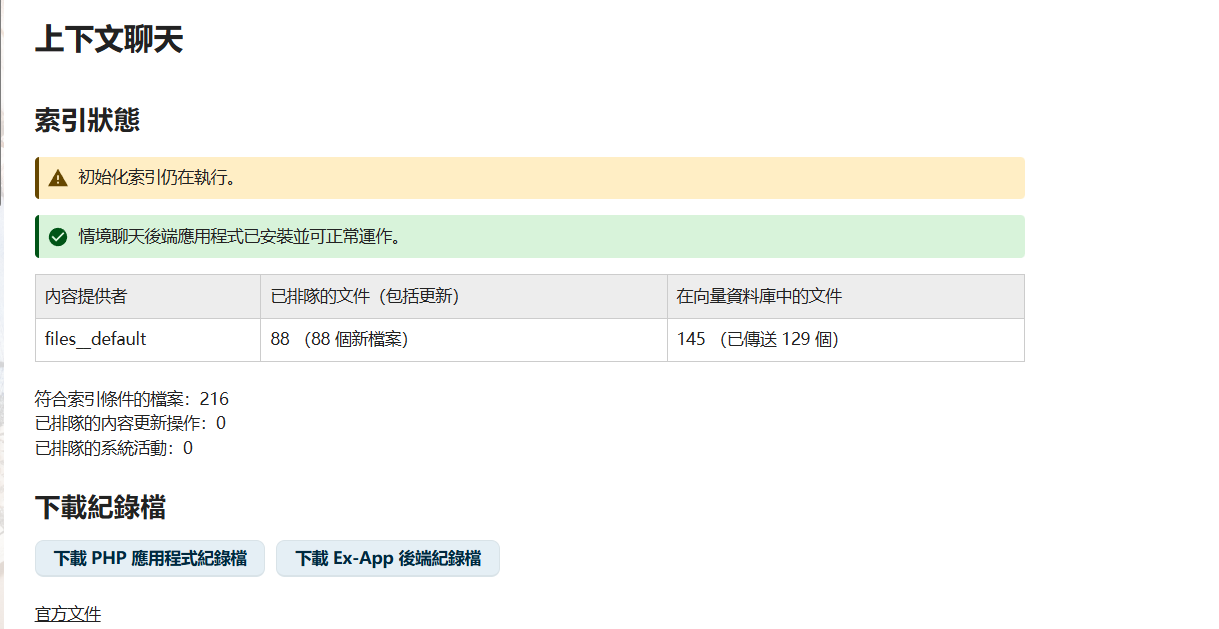
After running them, my current indexing stats look like this:

root@pwx:~# docker exec -u www-data -it nextcloud php /var/www/html/occ context_chat:stats
ContextChat statistics:
The indexing is not complete yet.
Total eligible files: 216
Files in indexing queue: 88
New files in indexing queue (without updates): 88
Queued documents (without files):array (
)
Files successfully sent to backend: 129
Indexed documents: array (
  'files__default' => 145,
  'mail__mail' => 1,
)
Actions in queue: 0
File system events in queue: 0

However, no matter how many times I run the indexing commands, those 88 files always remain in the queue and fail to be indexed. It seems completely stuck.

Have you experienced a similar ceiling or stuck queue in your setup? Any insights would be greatly appreciated!

I have seen something similar on my side.

At one point, indexing looked like it got stuck after processing around 1000 files, and then it only started moving again roughly 5 hours later.

What helped the most in my case was disabling files_antivirus and also turning off the ClamAV module in the Nextcloud AIO backend.

I cannot confirm whether part of the improvement also came from recreating the containers during that process, because when I disable something in AIO, I do not leave the old containers in stopped state. I remove them and let AIO create them again from scratch.

Right now I am still missing around 2000 files, so I am waiting for the initial indexing to finish before I continue testing further.

Thanks for the suggestion!

I just tried a similar approach based on your experience. I disabled the files_antivirus app, deleted the Context Chat backend, and then re-created it from scratch.

After that, I ran the indexing command in SSH again:
docker exec -u www-data -it nextcloud php /var/www/html/cron.php "OCA\\ContextChat\\BackgroundJobs\\IndexerJob"

Here is the current status:

root@pwx:~# docker exec -u www-data -it nextcloud php /var/www/html/occ context_chat:stats
ContextChat statistics:
The indexing is not complete yet.
Total eligible files: 216
Files in indexing queue: 88
New files in indexing queue (without updates): 88
Queued documents (without files):array (
)
Files successfully sent to backend: 129
Indexed documents: array (
  'files__default' => 6,
)
Actions in queue: 0
File system events in queue: 0

Small follow-up from my side.

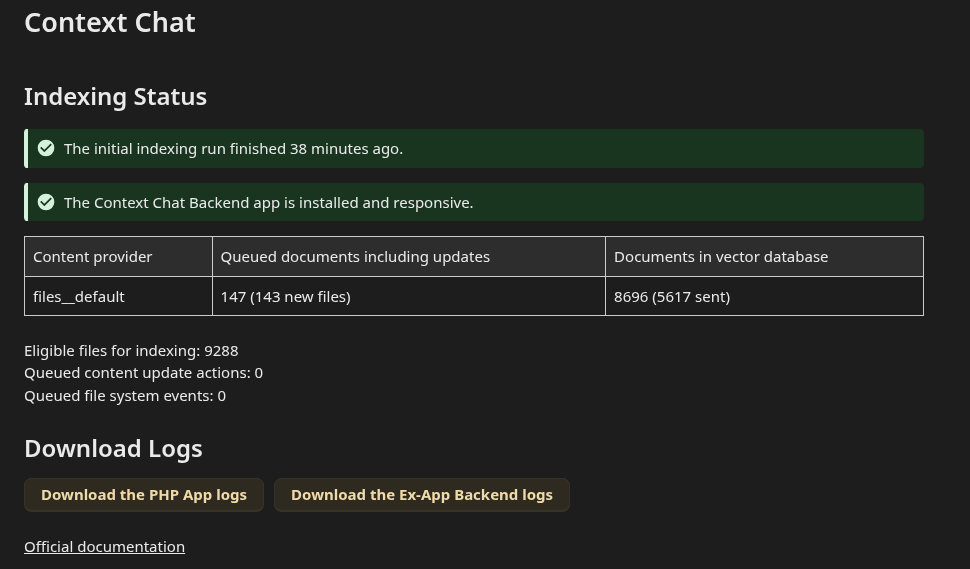
The initial indexing run has now finished.

Current state:

  • backend is responsive

  • files__default is at 8696 documents in vector database

  • 5617 sent

  • remaining queue is 147, including 143 new files

So at this point the situation looks much better than before. I am attaching a screenshot of the current status and for now I will just keep monitoring whether those remaining queued files continue to go down.

When installing the Context Chat backend, do you connect to Ollama or use the default model?

I’m using the OpenAI API. I’d love to run Ollama locally, but my current hardware isn’t really up to the task, so I’m glad I can at least solve it this. It’s a bit slower than a local setup would be, but the important thing is that it works!

How much money has been spent since the index was created?

Regarding the costs, the indexing itself didn’t cost anything because it’s done locally on my machine. I only use the OpenAI API when I’m actually chatting or asking questions. So, since the index was created, the only money spent has been on the actual API requests for the answers.