The community help forum (help.nextcloud.com) is for home and non-enterprise users. Support is provided by other community members on a best effort / “as available” basis. All of those responding are volunteering their time to help you.
If you’re using Nextcloud in a business/critical setting, paid and SLA-based support services can be accessed via portal.nextcloud.com where Nextcloud engineers can help ensure your business keeps running smoothly.
Getting help
In order to help you as efficiently (and quickly!) as possible, please fill in as much of the below requested information as you can.
Before clicking submit: Please check if your query is already addressed via the following resources:
(Utilizing these existing resources is typically faster. It also helps reduce the load on our generous volunteers while elevating the signal to noise ratio of the forums otherwise arising from the same queries being posted repeatedly).
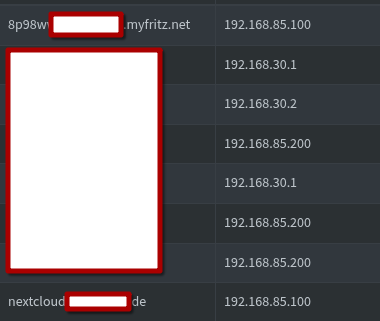
Hallo, I don’t want to open port 80/443 permanently to my nextcloud AIO. Unfortunaly my local DNS server (pihole) does not correctly forward the DNS to local IP, I can’t figure out why (I set it in “local DNS”). Is there a possibility to change the whole setup to IP-based? What would you recommend?
No, unless it’s a public IP address that you own and for which you can get a valid TLS certificate. So, no.
Get your local DNS working.
As the link provided by @szaimen shows, you need a domain name with a valid certificate, so local IP addresses won’t work.
Just a wild guess, but maybe it’s because your client devices/browsers are using DoH (DNS over HTTPS), which would mean they’re bypassing your local Pi-hole…?
Hi, it seems that it doesn’t work because I tried to use a DNS that is a CNAME to a DynDNS entry and nslookup uses that cname instead of the local IP. I can’t get along with tailscale so I’ll just use the ugly DynDNS name
I know I did exactly that, and I configured the DNS in the provider settings to forward to the DynDNS entry and I configured PiHole to forward to the local adress, but nslookup always uses CNAME if exists. This does not work with CNAME entrys.
The public record is a CNAME record, but this is not required in the local network. In this case, the name must be resolved directly to the server’s local IP address.
If so, it appears that you added a CNAME (Canonical Name) record for nextcloud.xxxxxxxx.de under “Local CNAME records” in Pi-hole that points to the DynDNS name, which then resolves to the public IP address, instead of adding an A record under “Local DNS records” in Pi-hole that points directly to the local IP address of your server.



 I did exactly that, and I configured the DNS in the provider settings to forward to the DynDNS entry and I configured PiHole to forward to the local adress, but nslookup always uses CNAME if exists. This does not work with CNAME entrys.