Unfortunately, I did not understand your problem. However, you can use the normal Nextcloud Android app, synchronise the folder with the GPX files and then open the GPX file in the Nextcloud Android app via Share, e.g. share with OsmAnd.
As alternatives to OsmAnd, take a look at Organic Maps and Magic Earth. Organic Maps can display tracks but cannot route by them. For cyclists but at least for hikers this can be sufficient. Magic Earth can route by tracks, but is a little difficult to use. There is a little trick for this. I personally find Magic Earth better for motorist routing.
Yes, my general request was Nextcloud to act as sync server for the app data osmand is producing. These can be settings taken in the app for backup, but also tracks and favorites on the map. I would love to prepare a track on desktop and to simply share it to my mobile being able to use my tracks on the go.
Well, can the OsmAnd apps do that? If so, it should be possible to sync/upload those backed up files with/to Nextcloud. If not, that’s something the OsmAnd app developers would have to add to their apps. There’s not much Nextcloud can do if some third-party app doesn’t provide the ability to export or sync its data with Nextcloud, right?
Ideally, for this to work as smoothly as possible, the OsmAnd devs would integrate Nextcloud/WebDAV support directly into their apps. But since they also offer their own cloud service, which you can subscribe to in order to synchronize data between multiple devices, I’m not sure how much interest they have in integrating something like that into their official apps. After all, that seems to be part of their business model.
The apps seem to be open source, though, so in theory it should be possible to fork them and integrate something like this yourself. Or someone might even be able to create a reimplementation of their server backend that these clients could connect to, perhaps even as a Nextcloud app.
However, I doubt the Nextcloud core developers would spend their time on such a project and make it an “official” Nextcloud feature, unless perhaps someone from their team was interested in working on it in their own time. So it would likely have to be a community effort.
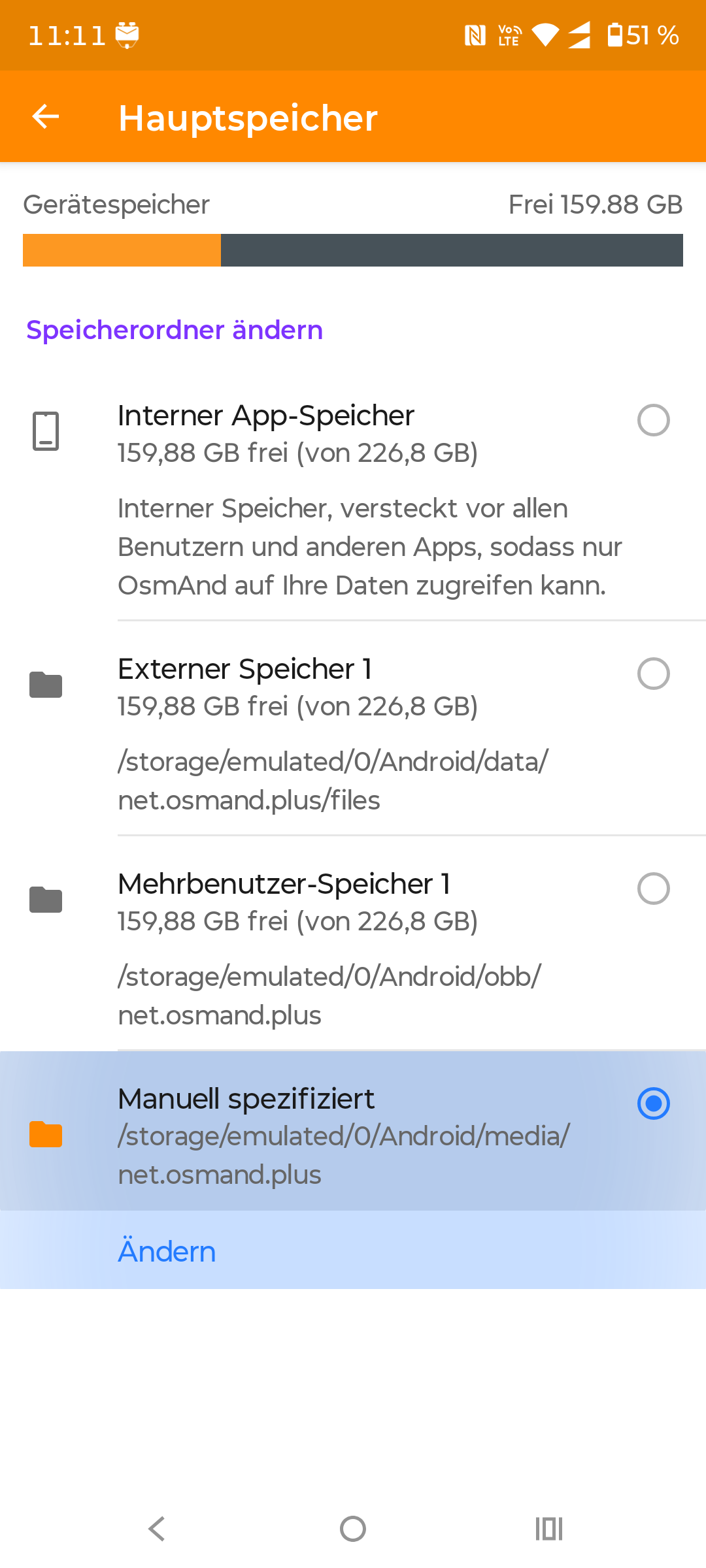
Open the hamburger menu (three horizontal lines). Using the hamburger menu, you can specify a custom storage location for OsmAnd~ data. Choose a storage location that the Nextcloud client can access.
Instead of the default Android/data, I use Android/media. However, instead of the Nextcloud client, I use FolderSync. FolderSync can access Android/media.
Addendum:
And if you set up SSH access to your smartphone (e.g., via Termux), you’ll also have full access to the net.osmand.plus directory (and its subdirectories, such as “tracks”) via scp or SFTP