Nextcloud version (eg, 20.0.5): 21
Operating system and version (eg, Ubuntu 20.04): Raspbian GNU/Linux 10 (buster)
Apache or nginx version (eg, Apache 2.4.25): nginx/1.14.2
PHP version (eg, 7.4): v7.4.15
The issue you are facing:
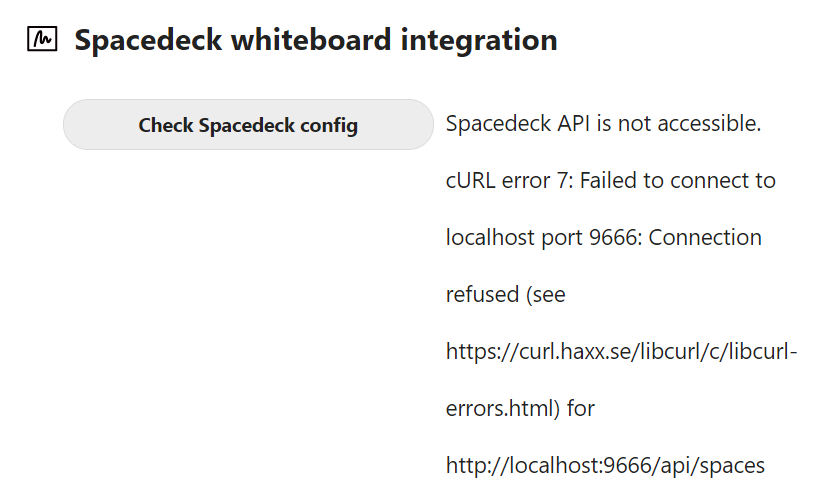
From administration, check whiteboard config throws errors
The problem seems to be that spacedeck.nexe.bin is a x86-64 binary and thus incompatible to the Raspberry Pi 4 using Raspberry Pi OS 64 on ARM64 / aarch64.
sudo file spacedeck.nexe.bin
spacedeck.nexe.bin: ELF 64-bit LSB executable, x86-64, version 1 (GNU/Linux), dynamically linked, interpreter /lib64/ld-linux-x86-64.so.2, for GNU/Linux 2.6.32, BuildID[sha1]=2f939e828e5332cd3be98272bedfe905c9f029a7, with debug_info, not stripped
@nextcloud Any chance you could provide a ARM64 version of whiteboard_integration?
Hallo,
wo genau liegt die spacedeck.nexe.bin? Ich habe die App ebenfalls installiert aber finde diese Datei njicht? Ich konnte das whiteboard nur duchr die Installation von spacedeck-open dazu bringen die Fehlermeldung nicht mehr anzuzeigen!?
Ok. The file is there, and spacedeck is running:
ps aux| grep spacedeck
root 5849 0.0 0.0 112824 968 pts/0 S+ 10:32 0:00 grep --color=auto spacedeck
But when I start the APP in Nextcloud there are errors:
./spacedeck.nexe.bin: /lib64/libstdc++.so.6: version GLIBCXX_3.4.20' not found (required by ./spacedeck.nexe.bin) ./spacedeck.nexe.bin: /lib64/libstdc++.so.6: version GLIBCXX_3.4.21’ not found (required by ./spacedeck.nexe.bin)
./spacedeck.nexe.bin: /lib64/libstdc++.so.6: version `CXXABI_1.3.9’ not found (required by ./spacedeck.nexe.bin)
And that is the reason why the whiteboard is not working on my centos 7 machine
and gcc version:
gcc -v
Es werden eingebaute Spezifikationen verwendet.
COLLECT_GCC=gcc
COLLECT_LTO_WRAPPER=/usr/libexec/gcc/x86_64-redhat-linux/4.8.5/lto-wrapper
Ziel: x86_64-redhat-linux
Konfiguriert mit: …/configure --prefix=/usr --mandir=/usr/share/man --infodir=/usr/share/info --with-bugurl=http://bugzilla.redhat.com/bugzilla --enable-bootstrap --enable-shared --enable-threads=posix --enable-checking=release --with-system-zlib --enable-__cxa_atexit --disable-libunwind-exceptions --enable-gnu-unique-object --enable-linker-build-id --with-linker-hash-style=gnu --enable-languages=c,c++,objc,obj-c++,java,fortran,ada,go,lto --enable-plugin --enable-initfini-array --disable-libgcj --with-isl=/builddir/build/BUILD/gcc-4.8.5-20150702/obj-x86_64-redhat-linux/isl-install --with-cloog=/builddir/build/BUILD/gcc-4.8.5-20150702/obj-x86_64-redhat-linux/cloog-install --enable-gnu-indirect-function --with-tune=generic --with-arch_32=x86-64 --build=x86_64-redhat-linux
Thread-Modell: posix
gcc-Version 4.8.5 20150623 (Red Hat 4.8.5-44) (GCC)
But I can proof I have:
strings /usr/lib64/libstdc++.so.6 | grep GLIBCXX
GLIBCXX_3.4
GLIBCXX_3.4.1
GLIBCXX_3.4.2
GLIBCXX_3.4.3
GLIBCXX_3.4.4
GLIBCXX_3.4.5
GLIBCXX_3.4.6
GLIBCXX_3.4.7
GLIBCXX_3.4.8
GLIBCXX_3.4.9
GLIBCXX_3.4.10
GLIBCXX_3.4.11
GLIBCXX_3.4.12
GLIBCXX_3.4.13
GLIBCXX_3.4.14
GLIBCXX_3.4.15
GLIBCXX_3.4.16
GLIBCXX_3.4.17
GLIBCXX_3.4.18
GLIBCXX_3.4.19
GLIBCXX_DEBUG_MESSAGE_LENGTH
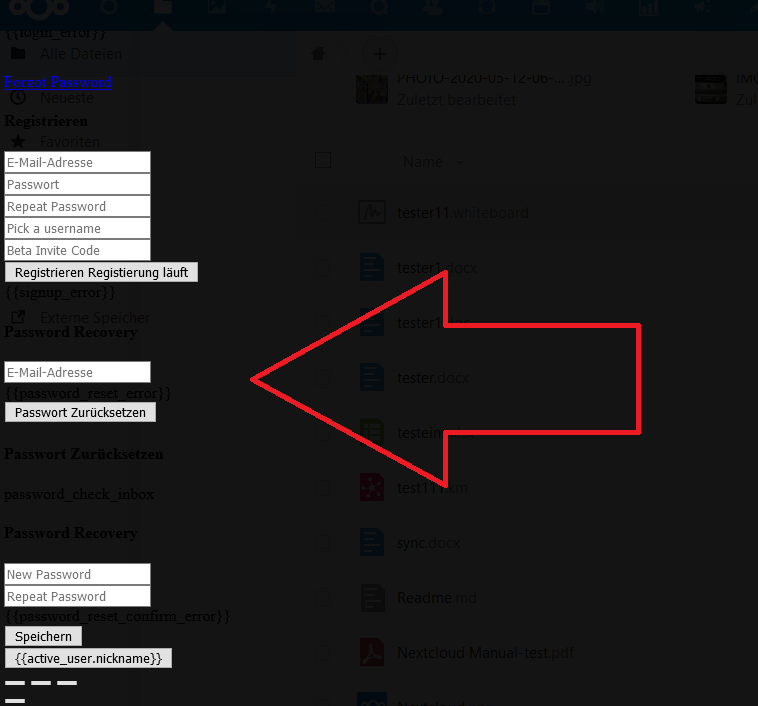
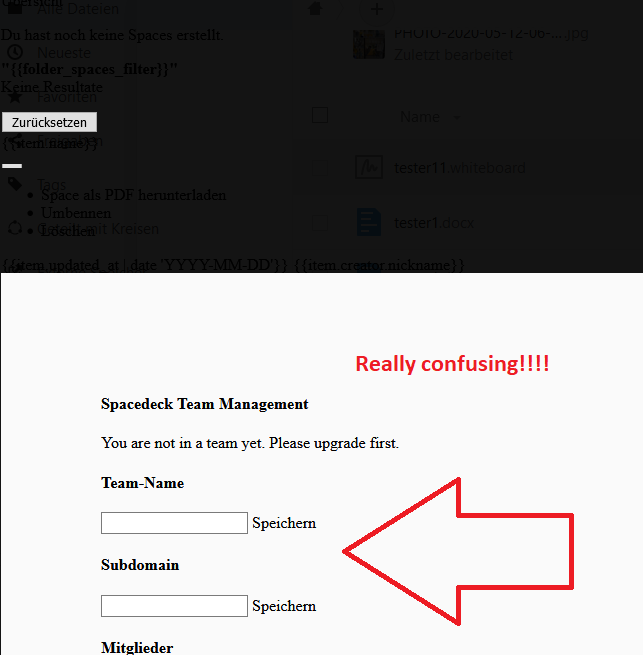
No I use the nextcloud spacedeck. Installed node.js 10 anyway. But as I noe recognize the Whiteboard is at this time real buggy. Now and then instead of my whiteboards there is a registration page of spacedeck showing up:
Thanks for Info. I install gcc 7.3 and now spacedock starts and i can use it. But only when i go in appdata Folder and start its manuell. Its not start automatic.
Is it a problem in the CentOS 7 Selinux, Apache, PHP configuration? I nothing found in audith log. Manuell Start work… Where i can check for errors.
UPDATE: Sorry, it was a selinux Problem. Just do “semanage permissive -a httpd_sys_script_t” and its work now.
I have the same screen as you, I am using the latest docker image.
However I checked the version of gcc, it is 8.3.0 so should be fine?
Next I checked the version of nodejs, unfortunately it was not installed. However after installation and reboot, still the same nice SpaceDeck screen.
Could you found a solution?
I have the same error with Nextcloud 21.0.1 installed on a Synology NAS, any idea on how i can fix this ? I did try to install Node.js 12 from Synology app store.
Same issue for me.
I’m using Nextcloud 21.0.4.1 installed with NextCloudPi on Raspberry Pi 4 4GB running Raspberry Pi OS 64bit with Desktop.
I have Node.js version 14.17.6 and gcc version: 8.3.0.
Nevertheless, when I try to open a whiteboard file within the Nextcloud Files app I see this error message: Impossible to load Spacedeck whiteboard "cURL error 7: Failed to connect to localhost port 9666: Connection refused (see https:\/\/curl.haxx.se\/libcurl\/c\/libcurl-errors.html) for http:\/\/localhost:9666\/api\/spaces"
I also made sure my router has port 9666 open for my Pi’s ip address.
Any solution for this issue?
Thank you for any help