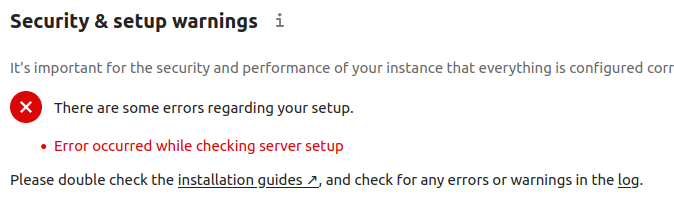
The error came up when checking server setting so changed it back but that didn’t fix the error. The reverted to the original file using the backup and the error is still there when checking server setup.
The server seems to run fine other than the error on the “Security and setup waning” page.
File size was the same after removing the changes to the original file and owner / permissions on the backup .htaccess file are the same as the original.
Could you please call it from within an incognito tab or window? The test from the server is done with a little portion of java script by attempting to make a request from JS to https://your-domain.com/.well-known/caldav/ and may still be inside of your browser cache.
If you want to make changes like that, I would want to encourage you to do it the way which was mentioned for that purpose with the special tools provided as described → in the manual ←
Unfortunately moving to a different browser, an incognito session or a firejail version of Firefox didn’t help.
Comparing the .htaccess file on the server with the .htaccess file supplied with the latest download version of Nextcloud shows they are identical. Any other suggestions on why the change could be stuck in the server?
Also, do you think the next Nextcloud update possibly sort this out when it re-writes .htaccess?
This is the WebDAV interface. It can only be accessed by WebDAV clients such as the Nextcloud desktop sync client.
then everything is working fine and you can disable the check in config/config.php with
'check_for_working_wellknown_setup' => false,
you don’t have to wait until an update. I linked you to the manual, there you find the occ command to do exactly that step which is executed after an update:
Unfortunately there is an issue with my redirect because pointing to https://your-domain.com/.well-known/caldav/ results in:
“Page not found
The page could not be found on the server or you may not be allowed to view it.”
My Apache Nextcloud server is behind an NGINX reverse proxy so I’ll have to do some digging to get that sorted. The caldav RewriteRule in the NGINX conf file worked before updating to 29.0.0 but the configuration obviously changed after the update.
Running the “occ maintenance:update:htaccess” command updated the .htaccess file but the warning page is still not working 100%. I can access the “Security & setup warnings” page using the “Administrative Settings” menu but if I refresh the page I get the “There are some errors regarding your setup.” error again. Weird.
I plan to rebuild the server in a few months so I think I’ll live with the issues until then unless anyone has any additional input.