macOS VFS: Cannot free up local space (files never become virtual) + context menu options do nothing

Hello everyone,

I’m experiencing a persistent issue with the macOS VFS client on two different Macs, and I would like to know if it might be a bug.

My setup

  • Server: TrueNAS Community Edition

  • Nextcloud AIO: running inside an Ubuntu Server VM

  • Tailscale: installed in the VM and up to date (1.90.9)

  • Mac clients:

    • Mac mini M4 Pro – macOS Tahoe 26.1

    • MacBook Pro 11,3 (Mid 2014) – macOS Sequoia 15.7.2 (clean install)

  • Tailscale: also installed and up to date (1.90.9) on both Macs

  • Connection: Both clients connect through the Tailscale HTTPS URL of the VM

  • Nextcloud Desktop client: version 4.0.2

What works

  • File syncing between devices works normally.

  • New files appear on the other Mac as virtual (cloud icon).

  • The “Recent changes” list in the client now updates correctly since version 4.0.2.

Issue

I cannot make any file become “virtual” (free up space) on either Mac.
The context-menu options appear, but selecting them does nothing.

Steps to reproduce

  1. Add a new file to the Nextcloud folder from Finder.
    → It uploads correctly and appears as local on that Mac.
    → On the other Mac it appears as virtual (cloud + arrow).

  2. Right-click the file on the first Mac.
    → The menu shows “Always keep downloaded” (even though it is already local).

  3. Clicking “Always keep downloaded” does nothing.

  4. Immediately after, right-clicking again shows “Allow automatic freeing up space”.

  5. Clicking “Allow automatic freeing up space” also does nothing.
    → The file remains local, the icon never changes, and disk space is not freed.

This behaviour is identical on both Macs, even though one is a completely clean installation.

Question

Could this be an issue with the macOS VFS/File Provider implementation in the Nextcloud client?
Or could it be related to using the Tailscale HTTPS endpoint?

I can provide logs or additional system information if needed.

Is the macOS VFS client considered stable and safe for everyday use, or is it still somewhat experimental at this stage?

Any guidance or confirmation would be very helpful.
Thank you!
You can perhaps check the logs, if it is from server side then you perhaps see things the client tries to communicate with the server that fails.

Recently, there have been a few fixes to the macOS version:
https://github.com/nextcloud/desktop/releases

If you have like this a clearly reproducible problem, I’d check if there is already a report on github, and if not create one there: GitHub · Where software is built

Hi @tflidd, thanks for your reply.

I’m not really sure which logs I should check or what exactly I should look for. I have generated a debug file, but I can’t upload it here now.

I have tested several different Nextcloud Server installations:

All installations use Tailscale and client connects with the URL https://nextcloudaiovm.tailxxxx.ts.net/ , since I need remote access from different internet connections without exposing the server publicly.

With every installation I get the same behaviour:

Using the macOS Virtual Files client, I cannot turn files or folders into virtual after creating them in Finder or downloading them from the server. The context menu options do nothing. The items never switch to the “virtual” state (cloud icon with arrow), and the local disk space is never freed.

The only way I can make all files become virtual again is by removing the account from the client and reconnecting it.

During these days I found this Pull Request recently published by @iva.horn , which might be related to the problems I’m seeing: Integrated NextcloudFileProviderKit Repository #9176

It looks like proper FileProvider integration for the macOS VFS client may be planned for version 4.1.0, according to the Milestone progress bar, so maybe these issues will be resolved with that version.

In the meantime, what would you recommend? Should macOS users stick to the “standard” client without virtual files for now?

Is this an issue that only happens to me? Or are there users for whom the macOS VFS client works correctly, and if so, in what environments?

Thanks a lot for your help.

  1. Clicking “Allow automatic freeing up space” also does nothing.
  • There appears to be a misunderstanding on the distinct aspects keeping files available offline and actually evicting them.
  • Files are not “materialized” by default but only on demand (they should be materialized implicitly by “Always keep downloaded”, though). That state is called “dataless”.
  • “Always keep downloaded” just marks files to be protected against automatic eviction which macOS can perform based on its own heuristics. For example: When disk space is running low on a Mac, macOS may tell our file provider extension to evict materialized files which are not used frequently or in a long time.
  • “Allow automatic freeing up space” does not automatically evict the materialized item, just tells the system “in case of need for disk space, you can evict this file”.
  • One can also evict materialized files forcefully through a different context menu item offered by the file provider framework by default (“Remove Download” in case of iCloud). That will evict the local file content but not actually delete it, so it can be downloaded again on demand from the server.

During these days I found this Pull Request recently published by @iva.horn , which might be related to the problems I’m seeing: Integrated NextcloudFileProviderKit Repository #9176

That pull request is not related but only an organizational improvement to accelerate and simplify our work on the file provider extension.

1 Like

Thank you @iva.horn

Sorry for the misunderstanding. I hadn’t noticed the “Remove Download” option maybe because it appears at the top of the context menu, while the Nextcloud options are at the bottom. Also, I could swear that this option didn’t appear in previous versions of the client — but I can’t be completely sure now, since I’ve reinstalled both the system and the Nextcloud client.

In any case, that was exactly the option I was looking for to free up disk space for files and folders I don’t need locally.

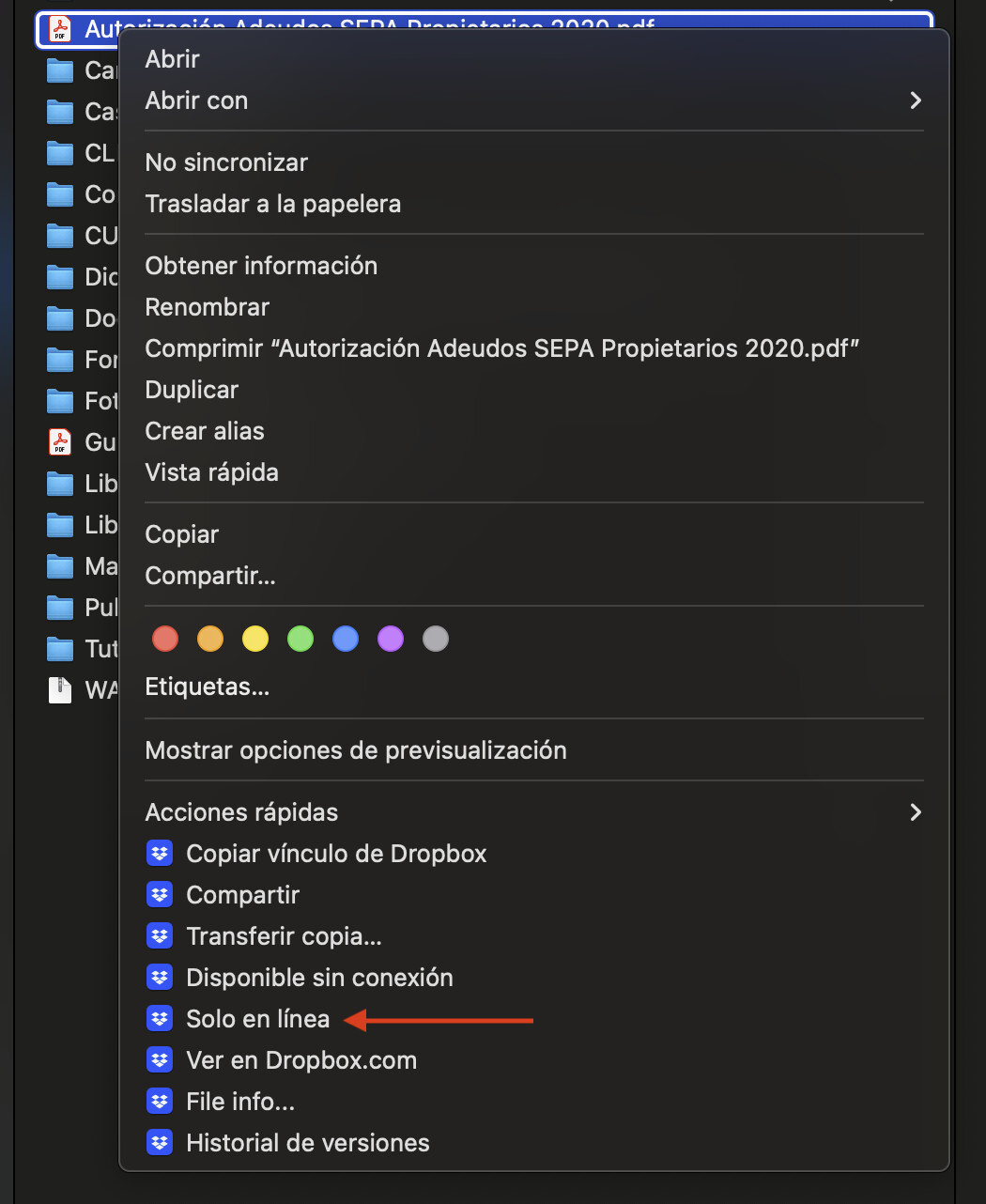
Perhaps, just as a suggestion for future versions, it could be helpful to group all the options with the Nextcloud icon together, similar to how Dropbox does it.

I’m now noticing some behaviours or errors that I hadn’t seen before, such as:

  • When using Quick Look on a file (for example a photo or a PDF) that is not downloaded (evicted), the first time it gets downloaded before being displayed in full size.
    However, if you then select “Remove Download” and try Quick Look again, it no longer downloads the file, it only shows the thumbnail.
  • Color labels of files and folders do not sync between computers.
  • If you move an “online-only” (evicted) file or folder to the Trash, it stays there even after emptying the Trash (instead of being deleted immediately like Dropbox does). I discovered that you need to enable the option “Allow items in the Trash to be deleted”, which is not enabled by default.
  • Additionally, on a few occasions, when moving a folder containing evicted files to the Trash, instead of seeing the folder in the Trash, a very large number of related files start appearing endlessly, and the client keeps showing sync errors.

I will check if these issues have already been reported here in the forum or on GitHub. If not, I’ll try to write a detailed report with the steps to reproduce them in a new post.

Thank you very much for your great development work!

1 Like

This is beyond the limits imposed by the file provider framework. Item materialization and eviction is a foundational feature of file providers and the context menu items are predefined by macOS. Technically, we can only add unnecessarily redundant items.

  • When using Quick Look on a file (for example a photo or a PDF) that is not downloaded (evicted), the first time it gets downloaded before being displayed in full size.
    However, if you then select “Remove Download” and try Quick Look again, it no longer downloads the file, it only shows the thumbnail.

When the file content is requested is controlled by Finder, not by us. We only receive the request by the system to either download content or deliver a thumbnail.

  • Color labels of files and folders do not sync between computers.

macOS tags are not supported right now. You might upvote an existing GitHub issue or open a new one about it.

If you move an “online-only” (evicted) file or folder to the Trash […]

Let’s just say the trash is due for a general overhaul very soon because it currently behaves inconsistently and unreliably. :grimacing: