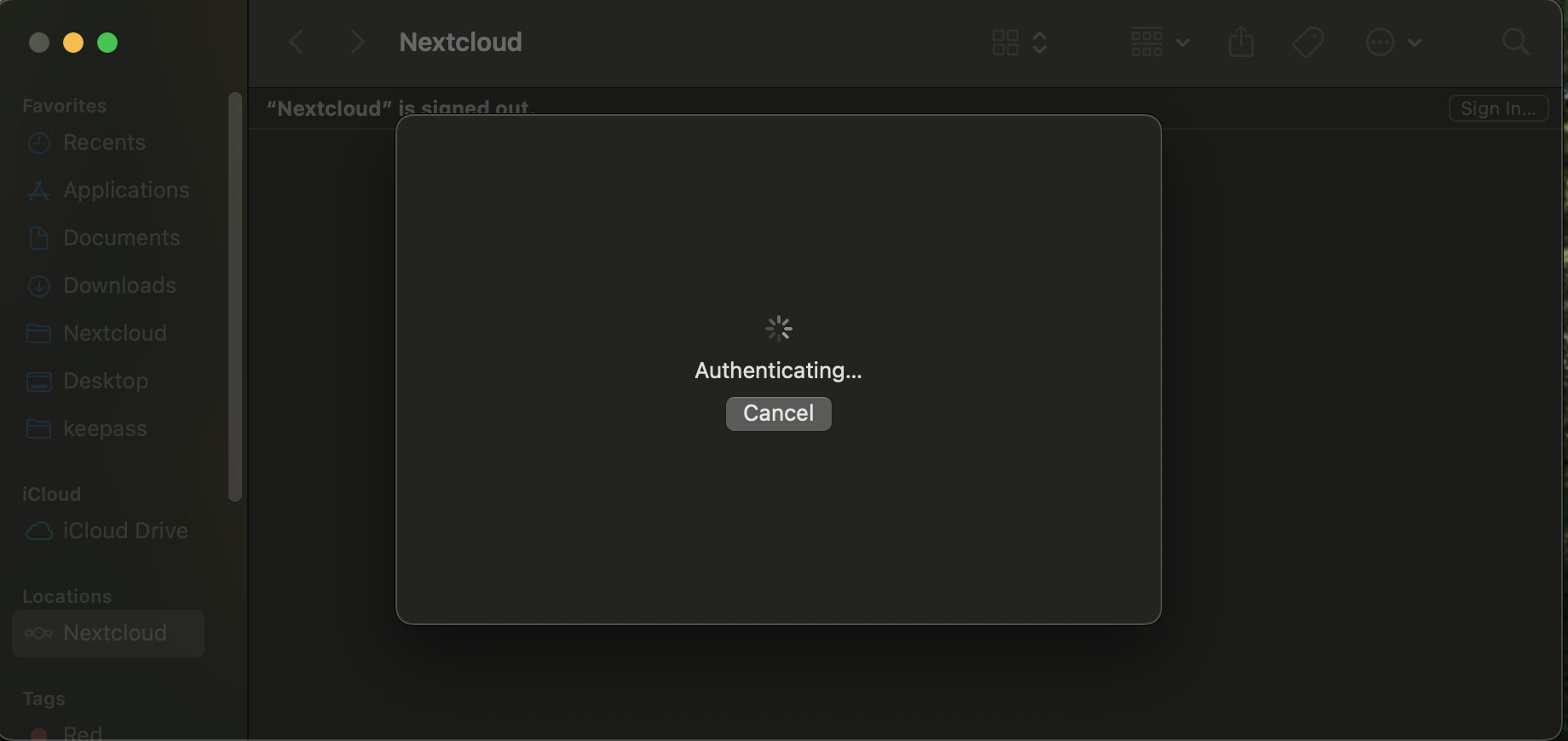
MAC VFS client keep hanging for "Authenticating..." in VFS synced folder

Env

  • macOS: 15.6.1

  • Nextcloud Desktop Client: 4.0.3

  • Server version: 32.0.1

Problem Description

When using the Nextcloud Desktop Client 4.0.3 on macOS 15.6.1 with Virtual Files (macOS File Provider) enabled, the client repeatedly enters an “Authenticating…” loop. after hanging for 30 mins, it give “There was a network connection error.“

Noted: My standard sync work normally, and I am using self hosted server with self-signed cert. I already try to remove and reinstall the client but not work.

You can start the client with a log window:

or with --logfile <file> directly to a file.

I suppose it is trying to load a resource that is not available. This might be a problem with your ssl, a wrong redirect, … without logs difficult to check. It sounds a bit strange why it might only fail with the virtual file sync.

After run the nextcloud as you mention, I just disable and enable virtual files support and go to synced folder for authentication. I also have two standard sync connection currently working (keepass, Desktop). Here the log for it and some additional info I think that may help

nextcloud log: debug.log

systemlog for file provider: fileprovider.log

nextcloud.cfg:

[General]
clientPreviousVersion=4.0.3
clientVersion=4.0.3
confirmExternalStorage=true
isVfsEnabled=false
launchOnSystemStartup=true
monoIcons=true
moveToTrash=false
newBigFolderSizeLimit=500
notifyExistingFoldersOverLimit=false
optionalServerNotifications=true
promptDeleteAllFiles=false
showCallNotifications=true
showChatNotifications=true
showInExplorerNavigationPane=false
showQuotaWarningNotifications=true
stopSyncingExistingFoldersOverLimit=false
updateChannel=stable
useNewBigFolderSizeLimit=true

[Accounts]
0\Folders\1\ignoreHiddenFiles=false
0\Folders\1\journalPath=.sync_cea24a05db3f.db
0\Folders\1\localPath=/Users/thuynh/keepass/
0\Folders\1\paused=false
0\Folders\1\targetPath=/keepass
0\Folders\1\version=2
0\Folders\1\virtualFilesMode=off
0\Folders\2\ignoreHiddenFiles=false
0\Folders\2\journalPath=.sync_6020f7116f59.db
0\Folders\2\localPath=/Users/thuynh/Desktop/
0\Folders\2\paused=false
0\Folders\2\targetPath=/My Macbook
0\Folders\2\version=2
0\Folders\2\virtualFilesMode=off
0\authType=webflow
0\dav_user=admin
0\displayName=admin
0\encryptionCertificateSha256Fingerprint=@ByteArray()
0\networkDownloadLimit=0
0\networkDownloadLimitSetting=0
0\networkProxyHostName=
0\networkProxyNeedsAuth=false
0\networkProxyPort=0
0\networkProxyType=2
0\networkProxyUser=
0\networkUploadLimit=0
0\networkUploadLimitSetting=0
0\serverColor=@Variant(\0\0\0\x43\x1\xff\xff\0\0gg\x9e\x9e\0\0)
0\serverHasValidSubscription=false
0\serverTextColor=@Variant(\0\0\0\x43\x1\xff\xff\xff\xff\xff\xff\xff\xff\0\0)
0\serverVersion=32.0.1.2
0\url=https://nextcloud.homelab.local
0\version=13
0\webflow_user=admin
version=13

[FileProviderAccountIds]
ae8cda18-5c56-43d9-b23a-a396de4db6e3=admin@nextcloud.homelab.local

[FileProviderDomainUuids]
admin%40nextcloud.homelab.local=ae8cda18-5c56-43d9-b23a-a396de4db6e3

[Nextcloud]
autoUpdateCheck=true

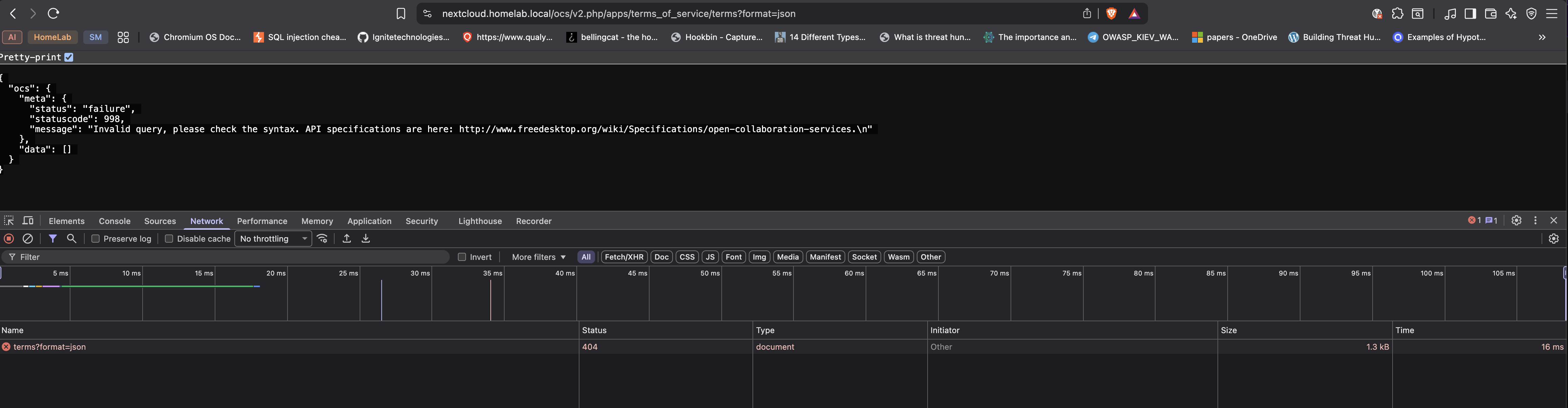
Network request error “Error transferring https://nextcloud.homelab.local/ocs/v2.php/apps/terms_of_service/terms?format=json - server replied: Not Found” HTTP status 404 httpReason “Not Found”

this is from your debug.log. Not sure why your Nextcloud server says that it is not found, perhaps some config not up to date? Not sure if this is related with other problems, but I’d try to go through the errors and try to solve them.

On the fileprovider.log
2025-12-07 23:21:49.693967+0700 0x1bf08 Error 0x0 5537 0 FileProviderExt: (FileProvider) [com.apple.FileProvider:com.nextcloud.desktopclient.FileProviderExt/e{34}d] [ERROR] Creating internal error for "itemForItemID", original error was: NSError: FP -1000 "<private>"
Not sure if the internal error also triggered something on the server side. With the date and time you can perhaps find something corresponding.

And with specific errors, you can specifically search for them, and find other potentially related issues:

(read through if it is really the same thing, if you just want to show your support give it a :+1: , contribute if you have additional information, and if your topic seems a bit different, it’s better to open a new topic describe the problem (you can still link to other perhaps similar issues).

This is what I get from the 404 url, not sure what is it?

image

About The Finder Folder Is Not Loading NextCloud Content · Issue #7571 · nextcloud/desktop · GitHub , it look similar, but still not sure. I will try it.

You could also check the file provider extension log files which are available either in an exported debug archive or at the following path (if the account was not set up by a build before release 4.0.0):

~/Library/Containers/com.nextcloud.desktopclient.FileProviderExt/Data/Library/Logs/<domain-identifier>

The self-signed certificate might be the problem.

This is what I get when try to authenticate.

╰─❯ ls ~/Library/Containers/com.nextcloud.desktopclient.FileProviderExt/Data/Library/Logs/                                                                         
b9ccefa0-ca97-4966-9cc7-329ca7209496

╰─❯ cat ~/Library/Containers/com.nextcloud.desktopclient.FileProviderExt/Data/Library/Logs/b9ccefa0-ca97-4966-9cc7-329ca7209496/2025-12-08_01-23-07\ \(9520\).json
...
{"category":"FileProviderExtension","date":"2025.12.08 17:39:15.676","details":{"item":"NSFileProviderRootContainerItemIdentifier"},"level":"error","message":"Not fetching item because account not set up yet."}
{"category":"FileProviderExtension","date":"2025.12.08 17:39:15.702","details":{"item":"NSFileProviderRootContainerItemIdentifier"},"level":"error","message":"Not fetching item because account not set up yet."}
{"category":"FileProviderExtension","date":"2025.12.08 17:39:15.711","details":{"item":"NSFileProviderRootContainerItemIdentifier"},"level":"error","message":"Not fetching item because account not set up yet."}
{"category":"FPUIExtensionServiceSource","date":"2025.12.08 17:39:17.284","details":{},"level":"info","message":"Authenticating..."}
{"category":"FileProviderExtension","date":"2025.12.08 17:39:17.288","details":{},"level":"info","message":"Setting up domain account for user: admin, userId: admin, serverUrl: https:\/\/nextcloud.homelab.local, password: <not-empty>, ncKitAccount: admin https:\/\/nextcloud.homelab.local"}
{"category":"FileProviderExtension","date":"2025.12.08 17:39:17.366","details":{},"level":"info","message":"admin authentication try timed out. Trying again soon."}
{"category":"FileProviderExtension","date":"2025.12.08 17:39:20.637","details":{},"level":"info","message":"admin authentication try timed out. Trying again soon."}
{"category":"FileProviderExtension","date":"2025.12.08 17:39:27.112","details":{},"level":"info","message":"admin authentication try timed out. Trying again soon."}
{"category":"FileProviderExtension","date":"2025.12.08 17:39:59.189","details":{},"level":"info","message":"admin authentication try timed out. Trying again soon."}

full log: domain.log

Noted: I experienced a self-signed certificate issue when adding account in the init setup, but resolved it by importing my self-signed CA into the keychain.
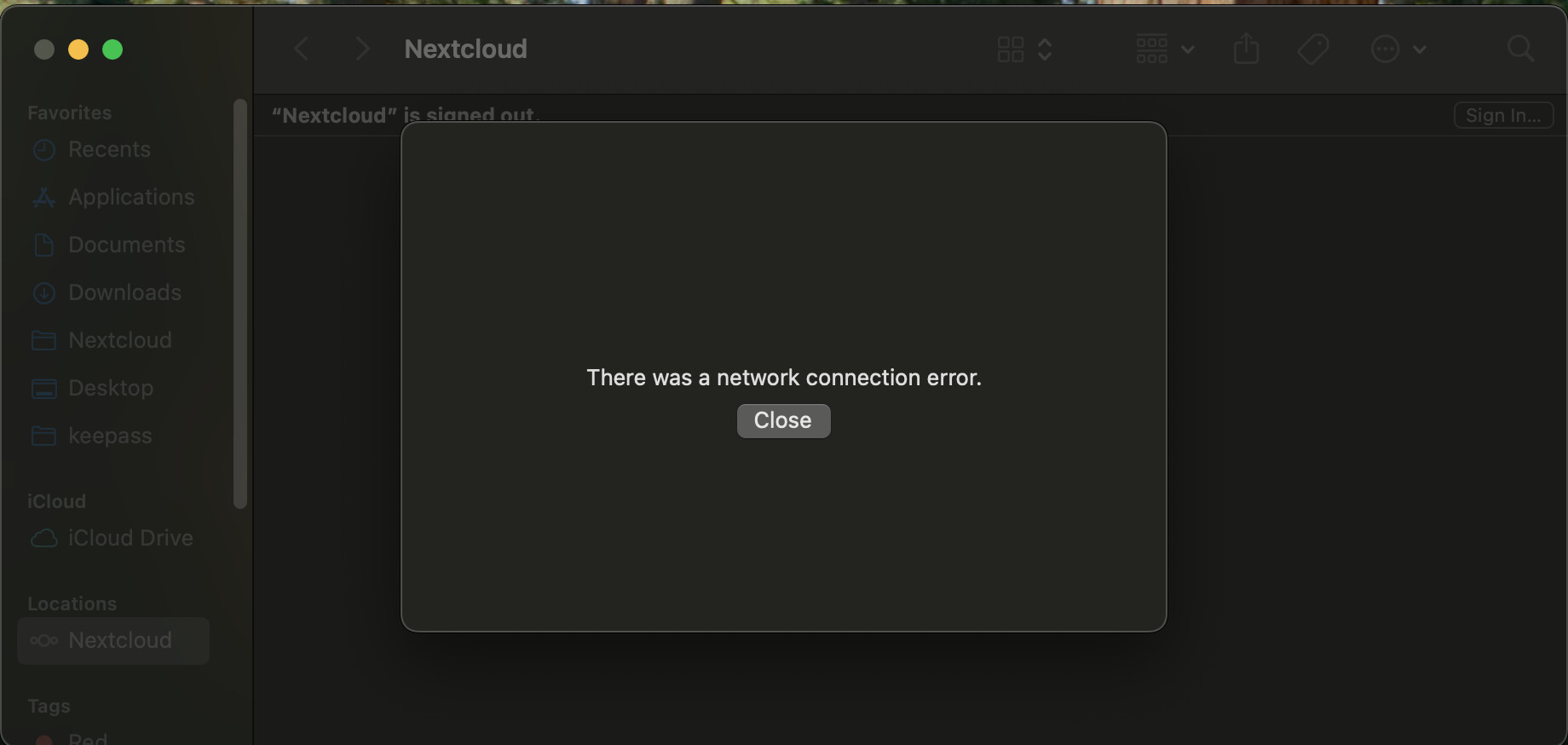
This appears to be a network issue. The HTTP calls to authenticate time out.

Please note that the file provider extension does not consider the network settings in the main app.

Relevant source code:

This is my guess: the problem comes from the self-signed cert. Even though we’ve imported the CA into the Apple Keychain, some clients still refuses to connect. It’s similar to curl behaviour:

╰─❯ curl https://nextcloud.homelab.local/ -I   
curl: (60) SSL certificate problem: self signed certificate in certificate chain
More details here: https://curl.se/docs/sslcerts.html

curl failed to verify the legitimacy of the server and therefore could not
establish a secure connection to it. To learn more about this situation and
how to fix it, please visit the web page mentioned above.

Because curl doesn’t use the CA certs from Apple Keychain to validate the server’s SSL cert—instead it uses the ones from /etc/ssl/cert.pem—I’m wondering what CA store FileProviderExt is using. If it behaves like curl, then the self-signed cert would definitely be the issue here.

Can you guys help confirm this?

If this isn’t the root cause, is there any way we can try this authentication manually?

The file provider extension is built on top of NextcloudKit which itself uses Alamofire. There might be some gotchas I am not aware of. Maybe it also does not take the self-signed certificates from the keychain into consideration. I asked my colleagues about this.

Yeah, I thinks the self signed is the issue.

I just vibe code a custom swift script with Alamofire to check cert trust.

my script:

import Foundation
import Alamofire

func checkHostTrust(host: String) {
    print("🔍 Checking trust for: \(host)")
    print("⏳ Making request...")

    var requestCompleted = false

    AF.request("https://\(host)", requestModifier: { $0.timeoutInterval = 10 })
        .validate()
        .response { response in
            print("📥 Response received!")

            if let error = response.error {
                print("❌ Host is NOT TRUSTED")

                // Just print the error directly
                print("Error: \(error.localizedDescription)")

                // Check the underlying error
                if let underlyingError = error.underlyingError {
                    print("Underlying error: \(underlyingError)")
                }

            } else {
                print("âś… Host is TRUSTED")
                if let statusCode = response.response?.statusCode {
                    print("Status Code: \(statusCode)")
                }
            }

            requestCompleted = true
            CFRunLoopStop(CFRunLoopGetMain())
        }

    // Run the main RunLoop until request completes or timeout
    let timeoutDate = Date().addingTimeInterval(15)

    while !requestCompleted && Date() < timeoutDate {
        RunLoop.main.run(mode: .default, before: Date(timeIntervalSinceNow: 0.1))
    }

    if !requestCompleted {
        print("\n⏱️  Request timed out after 15 seconds")
        print("đź’ˇ Debug: The URLSession task never completed - this is likely a macOS network permissions issue")
        exit(1)
    }
}

let arguments = CommandLine.arguments

if arguments.count < 2 {
    print("Usage: TrustChecker <hostname>")
    print("Example: TrustChecker google.com")
    exit(1)
}

checkHostTrust(host: arguments[1])

This is it output:

╰─❯ swift run TrustChecker google.com  
Building for debugging...
[1/1] Write swift-version--1AB21518FC5DEDBE.txt
Build of product 'TrustChecker' complete! (0.09s)
🔍 Checking trust for: google.com
⏳ Making request...
📥 Response received!
âś… Host is TRUSTED
Status Code: 200


╰─❯ swift run TrustChecker nextcloud.homelab.local
Building for debugging...
[1/1] Write swift-version--1AB21518FC5DEDBE.txt
Build of product 'TrustChecker' complete! (0.07s)
🔍 Checking trust for: nextcloud.homelab.local
⏳ Making request...
📥 Response received!
❌ Host is NOT TRUSTED
Error: URLSessionTask failed with error: The certificate for this server is invalid. You might be connecting to a server that is pretending to be “nextcloud.homelab.local” which could put your confidential information at risk.
Underlying error: Error Domain=NSURLErrorDomain Code=-1202 "The certificate for this server is invalid. You might be connecting to a server that is pretending to be “nextcloud.homelab.local” which could put your confidential information at risk." UserInfo={NSLocalizedRecoverySuggestion=Would you like to connect to the server anyway?, _kCFStreamErrorDomainKey=3, NSErrorPeerCertificateChainKey=(
    "<cert(0x15701aa00) s: nextcloud.homelab.local i: Homelab Intermediate CA>",
    "<cert(0x15701b200) s: Homelab Intermediate CA i: Homelab Root CA>",
    "<cert(0x15701ba00) s: Homelab Root CA i: Homelab Root CA>"
), NSErrorClientCertificateStateKey=0, NSErrorFailingURLKey=https://nextcloud.homelab.local/, NSErrorFailingURLStringKey=https://nextcloud.homelab.local/, NSUnderlyingError=0x60000314cb40 {Error Domain=kCFErrorDomainCFNetwork Code=-1202 "(null)" UserInfo={_kCFStreamPropertySSLClientCertificateState=0, kCFStreamPropertySSLPeerTrust=<SecTrustRef: 0x600000844210>, _kCFNetworkCFStreamSSLErrorOriginalValue=-9807, _kCFStreamErrorDomainKey=3, _kCFStreamErrorCodeKey=-9807, kCFStreamPropertySSLPeerCertificates=(
    "<cert(0x15701aa00) s: nextcloud.homelab.local i: Homelab Intermediate CA>",
    "<cert(0x15701b200) s: Homelab Intermediate CA i: Homelab Root CA>",
    "<cert(0x15701ba00) s: Homelab Root CA i: Homelab Root CA>"
)}}, _NSURLErrorRelatedURLSessionTaskErrorKey=(
    "LocalDataTask <B5867375-2851-4F03-9E09-7E6B61E89357>.<1>"
), _kCFStreamErrorCodeKey=-9807, _NSURLErrorFailingURLSessionTaskErrorKey=LocalDataTask <B5867375-2851-4F03-9E09-7E6B61E89357>.<1>, NSURLErrorFailingURLPeerTrustErrorKey=<SecTrustRef: 0x600000844210>, NSLocalizedDescription=The certificate for this server is invalid. You might be connecting to a server that is pretending to be “nextcloud.homelab.local” which could put your confidential information at risk.}

I figure out that Alamofire checks certificate trust beyond the Apple Keychain and will hang our request if the cert is not trust, but I’m not very familiar with how it works. What should we do here?

Hi @iva.horn, I just found the solution. We need to import the SSL certificate into the Apple Keychain as well for Alamofire to work. Importing only the CA certificate isn’t enough in this case.

╰─❯ security dump-trust-settings -d | grep -i nextcloud.homelab.local
Cert 2: nextcloud.homelab.local

╰─❯ swift run TrustChecker nextcloud.homelab.local
Building for debugging...
[1/1] Write swift-version--1AB21518FC5DEDBE.txt
Build of product 'TrustChecker' complete! (0.10s)
🔍 Checking trust for: nextcloud.homelab.local
⏳ Making request...
📥 Response received!
âś… Host is TRUSTED
Status Code: 200

If possible, I’d recommend enhancing the self-signed certificate error output for Alamofire in this case. It would make the issue much easier to identify.

Anyway, thanks for your support.

1 Like