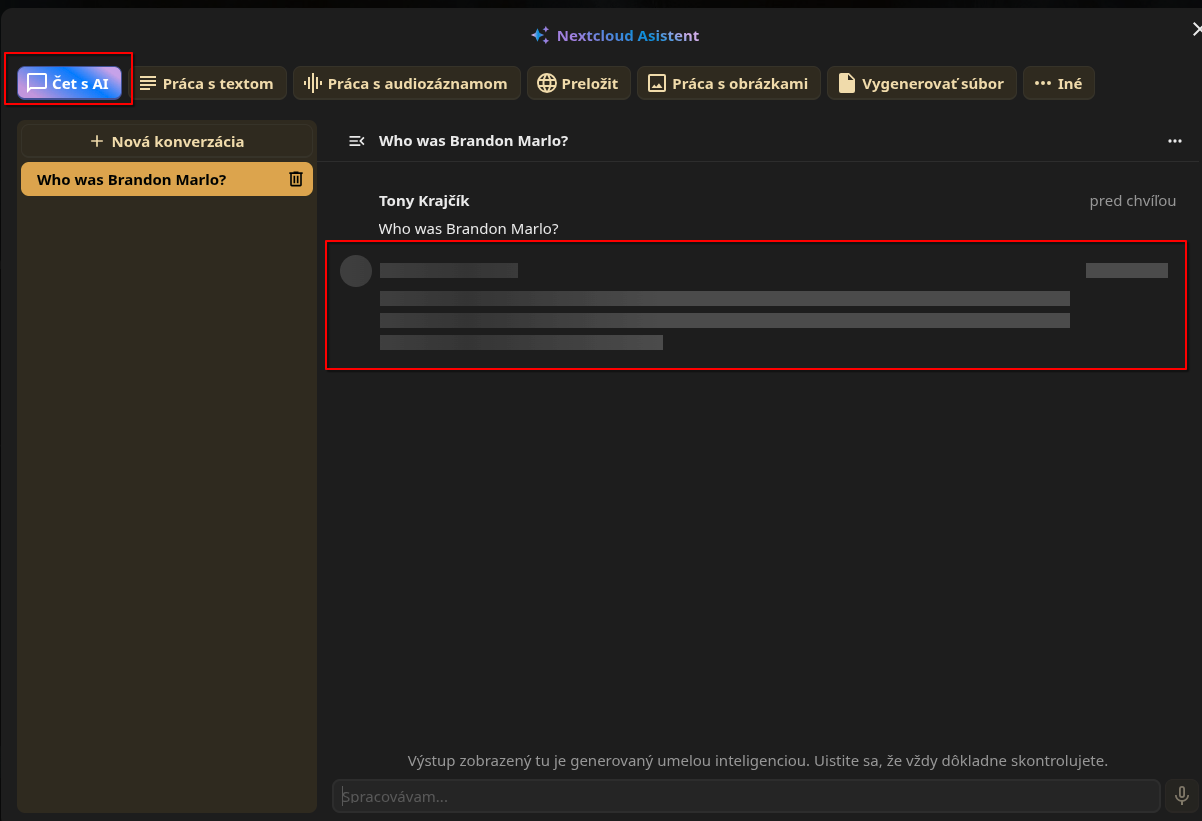
I want to add a more detailed follow-up to this topic, because after more testing I think I isolated the trigger more clearly:
Current environment:
- Nextcloud AIO 12.9.2 Beta
- Nextcloud 32.0.8
- Nextcloud Assistant 2.13.0
- Assistant Talk Bot 3.1.3
- Nextcloud Context Agent 2.5.1
- Nextcloud Assistant Context Chat 5.3.1
Provider:
What I am seeing right now is very consistent:
- if Nextcloud Assistant Context Chat is disabled
- and Nextcloud Context Agent is disabled
then both of these work normally again:
- Nextcloud Assistant
- Assistant Talk Bot
As soon as I enable either one of these apps again:
- Nextcloud Assistant Context Chat
- or Nextcloud Context Agent
then the normal AI responses stop working again.
In other words, from what I can currently reproduce, it is enough to enable one of those two apps to break the behavior of:
- the regular Nextcloud Assistant
- and the Assistant Talk Bot
That is why I no longer think this is just a simple UI problem inside one specific app.
At this point my working theory is that there is some shared layer underneath all of this that gets into a bad state once Context Chat or Context Agent becomes part of the chain.
From my testing, this looks less like:
- a general OpenAI connectivity problem
- or a problem limited only to the Assistant frontend
and more like something affecting a shared AI pipeline, for example:
- the common text generation layer
- the task processing / background job layer
- or the internal handoff between Assistant / Talk Bot and the apps that extend the AI stack
The reason I suspect that is simple:
- with Context Chat and Context Agent disabled, Assistant and Talk Bot respond normally
- with either of them enabled, both stop responding
So in my case, enabling one of these “extra” AI-related apps seems to poison or block the shared path that the other Assistant features rely on.
I do not want to overstate this as a confirmed root cause yet, because I do not have a clean code-level explanation at the moment. But from the outside, that is exactly how it behaves.
I have already been debugging this from multiple angles, including background jobs and the general AI response path, and this is currently the clearest pattern I can reproduce.
That is why I would like to ask others with a similar setup to test this and compare results.
I would especially be interested in feedback from users who run something close to this:
- Nextcloud AIO
- OpenAI integration
- Nextcloud Assistant
- Assistant Bot in Talk
- Nextcloud Assistant Context Chat
- Nextcloud Context Agent
Questions:
- Can anyone reproduce that enabling Context Chat breaks normal Assistant / Talk Bot responses?
- Can anyone reproduce the same behavior with Context Agent?
- If you use OpenAI as provider, do Assistant and Talk Bot still work normally with both of those apps enabled?
- Is this reproducible only on AIO / Beta, or also elsewhere?
At this point I am mainly trying to determine whether:
- this is a broader regression
- or whether it is something specific to my environment
If someone can confirm or deny this with a similar OpenAI-based setup, that would help a lot.
Right now, in my environment, I am effectively stuck with a choice between:
- using Nextcloud Assistant + Assistant Bot in Talk
- or using Nextcloud Assistant Context Chat
because at the moment I cannot get both of those worlds to work together at the same time.