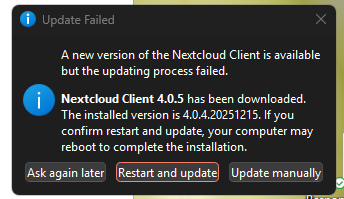
The Nextcloud Client for Windows attempts to install an update clicking Restart and Update on the following screen just comes back with the same dialog.
- Windows Taskmanager → stop Nextcloud app
- Nextcloud Client 4-0-5 → manual install / update
Yeah, I tried that feature this morning S wells. It failed miserably. Where it used to just automatically updated upon a restart of the machine.
I used the manual method. Which is annoying now, there’s now more steps
Sorry. I can stop NC with the taskmanager, but how can I make the manual update? In another post it says I should remove the old.msi file but I cannot find an old .msi-file. I should then down load the latest .msi-file which I find on Github but where should I save it. Will the update work by just cliquing on the file?
I solved it. I stopped NC with the Taskmanager. Downloaded the latest .msi file from https://github.com/nextcloud-releases/desktop/releases/tag/v4.0.6 and saved it among my other downloaded files. I then cliqued on the .msi-file and it started the installation. I needed more detailed instructions but could not find it anywhere.