How to query database?

Support intro

Sorry to hear you’re facing problems. :slightly_frowning_face:

The community help forum (help.nextcloud.com) is for home and non-enterprise users. Support is provided by other community members on a best effort / “as available” basis. All of those responding are volunteering their time to help you.

If you’re using Nextcloud in a business/critical setting, paid and SLA-based support services can be accessed via portal.nextcloud.com where Nextcloud engineers can help ensure your business keeps running smoothly.

Getting help

In order to help you as efficiently (and quickly!) as possible, please fill in as much of the below requested information as you can.

Before clicking submit: Please check if your query is already addressed via the following resources:

(Utilizing these existing resources is typically faster. It also helps reduce the load on our generous volunteers while elevating the signal to noise ratio of the forums otherwise arising from the same queries being posted repeatedly).

Some or all of the below information will be requested if it isn’t supplied; for fastest response please provide as much as you can. :heart:

The Basics

  • Nextcloud Server version (e.g., 29.x.x):
    • 32.0.1
  • Operating system and version (e.g., Ubuntu 24.04):
    • Debian GNU/Linux 12 (bookworm)
  • Web server and version (e.g, Apache 2.4.25):
    • no idea, but I don't think it's relevant
  • Reverse proxy and version _(e.g. nginx 1.27.2)
    • no idea, but I don't think it's relevant
  • PHP version (e.g, 8.3):
    • erik@NASLG2:~$ php -v => PHP 8.2.29 (cli) (built: Jul 3 2025 16:16:05) (NTS)
  • Is this the first time you’ve seen this error? (Yes / No):
    • N/A
  • When did this problem seem to first start?
    • N/A
  • Installation method (e.g. AlO, NCP, Bare Metal/Archive, etc.)
    • Docker (is I assume the expected answer here?)
  • Are you using CloudfIare, mod_security, or similar? (Yes / No)
    • I don't think so

Log entries

Web server / Reverse Proxy

The output of your Apache/nginx/system log in /var/log/____:

I have no idea...

Configuration

Nextcloud

The output of occ config:list system or similar is best, but, if not possible, the contents of your config.php file from /path/to/nextcloud is fine (make sure to remove any identifiable information!):

erik@NASLG2:/appdata$ sudo docker exec -it nextcloud bash
root@67e4e04c5776:/# occ config:list system
{
    "system": {
        "datadirectory": "***REMOVED SENSITIVE VALUE***",
        "trusted_proxies": "***REMOVED SENSITIVE VALUE***",
        "overwritewebroot": "\/nextcloud",
        "overwrite.cli.url": "URL",
        "trusted_domains": [
            "URL",
            "192.168.1.10",
            "URL"
        ],
        "instanceid": "***REMOVED SENSITIVE VALUE***",
        "passwordsalt": "***REMOVED SENSITIVE VALUE***",
        "secret": "***REMOVED SENSITIVE VALUE***",
        "dbtype": "mysql",
        "version": "32.0.1.2",
        "dbname": "***REMOVED SENSITIVE VALUE***",
        "dbhost": "***REMOVED SENSITIVE VALUE***",
        "dbport": "",
        "dbtableprefix": "oc_",
        "mysql.utf8mb4": true,
        "dbuser": "***REMOVED SENSITIVE VALUE***",
        "dbpassword": "***REMOVED SENSITIVE VALUE***",
        "installed": true,
        "memcache.local": "\\OC\\Memcache\\APCu",
        "filelocking.enabled": true,
        "memcache.locking": "\\OC\\Memcache\\APCu",
        "upgrade.disable-web": true,
        "loglevel": 2,
        "maintenance": false,
        "maintenance_window_start": 1,
        "twofactor_enforced": "true",
        "twofactor_enforced_groups": [
            "Bewoners"
        ],
        "twofactor_enforced_excluded_groups": [],
        "mail_from_address": "***REMOVED SENSITIVE VALUE***",
        "mail_smtpmode": "smtp",
        "mail_sendmailmode": "smtp",
        "mail_domain": "***REMOVED SENSITIVE VALUE***",
        "mail_smtpauth": true,
        "mail_smtphost": "***REMOVED SENSITIVE VALUE***",
        "mail_smtpport": "465",
        "mail_smtpsecure": "ssl",
        "mail_smtpname": "***REMOVED SENSITIVE VALUE***",
        "mail_smtppassword": "***REMOVED SENSITIVE VALUE***",
        "default_phone_region": "BE"
    }
}

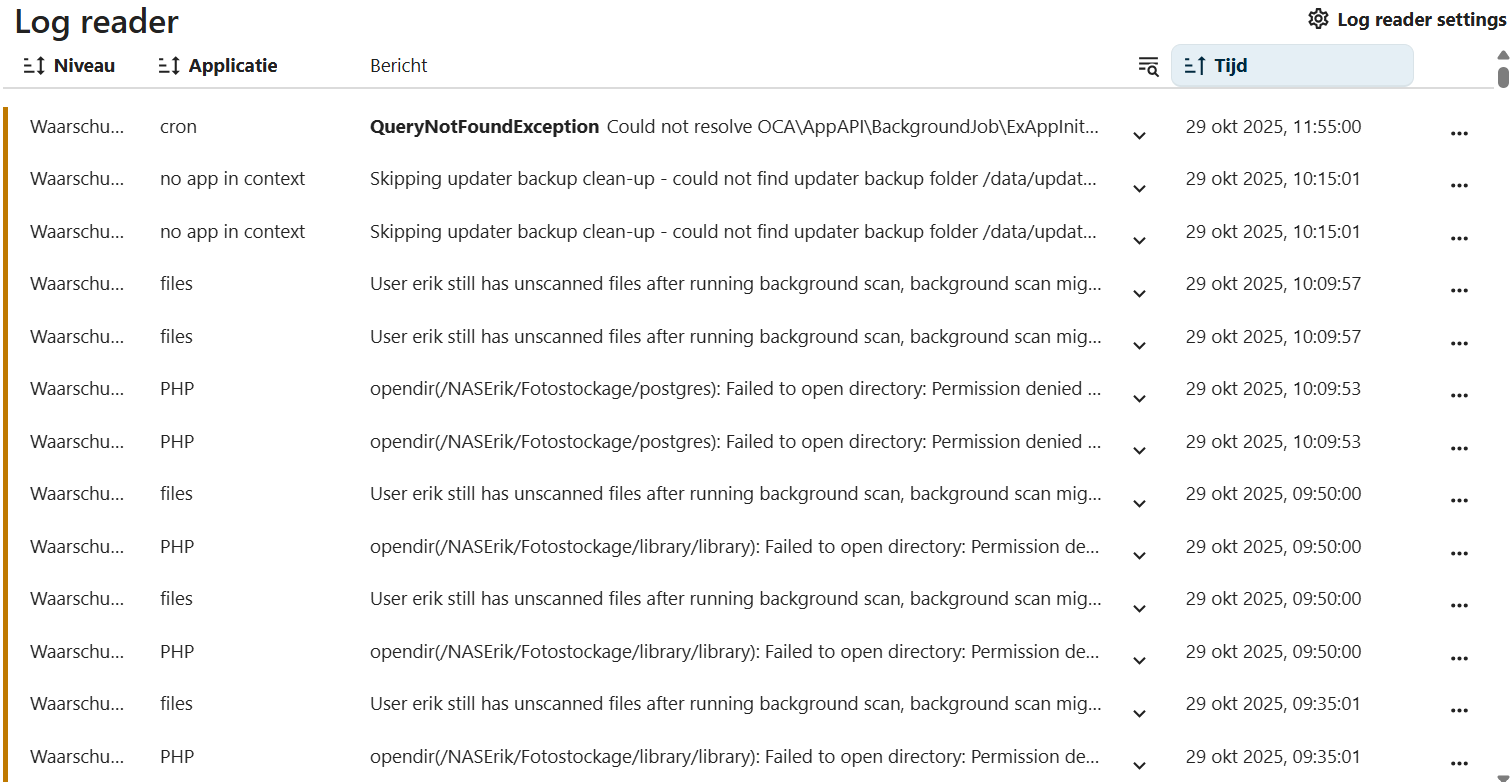
In the administration logs, I see this entry:

I then came across this topic: User x still has unscanned files after running background scan, background scan might be stopped prematurely. Great!

But I can’t figure out how to search the database. The only documentation I can find is this: Database access — Nextcloud latest Developer Manual latest documentation. But that seems to already assume I know what I’m doing…

I’m running Nextcloud in a docker, so I’m able to get here:

erik@NASLG2:/appdata$ sudo docker container ls | grep nextc
67e4e04c5776   lscr.io/linuxserver/nextcloud:latest       "/init"                  6 hours ago     Up 6 hours             80/tcp, 0.0.0.0:443->443/tcp, [::]:443->443/tcp                                                                                                                                      nextcloud
a839d7fbc41d   ghcr.io/linuxserver/mariadb:latest         "/init"                  6 hours ago     Up 6 hours             3306/tcp                                                                                                                                                                             nextclouddb
erik@NASLG2:/appdata$ sudo docker exec -it nextclouddb bash
root@a839d7fbc41d:/#

If someone could point me to help on how to query the database, that would be appreciated!

Hi, based on the information you’ve provided, it seems that your issue is that the files for user X are not displaying correctly in the web interface, is that correct?
Please share more details about the error, logs, or any other useful information that could help in troubleshooting the problem.

Right, I forgot to paste the actual entry :roll_eyes:

{
  "reqId": "Qb9kGneg5CEViJqBGCQq",
  "level": 2,
  "time": "2025-10-29T09:09:57+00:00",
  "remoteAddr": "",
  "user": "--",
  "app": "files",
  "method": "",
  "url": "/nextcloud/cron.php",
  "message": "User erik still has unscanned files after running background scan, background scan might be stopped prematurely",
  "userAgent": "--",
  "version": "32.0.1.2",
  "data": {
    "app": "files"
  },
  "id": "6901fa0e341e2"
}

And the solution seems to involve a database query: User x still has unscanned files after running background scan, background scan might be stopped prematurely - #4 by simonspa.

Not really, I just saw errors in the log, and thought it’s a good idea to fix them.

Run this command in your environment and wait for the operation to complete.

nextcloud.occ file scan

In general, it’s not a best practice to work directly on queries to fix issues, but let’s try to identify and resolve the underlying problem.

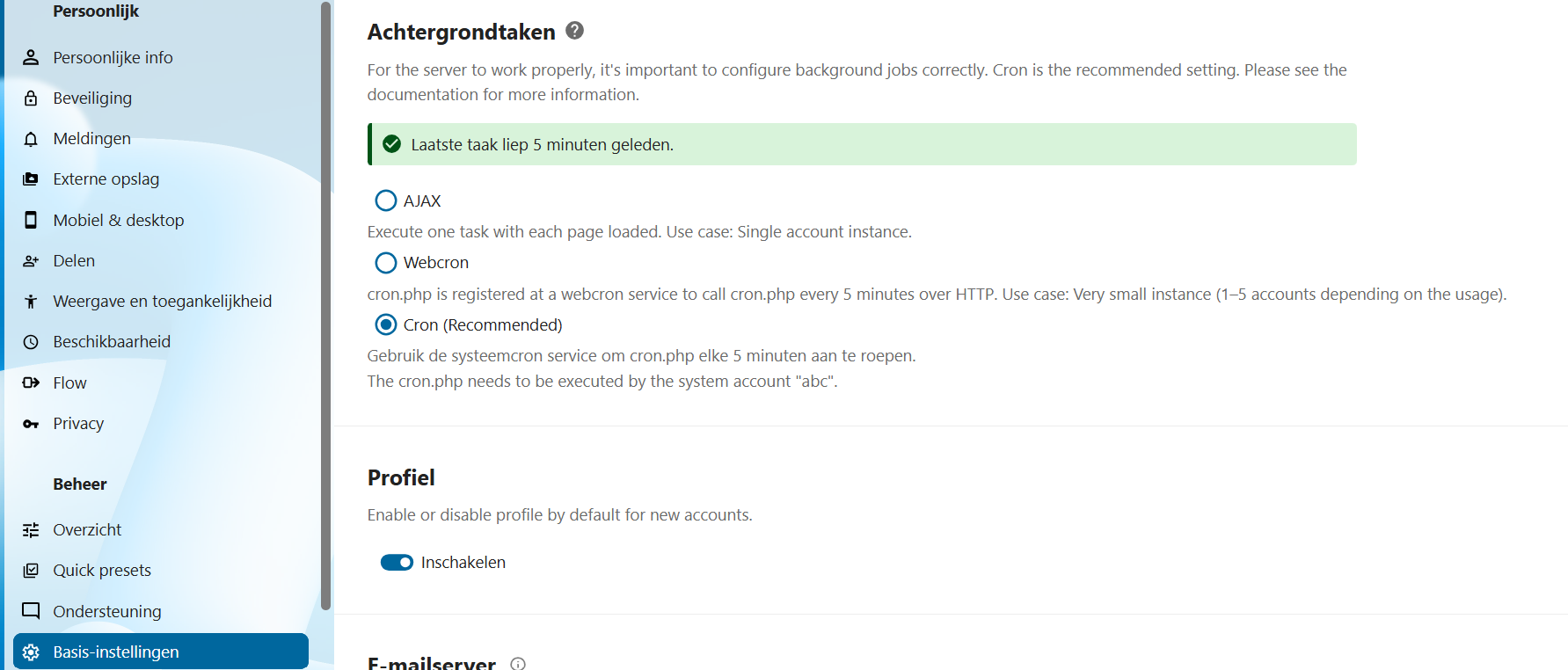
Please check that your environment has an automatic cron job configured to run every 5 minutes for file scanning.
Go to Nextcloud settings, under the System Information section of the admin user. If the cron job is not properly configured, the system will display a warning.

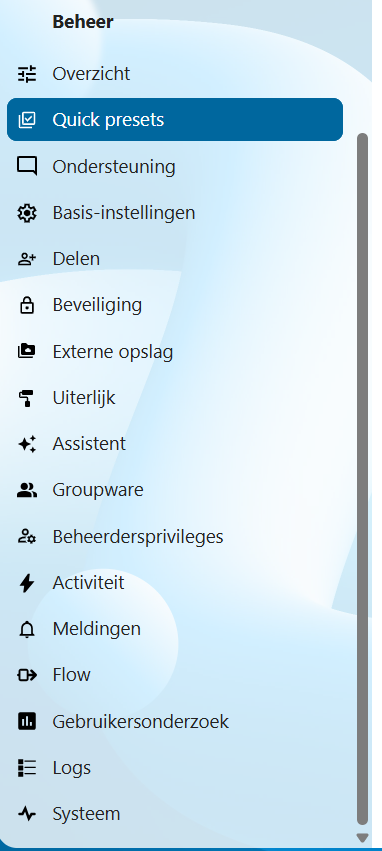
Unfortunately, I can’t find the setting you’re referring to. These are all the options under “Administration” (“Beheer”):

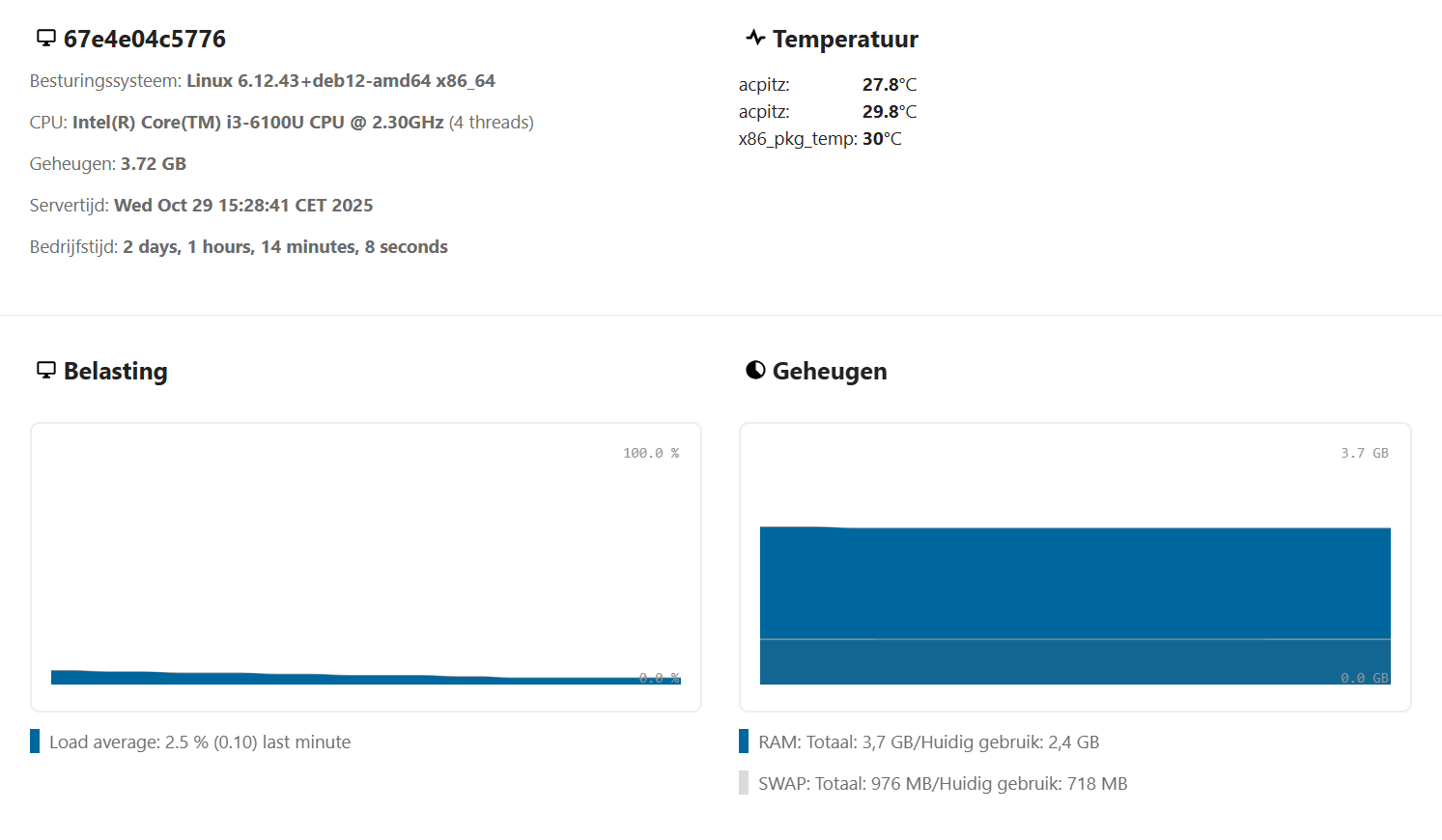
“Systeem” is the only thing that comes close to “System Information”. But looking there, I don’t see any settings, only information:


etc.

But now I see this, which is probably what you mean:

No?

Again, unfortunately:

erik@NASLG2:~$ sudo docker container ls | grep nextc
67e4e04c5776   lscr.io/linuxserver/nextcloud:latest       "/init"                  11 hours ago    Up 11 hours             80/tcp, 0.0.0.0:443->443/tcp, [::]:443->443/tcp                                                                                                                                      nextcloud
a839d7fbc41d   ghcr.io/linuxserver/mariadb:latest         "/init"                  11 hours ago    Up 11 hours             3306/tcp                                                                                                                                                                             nextclouddb
erik@NASLG2:~$ sudo docker exec -it nextcloud bash
root@67e4e04c5776:/# nextcloud.occ file scan
bash: nextcloud.occ: command not found
root@67e4e04c5776:/#
exit
erik@NASLG2:~$ sudo docker exec -it nextclouddb bash
root@a839d7fbc41d:/# nextcloud.occ file scan
bash: nextcloud.occ: command not found

But, I now realize this might be important:

I also had a lot of errors like this:

opendir(/NASErik/Fotostockage/postgres): Failed to open directory: Permission denied at /app/www/public/lib/private/Files/Storage/Local.php#130

I changed the permissions for /NASErik/Fotostockage/, so that’s taken care of. But maybe those were the “unscanned” files?

Looking at the logs, I do notice that there have been no errors since I changed the permissions, and they were a very regular thing before.

That doesn’t answer my initial question, but if that means the end of the errors, I’m also fine with that. :slight_smile:

The error

opendir(/NASErik/Fotostockage/postgres): Failed to open directory: Permission denied at /app/www/public/lib/private/Files/Storage/Local.php#130

suggests that the Docker container does not have the necessary permissions to access the specified directory (in your case, /NASErik/Fotostockage/postgres). This is a common issue when mounted directories in Docker containers have incorrect read/write permissions.

To resolve this issue, you can follow these steps:

1. Verify the directory permissions

Make sure that the /NASErik/Fotostockage/postgres directory has the correct permissions. Access the host machine and use the command:

ls -l /NASErik/Fotostockage/postgres

Verify that the user and group running the Docker container have read, write, and execute permissions on the directory. If necessary, you can change the permissions with the following command:

chmod -R 775 /NASErik/Fotostockage/postgres

This command ensures that all users in the group can read, write, and execute in the directory.

2. Verify the user the container is running as

When running Docker, the container might be running as a user who doesn’t have the necessary permissions to access the directory. You can check the user inside the container using:

docker exec -it container_name whoami

If the user does not have the necessary permissions, you can change the user inside the Dockerfile or specify a different user when starting the container.

3. Add the Docker user to the filesystem group

If you are using a mounted volume for /NASErik/Fotostockage/postgres, you may need to add the user running Docker to the group that owns that directory. To do this:

  1. Find out which group owns the directory:

ls -ld /NASErik/Fotostockage/postgres

  1. Add the Docker user to the group. For example, if the group is docker, run:

sudo usermod -aG docker $USER

  1. Restart the Docker container.

Show me the result of the commands, I await your response.

Thanks for the elaborate suggestions, but I had already resolved that issue. And indeed: no more errors have been logged since.

I’m sure your clear instructions above will be of use for a future visitor.

1 Like