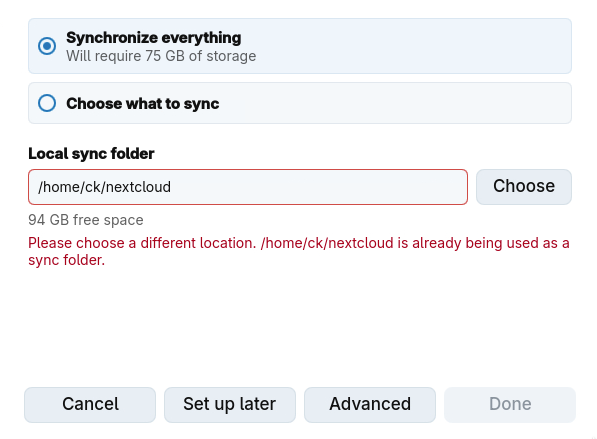
I’ve installed nextcloud-client-34.0.1 on a Fedora Linux system and want to migrate all my stuff from another laptop. I’ve used rsync to move my stuff over from the old to the new system, including ~/nextcloud/ (which holds 75 GB of data). Upon starting the Nextcloud client on my new machine it doesn’t allow me to “adopt” the old ~/nextcloud directory and wants me to pick another location. I could do that, but then I’d have to sync all contents from the already synced data over the wire from the Nextcloud server again, and I want to avoid that.
Steps to replicate it:
Start Nextcloud client, provide the URL, login.
In “Local folder sync” put in the existing ~/nextcloud directory.
An error appears: “Please choose a different location. /home/ck/nextcloud/ is already being used as a sync folder”.
The “Advanced” button only lets me choose to “Ask before syncing folders larger than…” and “Ask before syncing external storage”.
The “Setup later” button I find kinda dangerous, because it will skip the setup step, but then in the Nextcloud Client UI there are no buttons at all, and nothing can be setup. I’d then have to terminate all Nextcloud Client processes, remove everying underneath ~/.config/Nextcloud/ and start anew.
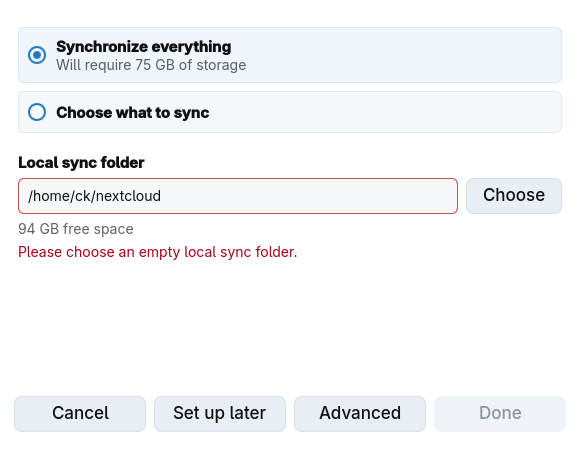
I’ve tried and removed the ~/nextcloud/.sync_*.db* files. The error message would then change to “Please choose an empty local sync folder”. So, it recognized that it’s no longer a “sync folder”, but it still needs it to be empty :-\
I’m almost certain that “adopt that folder” was an option with older Nextcloud Client versions, but the last time I used this, was years ago, so maybe I’m misrembering. Does anyone have an idea on how to do this these days?
After I submitted the question, I remembered something like this too and added:
I’ve tried and removed the ~/nextcloud/.sync_*.db* files. The error message would then change to “Please choose an empty local sync folder”. So, it recognized that it’s no longer a “sync folder”, but it still needs it to be empty :-\
So, the Nextcloud client log files moved to .config/Nextcloud/logs/ and of course the Nextcloud client will create that directory again if the setup is started. But in the directory I want to synchronize, no “hidden” files are or directories are present anymore. As mentioned above, with the hidden files gone, the Nextcloud client appears to have recognized that it’s no longer a “sync folder”, but it still needs it to be empty :-\
Correction: on macOS I did not see a .nextcloudsync.log in the data directory, but the Linux client appears to create such a file eventually, although it’s empty and logs are still stored in .config/Nextcloud/logs/.
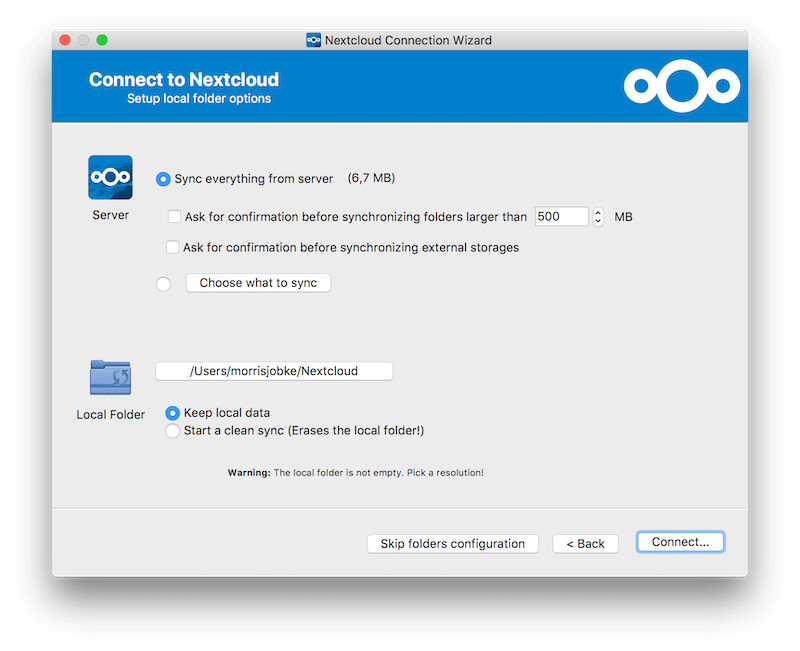
Found this Github issue, which seems related, but is about an existing client connection, and not a fresh Client installation, if I read this correctly. But given that’s it’s documented, but not available in Linux, I’d guess that this is simply not implemented and maybe even material for a new bug report.
I can confirm that, at least with macOS, deleting the ~/nextcloud/.sync_*.db* files allows to re-establish the synchronisation without the need to re-download all data.
My situation was a bit different, though: I wanted to preserve the original directory and file timestamps across several nextcloud clients (synchronising to a new client would normally mess up directory timestamps). The only way I found to achieve this was:
Pause Nextcloud synchronization on all machines where repository should be shared later.
Upload reference directories/files to Nextcloud server preserving dates via “rsync -rvpt -e ssh source destination”.
Occ file:scan on nextcloud server to have uploaded files listed
rsync files to the local nextcloud directory corresponding to server hierarchy on all machines where repository should be shared later
Re-enable or establish synchronization on all machines
The last step is where I encountered the related issue which could be solved by deleting the ~/nextcloud/.sync_.db files
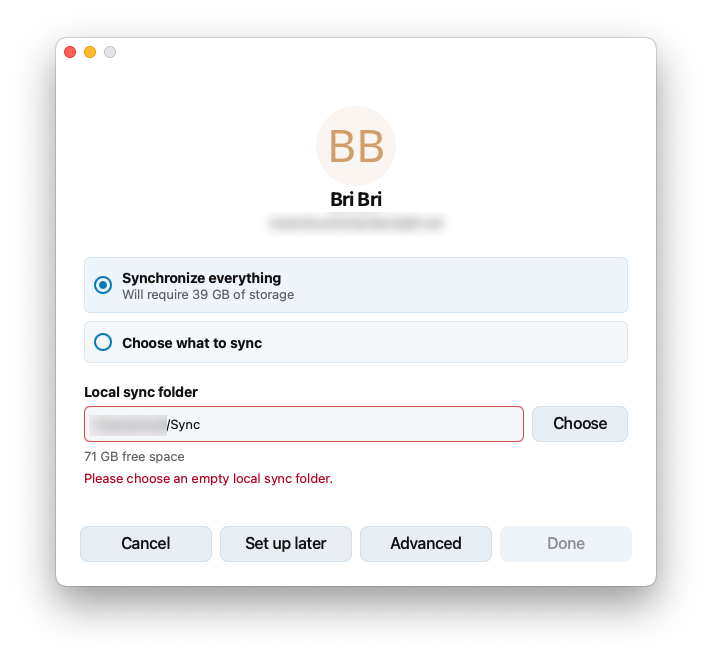
This issue affects macOS as well. I can’t figure out how to migrate my sync folder from Nextcloud 4.0.8 to Nextcloud 34.0.4. Every time it totally fails to see that I already have a synced folder from a previous Nextcloud installation, and if I select the folder it says it’s already in use. If I remove the database files then it complains the folder is not empty!
I need help! How on Earth am I supposed to have it inherit the existing sync folder? I really want to avoid having to download everything in the sync folder again.