http://192.168.1.40/nextcloud gives this:
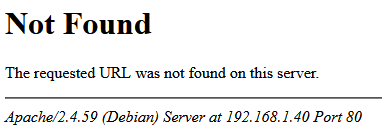
Same thing with http://192.168.1.40/index.php/apps/dashboard/
Changing the server name in my apache nextcloud.conf file from my NC domain name to my server’s IP address:
<VirtualHost *:80>
    ServerName 192.168.1.40
    DocumentRoot /var/www/nextcloud/

    # log files
    ErrorLog /var/log/apache2/files.xxxxx.com-error.log
    CustomLog /var/log/apache2/files.xxxxx.access.log combined

    <Directory /var/www/nextcloud/>
        Options +FollowSymlinks
        AllowOverride All

        <IfModule mod_dav.c>
            Dav off
        </IfModule>

        SetEnv HOME /var/www/nextcloud
        SetEnv HTTP_HOME /var/www/nextcloud
     </Directory>
</VirtualHost>
then restarting apache (systemctl restart apache2) and then pointing a browser (Firefox) to http://192.168.1.40/apps/dashboard/#/ works, but I no longer have WAN access. I guess I could do that manually each time I need to …